






Understanding and implementing strong security measures is paramount in this digital landscape. Far too many individuals and businesses fall victim to sophisticated scams and cyber-attacks, leading to significant financial losses and emotional distress. This comprehensive online banking security guide from Fin3go is designed to empower you with the knowledge and tools you need to navigate the digital financial world safely. We will delve into the critical aspects of protecting your accounts, recognizing threats, and understanding the robust security frameworks your financial institutions employ to keep your money safe. By the end of this guide, you will be equipped with actionable strategies to fortify your defenses and ensure your online banking experience remains secure and worry-free.
The Ultimate Guide to Online Banking Security & Fraud Prevention
Understanding the Digital Threat Landscape: Why Online Banking Security Matters More Than Ever
The digital realm, while offering unparalleled convenience, is also a fertile ground for malicious actors. Cybercriminals are constantly innovating, developing increasingly sophisticated methods to exploit vulnerabilities and defraud individuals and institutions. The sheer volume of transactions and personal data processed through online banking platforms makes them prime targets, transforming financial institutions into battlegrounds where your money’s safety hangs in the balance.
The consequences of compromised online banking security extend far beyond immediate financial loss. They can include long-term damage to your credit score, the arduous process of identity recovery, emotional stress, and a profound loss of trust in digital systems. A single breach can cascade into multiple financial and personal headaches that take months or even years to resolve. Therefore, understanding the nature of these threats is the crucial first step in building an impenetrable defense strategy.
Our goal with this online banking security guide is to demystify these threats and provide clarity on how they operate. By recognizing the methods employed by cybercriminals, you can better identify warning signs and take proactive measures to protect yourself. It’s about shifting from a reactive stance, where you respond to an attack, to a proactive one, where you prevent it from happening in the first place. Your financial data is valuable, and securing it requires continuous awareness and adaptation to the changing digital threat landscape.
Practical Tip: Stay Informed About Emerging Threats
Regularly check reputable cybersecurity news sources, your bank’s security advisories, and consumer protection websites for updates on the latest scams and cyberattack methods. Knowledge is power in the fight against financial cybercrime.
Fortifying Your Digital Defenses: Essential Personal Security Practices

While financial institutions invest heavily in securing their platforms, a significant portion of online banking security rests on your shoulders. Your personal habits and the measures you take to protect your devices and accounts form the bedrock of a secure online banking experience. Ignoring these fundamental practices is akin to leaving your front door unlocked in a bustling city.
Mastering Strong Passwords and Two-Factor Authentication (2FA)
Your password is often the first and sometimes only barrier between an attacker and your financial accounts. Yet, many users still rely on weak, easily guessable passwords or reuse the same password across multiple services. This dramatically increases your vulnerability. A strong password should be:
What makes a strong password?
- Long: Aim for at least 12-16 characters.
- Complex: A mix of uppercase and lowercase letters, numbers, and symbols.
- Unique: Never reuse passwords across different accounts.
Manually remembering such passwords is a challenge, which is why a reputable password manager is an invaluable tool. It generates strong, unique passwords for each site and stores them securely, requiring you to remember only one master password.
Even the strongest password can be compromised, which is where Two-Factor Authentication (2FA), also known as Multi-Factor Authentication (MFA), becomes critical. 2FA adds a second layer of verification beyond your password, making it exponentially harder for unauthorized users to access your account even if they have your password. Common 2FA methods include:
Understanding Two-Factor Authentication (2FA) methods
- Authenticator Apps: Apps like Google Authenticator or Authy generate time-sensitive codes (TOTP) that you enter after your password. These are generally more secure than SMS codes.
- SMS Codes: A code sent to your registered mobile phone number. While convenient, SMS can be vulnerable to SIM swapping attacks.
- Biometrics: Fingerprint scans or facial recognition, often used on mobile banking apps.
- Physical Security Keys: Devices like YubiKeys provide the strongest form of 2FA by requiring a physical touch or insertion.
Actionable Tip: Enable 2FA on EVERYTHING
Wherever possible, enable 2FA on your online banking, email, social media, and any other critical accounts. Prioritize authenticator apps over SMS for enhanced security.
Securing Your Devices and Network
Your devices (computer, smartphone, tablet) are the gateways to your online banking accounts. If they are compromised, your accounts are at risk, regardless of your password strength or 2FA. Implement these crucial device and network security measures:
- Keep Software Updated: Operating systems (Windows, macOS, iOS, Android) and all applications (especially browsers) frequently release security patches. Install these updates immediately to close known vulnerabilities that attackers could exploit.
- Use Antivirus/Antimalware Software: A reputable security suite provides real-time protection against viruses, ransomware, spyware, and other malicious software. Keep it updated and run regular scans.
- Enable Firewalls: Firewalls monitor network traffic and block unauthorized access to your device. Most operating systems have built-in firewalls; ensure they are active.
- Secure Your Wi-Fi Network: Use a strong, unique password for your home Wi-Fi and choose WPA2 or WPA3 encryption. Avoid conducting online banking on public, unsecured Wi-Fi networks, or use a Virtual Private Network (VPN) if you must.
- Encrypt Your Devices: Enable full-disk encryption on your computer and smartphone (often enabled by default on newer devices) to protect your data if your device is lost or stolen.
Actionable Tip: Practice “Click Before You Connect”
Before connecting to any Wi-Fi network, especially public ones, ensure it’s legitimate. Malicious actors often set up fake networks with similar names to legitimate ones to intercept your data. When in doubt, use your mobile data or a trusted VPN.
By consistently applying these personal security practices, you build a robust barrier against the majority of cyber threats, significantly enhancing your online banking security.
Navigating the Digital Wild West: Identifying and Avoiding Common Online Banking Scams
Even with strong passwords and updated software, the human element remains the most vulnerable link in the security chain. Cybercriminals excel at exploiting human trust, curiosity, and fear through various social engineering tactics. Understanding these common scams is vital for your financial safety.
Phishing, Smishing, and Vishing: The Art of Deception
These terms describe various forms of social engineering designed to trick you into revealing sensitive information or performing actions that compromise your security:
-
What is Phishing (Email Scams)?
Phishing (Email Scams): This is the most prevalent form. You receive an email that appears to be from your bank, a government agency, or a reputable company. It often contains urgent warnings about account issues (e.g., “Your account has been locked,” “Suspicious activity detected”) or tempting offers. The goal is to scare or entice you into clicking a malicious link or downloading an infected attachment. Once you click, you might be directed to a fake login page that harvests your credentials, or malware might be installed on your device.
Real-world example: An email claiming to be from “Bank of America Security” with a subject line like “Urgent: Your Account Access Has Been Restricted.” The email contains a link that, when hovered over, shows a suspicious URL like “bankofamerica-login.xyz” instead of the legitimate “bankofamerica.com”.
-
What is Smishing (SMS/Text Scams)?
Smishing (SMS/Text Scams): Similar to phishing but delivered via text message. These often use urgency, such as “Your package is delayed, click here to update delivery preferences” or “Unauthorized transaction detected on your card, reply Y or N.” Clicking the link can lead to malware or a fake website.
Real-world example: A text message from an unknown number stating, “Your Chase account has been locked. Please visit update-chase.net to reactivate.”
-
What is Vishing (Voice Phishing/Phone Scams)?
Vishing (Voice Phishing/Phone Scams): Attackers call you directly, impersonating bank representatives, tech support, or law enforcement. They might claim there’s fraud on your account, an overdue payment, or a virus on your computer. Their aim is to extract personal information, bank details, or convince you to install remote access software, which gives them control over your device.
Real-world example: A caller claiming to be from your bank’s fraud department informs you of a large suspicious transaction and asks you to confirm your account number, debit card details, and even your online banking password to “reverse the fraudulent charge.”
Actionable Tip: Verify, Don’t Trust
Never click on suspicious links or download attachments from unsolicited emails or texts. If you receive a call claiming to be from your bank, hang up and call the bank directly using the official number from their website or your card, not a number provided by the caller. Your bank will never ask for your full password or 2FA code over the phone or email.
Malware, Ransomware, and Keyloggers: The Hidden Threats
These are malicious software designed to infiltrate your devices and compromise your data:
-
What is Malware (Malicious Software)?
Malware (Malicious Software): A broad term for any software designed to harm or exploit your computer or network. It can be installed through infected email attachments, malicious websites, or compromised software downloads. For a deeper understanding of these digital threats, refer to the Wikipedia page on Malware.
-
What are Keyloggers?
Keyloggers: A specific type of malware that records every keystroke you make, including your usernames, passwords, and other sensitive information, sending it directly to the attacker.
-
What is Ransomware?
Ransomware: Encrypts your files and demands a ransom payment (usually in cryptocurrency) for their release. While not directly aimed at stealing bank credentials, it can cripple your ability to access your computer and indirectly force you into vulnerable situations.
Actionable Tip: Be Wary of Downloads and Unknown Sources
Only download software from official app stores or trusted vendor websites. Be extremely cautious about opening attachments, even if they seem to come from a known contact (their email could be compromised). Use robust antivirus software and keep it updated to detect and remove these threats.
Man-in-the-Middle (MITM) Attacks and Public Wi-Fi Risks
A MITM attack occurs when an attacker intercepts communication between two parties (e.g., you and your bank’s website) without either party knowing. This is particularly prevalent on unsecured public Wi-Fi networks where attackers can easily snoop on your traffic, capturing sensitive data like login credentials.
Actionable Tip: Avoid Public Wi-Fi for Banking
Never access your online banking or other sensitive accounts over public, unencrypted Wi-Fi networks. If you must use public Wi-Fi, always use a reputable VPN (Virtual Private Network) to encrypt your internet connection. Look for “HTTPS” in the website address bar (indicating a secure connection) before entering any sensitive information.
By staying alert to these common scams and threats, you can significantly enhance your ability to protect your online banking security and avoid falling victim to cybercriminal tactics.
Leveraging Your Bank’s Security Features: What Your Financial Institution Does to Protect You

Encryption and Secure Connections (SSL/TLS)
When you access your online banking portal, the connection between your device and the bank’s servers is encrypted. This is typically achieved using SSL (Secure Sockets Layer) or its successor, TLS (Transport Layer Security). Encryption scrambles your data, making it unreadable to anyone who might intercept it during transmission. You can identify a secure connection by:
- A padlock icon in your browser’s address bar.
- The URL starting with “https://” instead of “http://”.
This ensures that your login credentials, account numbers, and transaction details are protected from eavesdropping while in transit across the internet.
Practical Tip: Always Check for HTTPS and the Padlock
Before entering any sensitive information on a banking website, always verify the presence of “https://” and the padlock icon. If they are missing, do not proceed, as you might be on a fraudulent site.
Robust Fraud Detection Systems
Banks employ advanced fraud detection systems powered by artificial intelligence (AI) and machine learning (ML). These systems continuously monitor transactions in real-time, analyzing patterns and anomalies. For example:
- If you suddenly make a large purchase in a foreign country when you typically transact locally, the system might flag it as suspicious.
- Unusual login attempts from new devices or locations can trigger alerts.
These systems are designed to identify and block fraudulent activity before it causes significant damage. Many banks will automatically block suspicious transactions and contact you to verify them.
Transaction Alerts and Notifications
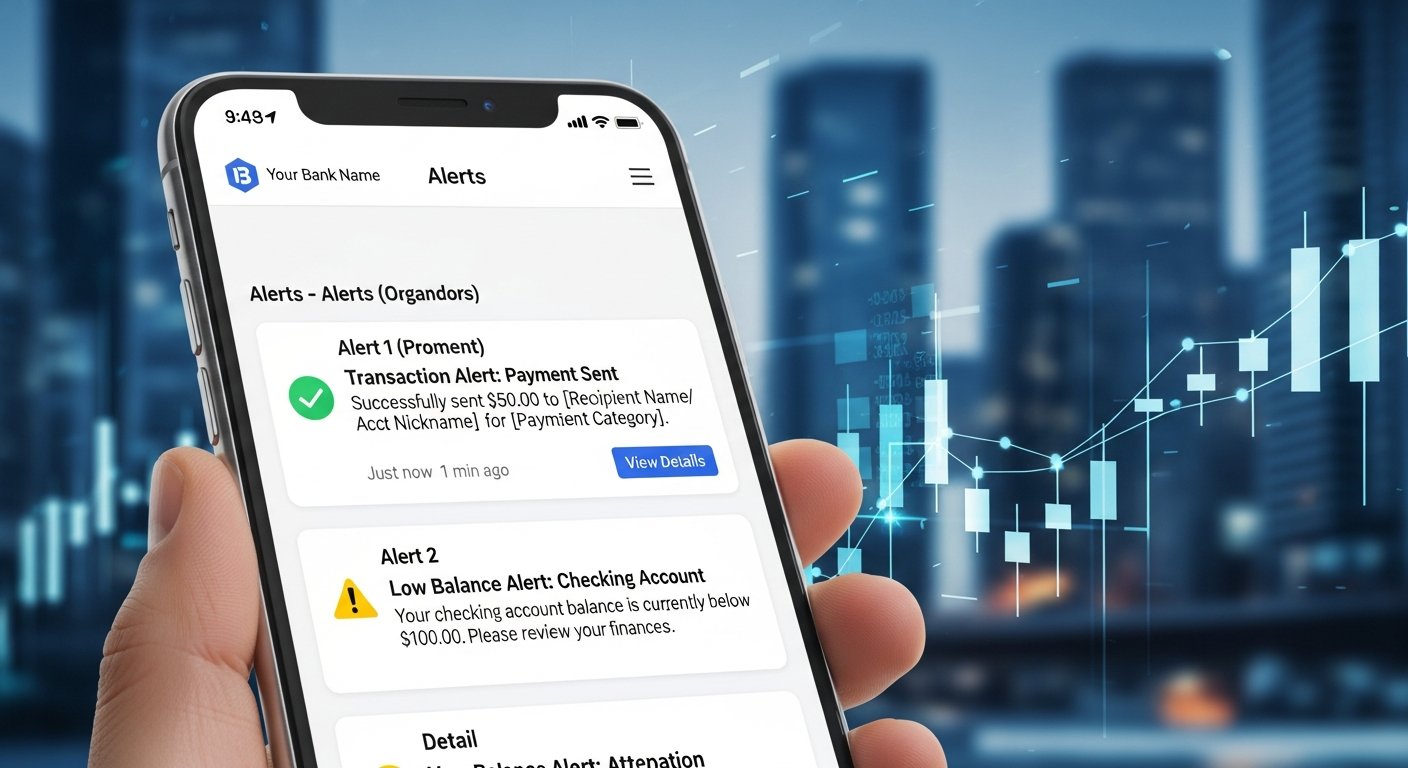
Most banks offer customizable alert services. You can set up notifications for various activities on your account, such as:
- Large withdrawals or deposits.
- Purchases exceeding a certain amount.
- International transactions.
- Login attempts from new devices or locations.
These alerts, typically delivered via email or SMS, provide immediate awareness of activity, allowing you to quickly identify and report any unauthorized transactions.
Actionable Tip: Activate and Customize Alerts
Log into your online banking portal and set up alerts for all your accounts. This provides an essential layer of real-time monitoring, enabling you to detect and respond to suspicious activity instantly.
Biometric Authentication and Security Questions
Many mobile banking apps now integrate biometric authentication, such as fingerprint or facial recognition, offering a convenient and secure way to log in without needing to type a password. Additionally, banks often use security questions (e.g., “What was your mother’s maiden name?”) as an extra verification step for certain transactions or when you contact customer service. While security questions can be vulnerable if answers are easily discoverable online, they add another hurdle for attackers.
Secure Messaging and Customer Support Channels
Your bank provides secure channels for communication. Instead of replying to suspicious emails, always use the secure messaging feature within your online banking portal or call the official customer service number listed on your bank’s official website or the back of your debit/credit card. These channels are designed to protect your information and ensure you are communicating with a legitimate representative.
Actionable Tip: Understand Your Bank’s Policies
Familiarize yourself with your bank’s online banking security policies and guarantees. Most banks offer zero-liability policies for unauthorized transactions, provided you report them promptly. Knowing these policies can give you peace of mind and guide your actions if fraud occurs.
By actively using and understanding these security features offered by your financial institution, you significantly enhance your overall online banking security posture. Remember, these tools are there to protect you, but they are most effective when you actively engage with them.
Proactive Monitoring and Rapid Response: What to Do If You Suspect Fraud
Even with the strongest personal defenses and robust bank security, the threat of fraud can never be entirely eliminated. Therefore, knowing how to proactively monitor your accounts and respond swiftly and effectively if you suspect a breach is critical. A rapid response can minimize potential losses and mitigate long-term damage.
Regular Account Monitoring: Your First Line of Defense
The most basic yet powerful tool in your fraud prevention arsenal is consistent monitoring of your financial accounts. Don’t wait for your monthly statement; regularly log in to your online banking portal and review your transaction history. Look for:
- Unrecognized Transactions: Even small, seemingly insignificant charges should be scrutinized. Fraudsters often test stolen card numbers with small purchases before attempting larger ones.
- Unusual Login Activity: Check for notifications about logins from unfamiliar devices or locations.
- Missing Statements or Emails: A sudden lack of communication from your bank could indicate that your contact information has been altered by a fraudster.
Consider setting a specific time each week to review your accounts, making it a routine part of your financial management.
Data Point: A study by Javelin Strategy & Research found that consumers who check their financial accounts online at least weekly have a significantly lower risk of identity fraud compared to those who check less frequently.
Actionable Tip: Reconcile Your Accounts Frequently
Treat your online transaction history like a checkbook register. Reconcile it with your receipts and personal records regularly to catch discrepancies early.
Immediate Action: Contacting Your Bank and Securing Your Devices
If you discover suspicious activity or believe your online banking credentials have been compromised, immediate action is paramount:
- Contact Your Bank Immediately: Call your bank’s official fraud department number (found on their website, the back of your card, or your statements). Do NOT use any number provided in a suspicious email or text. Report the unauthorized transactions and explain your concerns. The bank will typically freeze your account or card to prevent further fraud and guide you through the next steps.
- Change ALL Passwords: Change your online banking password immediately. Also, change passwords for any other accounts that use the same or similar credentials, especially your email, which is often used for password recovery.
- Secure Your Devices: If you suspect your computer or phone was compromised (e.g., through malware or a phishing link), disconnect it from the internet. Run a full scan with up-to-date antivirus software. Consider a factory reset if you’re unsure the malware has been removed (after backing up essential data, of course).
Actionable Tip: Keep Emergency Contact Information Handy
Have your bank’s fraud hotlines and customer service numbers stored securely and readily accessible, perhaps in a physical wallet or a secure digital note, separate from your compromised device.
Reporting Fraud and Protecting Your Identity
Beyond contacting your bank, there are other important steps to take:
- Report to Law Enforcement: For significant fraud, consider filing a report with local law enforcement. While they may not always investigate individual cases, it creates a record that can be useful for insurance claims or proving identity theft.
- Contact Credit Bureaus: If identity theft is suspected (e.g., new accounts opened in your name), place a fraud alert or freeze your credit with the three major credit bureaus (Equifax, Experian, TransUnion). This prevents new accounts from being opened without your explicit permission.
- Monitor Your Credit Report: Regularly obtain free copies of your credit report from AnnualCreditReport.com to check for any unauthorized accounts or inquiries.
- Notify Relevant Agencies: If documents like your Social Security number, driver’s license, or passport were compromised, contact the relevant government agencies (e.g., Social Security Administration).
The aftermath of fraud can be daunting, but by acting quickly and systematically, you can significantly reduce its impact. Your proactivity in monitoring and responding is a critical component of your overall online banking security strategy.
The Evolving Landscape: Advanced Security Measures and Future Trends
The field of cybersecurity is a constant arms race between defenders and attackers. As such, the methods for enhancing online banking security are continually evolving, incorporating cutting-edge technologies and innovative approaches. Understanding these advanced measures and future trends can give you insight into the direction of financial security and further empower your vigilance.
Biometric Authentication: Beyond Fingerprints
While fingerprint and facial recognition are already common in mobile banking, the future of biometrics is expanding. We’re seeing advancements in:
- Voice Recognition: Analyzing unique voice patterns for authentication, particularly useful for phone banking.
- Vein Pattern Recognition: Scanning the unique patterns of veins under the skin, often in the hand or finger, offering a highly secure and difficult-to-spoof method.
- Behavioral Biometrics: This analyzes unique behavioral patterns, such as how you type, your mouse movements, the way you hold your phone, or your gait. These subtle, continuous cues can verify your identity throughout an online session, rather than just at login, providing an invisible layer of continuous authentication.
These methods aim to provide a more seamless and secure user experience, reducing reliance on easily forgotten or compromised passwords.
Artificial Intelligence and Machine Learning in Fraud Prevention
AI and ML are already integral to current fraud detection systems, but their capabilities are rapidly expanding. Future applications include:
- Predictive Analytics: AI can analyze vast datasets to identify emerging fraud patterns and predict potential attack vectors before they materialize, allowing banks to pre-emptively bolster defenses.
- Real-time Anomaly Detection: Even faster and more accurate detection of unusual transaction behaviors, reducing false positives while catching sophisticated fraud attempts instantly.
- Adaptive Security: Systems that learn from new threats and automatically adjust security protocols, creating a dynamic defense against evolving cyberattacks.
This sophisticated technology helps banks stay one step ahead of criminals, constantly refining their ability to protect your assets.
Quantum Computing and Post-Quantum Cryptography
While still largely in the research phase, quantum computing poses both a threat and an opportunity for online banking security. A sufficiently powerful quantum computer could potentially break many of the encryption methods currently used to secure online communications. This has led to the development of “post-quantum cryptography” – new encryption algorithms designed to be resistant to quantum attacks. Financial institutions are actively researching and preparing for this future shift to ensure long-term data security.
Data Point: The National Institute of Standards and Technology (NIST) is leading efforts to standardize new post-quantum cryptographic algorithms, a critical step for future-proofing digital security.
Zero-Trust Security Models
Traditional security models often assume that once a user is inside the network, they can be trusted. A “zero-trust” model, however, operates on the principle of “never trust, always verify.” Every user, device, and application is continuously authenticated and authorized before gaining access to resources, regardless of whether they are inside or outside the network perimeter. While primarily an enterprise security model, its principles are increasingly influencing consumer-facing online banking security, leading to more granular and continuous authentication checks.
Actionable Tip: Embrace Biometrics Where Available
If your bank offers biometric login options for its mobile app, utilize them. They generally provide a stronger and more convenient form of authentication than passwords alone. Ensure your device’s biometric sensors are clean and functioning correctly for optimal security.
The future of online banking security promises even more robust, intelligent, and seamless protections. By staying informed about these advancements and adopting new security features as they become available, you play an active role in maintaining the highest level of protection for your financial life.
Conclusion: Your Role in a Secure Digital Financial Future
The digital transformation of banking has brought unparalleled convenience, but it has also introduced new complexities and risks that demand our unwavering attention. This ultimate online banking security guide has traversed the critical landscape of cyber threats, detailed essential personal defense strategies, highlighted the robust security features implemented by your financial institutions, and outlined a rapid response plan for when fraud strikes.
Ultimately, a secure online banking experience is a shared responsibility. While banks invest heavily in advanced technologies and protocols to safeguard your assets, your active participation and commitment to security best practices are indispensable. Neglecting simple steps like strong passwords, two-factor authentication, and vigilant monitoring can render even the most sophisticated bank defenses ineffective against social engineering and common vulnerabilities.
The digital world is dynamic, and so too must be our approach to security. Cybercriminals are constantly adapting, and we must adapt faster. By integrating the practical tips and comprehensive knowledge from this guide into your daily financial habits, you not only protect your own finances but also contribute to a safer digital ecosystem for everyone.
Your financial well-being is too important to leave to chance. Take the knowledge you’ve gained today and put it into action. Educate your family, share these tips with friends, and make security an ongoing conversation. Fin3go remains committed to providing you with the insights and tools needed to navigate the evolving world of personal finance and fintech securely and confidently.
Your Next Step: Review your online banking security settings today. Enable 2FA on all your accounts, update your passwords, and set up transaction alerts. Proactive defense is your strongest asset against financial fraud.
Frequently Asked Questions
Related Articles from Fin3go
- Secure Your Mobile Banking: Essential Tips for On-the-Go Finance
- Choosing the Best Password Manager for Ultimate Online Security
- Preventing Identity Theft: A Comprehensive Guide to Protecting Your Personal Data
- What is a VPN and Why You Need One for Online Privacy
- Latest Cybersecurity News and Trends Affecting Your Finances