

Unlock Your Financial Potential: A Comprehensive Guide to Automated Savings Apps
Affiliate disclosure: This article may contain affiliate links. Recommendations are independent and editorially driven.
In the rapidly evolving landscape of personal finance, one innovation stands out for its profound impact on individuals’ ability to build wealth without constant vigilance: automated savings apps. These sophisticated fintech tools have transformed the daunting task of saving money into an intuitive, often subconscious, process. By leveraging cutting-edge technology, automated savings apps empower users to reach their financial goals faster, whether it’s building an emergency fund, saving for a down payment, or investing for retirement.
For many, the biggest hurdle to saving is consistency. Life’s demands, unexpected expenses, and the sheer effort of manually transferring funds can derail even the best intentions. Automated savings apps provide a powerful antidote to this challenge, integrating seamlessly into your daily financial life to put your savings on autopilot. They operate on various principles, from rounding up spare change to setting up recurring transfers based on your spending habits, all designed to make saving less of a chore and more of a natural part of your financial routine.
This comprehensive guide delves deep into the world of automated savings apps. We’ll explore how they work, the diverse benefits they offer, the different types available, and crucial features to consider when choosing the right app for your financial journey. Whether you’re a seasoned investor looking for an edge or someone just starting to take control of their finances, understanding and utilizing automated savings apps can be a game-changer. By the end of this article, you’ll be equipped with the knowledge to select and implement an automated savings strategy that aligns perfectly with your financial aspirations for 2026 and beyond.
Understanding Automated Savings Apps: A Modern Approach to Financial Growth
At their core, automated savings apps are digital tools designed to simplify and streamline the process of saving money. They remove the manual effort and decision-making often associated with setting aside funds, effectively “automating” the habit of saving. This automation is a significant psychological advantage, as it sidesteps the procrastination and willpower fatigue that can plague traditional saving methods. Instead of consciously deciding to save a certain amount each month, these apps do the heavy lifting for you, often in ways that are barely noticeable until your savings account begins to swell.
The rise of automated savings apps is a direct response to the increasing complexity of personal finance and the desire for more convenient, accessible financial management tools. Built on the foundations of modern fintech, these apps leverage APIs (Application Programming Interfaces) to securely connect with your existing bank accounts, credit cards, and investment platforms. This connectivity allows them to analyze your income, spending patterns, and financial goals, then execute smart savings strategies tailored to your individual situation.
The Paradigm Shift in Personal Finance
Traditionally, saving money required discipline, manual transfers, and a clear budget. While these methods remain valid, automated savings apps introduce a new paradigm: effortless, “set-it-and-forget-it” saving. This shift is particularly beneficial for individuals who struggle with budgeting, have irregular incomes, or simply prefer a hands-off approach to growing their nest egg. By making saving an intrinsic part of your financial workflow rather than an external task, these apps foster a sustainable habit that compounds over time.
Beyond Basic Banking: Specialized Savings Solutions
While many traditional banks offer basic automated transfers, dedicated automated savings apps go a step further. They often incorporate advanced algorithms, behavioral economics principles, and gamification to encourage better financial habits. Features like “round-ups” (saving spare change from transactions), “smart-saves” (analyzing spending to find optimal saving opportunities), and goal-based tracking make the saving experience more engaging and effective than ever before. These apps are not just about moving money; they’re about optimizing your money management for long-term success.
[INLINE IMAGE 1: place after second H2 | alt=”automated savings apps concept illustration”]
The Mechanics Behind the Magic: How Automated Savings Apps Work
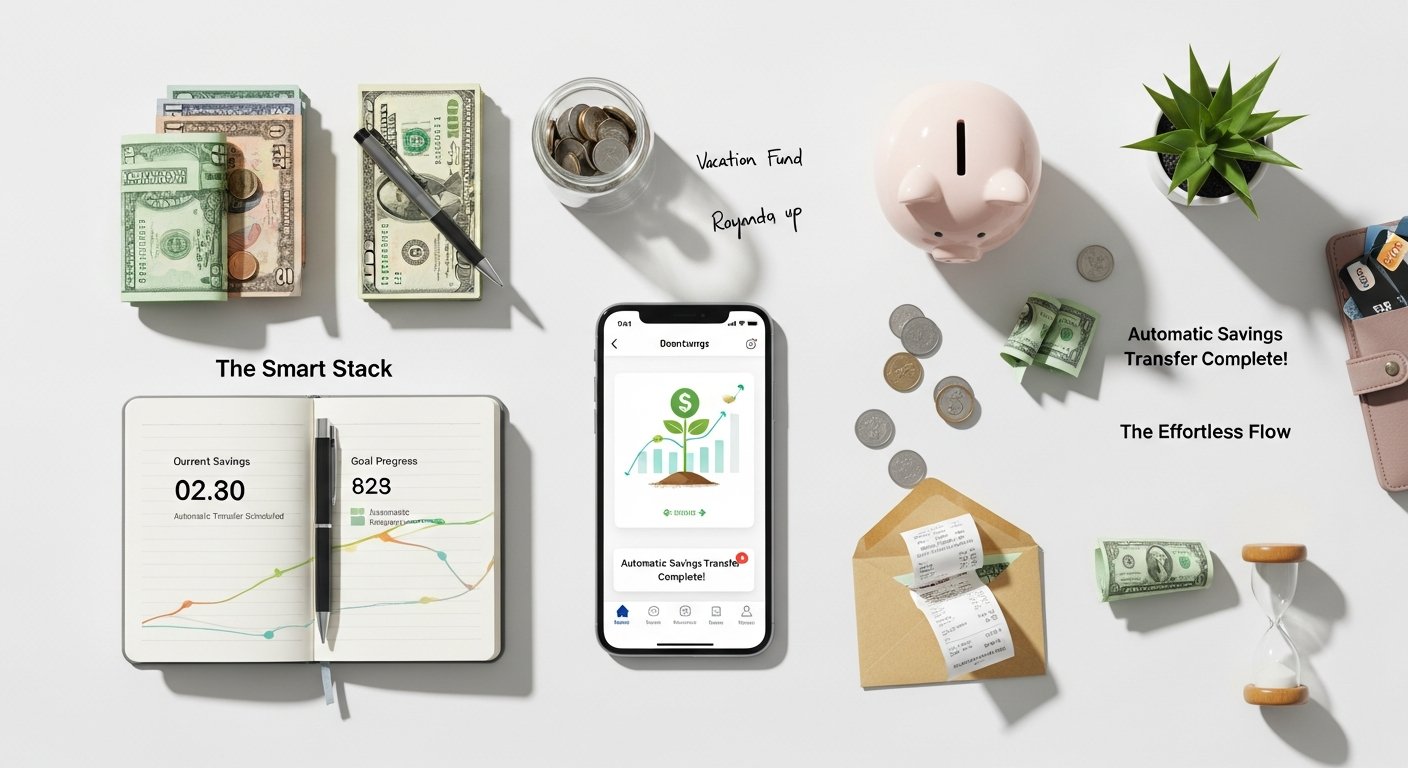
The effectiveness of automated savings apps lies in their sophisticated operational mechanisms. While they appear simple to the end-user, a complex interplay of technology, algorithms, and financial principles powers their functionality. Understanding these mechanics can help you appreciate their value and choose the app that best suits your needs.
Secure Account Linking and Data Analysis
The foundational step for nearly all automated savings apps is securely linking to your primary checking account and other financial accounts (e.g., credit cards, other savings accounts). This is typically done through secure, encrypted connections, often utilizing third-party aggregators that comply with stringent security protocols, similar to those used by online banking platforms. Once linked, the app gains read-only access to your transaction data. It then analyzes your income, spending habits, recurring bills, and account balances to identify opportunities to save without disrupting your essential finances. This analysis is crucial for “smart-save” features that adapt to your financial fluctuations.
Diverse Automation Triggers and Algorithms
Automated savings apps employ a variety of triggers to initiate transfers. These can be categorized into several common mechanisms:
- Round-Ups: This popular feature rounds up your purchases to the nearest dollar (or a custom increment). For example, if you spend $3.75 on coffee, the app rounds it to $4.00 and transfers $0.25 to your savings. These small, frequent transfers accumulate quickly and are often barely noticeable.
- Recurring Transfers: You can set up fixed amounts to be transferred on a regular schedule (daily, weekly, bi-weekly, or monthly). This is similar to a traditional automatic transfer but often comes with more flexibility and integration with other features within the app.
- Smart-Saves/Algorithmic Transfers: These are the most intelligent mechanisms. Apps use algorithms to analyze your spending patterns, upcoming bills, and income. They identify “safe-to-save” amounts, transferring money when your account balance is high or when expenses are low, and avoiding transfers when funds are tight. This dynamic approach minimizes the risk of overdrafts while maximizing savings potential.
- Payday Savings: Some apps allow you to automatically save a percentage or fixed amount of your paycheck as soon as it hits your account, ensuring you prioritize saving before spending.
- Goal-Based Saving: Users can set specific financial goals (e.g., “new car,” “down payment,” “vacation fund”) with target amounts and deadlines. The app then calculates and suggests how much to save regularly to reach that goal, adjusting as you contribute.
- Rule-Based Saving: More advanced apps allow you to create custom rules. For instance, “save $5 every time I go to the gym” (linked via location services) or “save $10 if I hit my step count target.” This gamifies saving and links it to personal habits.
Holding Accounts and Investment Options
Once money is automatically transferred, it typically goes into a separate holding account. This account might be an FDIC-insured savings account held by a partner bank, or in the case of micro-investing apps, it might be invested into a diversified portfolio of ETFs (Exchange Traded Funds). The specific destination and how your money is managed are crucial considerations, as they impact returns, accessibility, and risk. Many apps offer options to direct savings towards different goals or even to begin micro-investing with those small, incremental transfers, helping your money grow even faster through compounding returns. Understanding the basics of compound interest can highlight just how powerful these small, consistent savings can be over time.
Transforming Your Finances: The Myriad Benefits of Automated Saving
Automated savings apps aren’t just a convenient gimmick; they represent a fundamental shift in how individuals can interact with and manage their money. The benefits extend far beyond simply accumulating cash, impacting financial behavior, stress levels, and long-term wealth building.
Effortless and Consistent Saving
The primary and most celebrated benefit is the removal of friction from the saving process. By automating transfers, these apps ensure that you are consistently saving without having to think about it. This consistency is key to building substantial wealth over time, as even small, regular contributions can grow significantly through the power of compounding. For those who struggle with discipline or motivation, automation becomes their built-in financial coach, diligently setting aside funds without fail.
Overcoming Financial Procrastination and Behavioral Biases
Human psychology often works against good financial habits. We tend to prioritize immediate gratification over long-term goals, and the act of saving can feel like a sacrifice. Automated savings apps cleverly bypass these behavioral biases. By making saving automatic and often imperceptible (especially with round-ups), they turn saving into the default option. This “set-it-and-forget-it” approach eliminates the need for constant willpower and decision-making, allowing users to save effectively without feeling deprived.
Building an Emergency Fund Faster
One of the most critical financial goals is establishing an emergency fund. Automated savings apps are exceptionally well-suited for this purpose. Their consistent, often incremental transfers can rapidly build up a safety net for unexpected expenses, providing peace of mind and preventing debt accumulation during financial emergencies. Many users report accumulating several months’ worth of living expenses much faster than they would have with traditional saving methods, precisely because of the apps’ persistent saving mechanisms.
Achieving Specific Financial Goals
Whether you’re saving for a down payment on a house, a new car, a dream vacation, or your child’s education, automated savings apps can help you get there. Many apps allow you to create multiple savings goals, each with its own target and progress tracker. This visualization of progress is incredibly motivating and helps users stay focused on their objectives. The automation ensures that funds are continually directed towards these goals, turning aspirations into achievable milestones.
Introduction to Micro-Investing and Wealth Building
Beyond traditional savings, many automated apps also offer micro-investing capabilities. This allows users to invest their spare change or small, recurring contributions into diversified portfolios, typically consisting of low-cost Exchange Traded Funds (ETFs). For many, this is their first foray into investing, making the stock market accessible without requiring large lump sums or complex financial knowledge. This early exposure to investing, coupled with automation, can significantly accelerate long-term wealth creation, demonstrating that even small amounts can grow substantially when invested wisely and consistently. Learn more about the power of micro-investing to see how tiny contributions can lead to significant returns.
Reduced Financial Stress and Improved Financial Health
Knowing that you are consistently saving and making progress towards your financial goals can dramatically reduce financial stress. Automated savings apps foster a sense of control and stability, improving overall financial health. By building reserves and investing for the future, individuals can feel more secure and less vulnerable to financial shocks, leading to greater peace of mind and a stronger foundation for their financial future.
Navigating the Landscape: Different Types of Automated Savings Apps
The ecosystem of automated savings apps is diverse, with various platforms offering distinct approaches to help you save. Understanding these categories is essential for choosing an app that aligns with your financial habits and goals.
1. Round-Up Savings Apps
Mechanism: These apps connect to your primary checking account and monitor your debit card transactions. For every purchase, they round up the amount to the nearest dollar (or sometimes a custom increment) and transfer the difference from your checking account to a designated savings or investment account within the app.
Ideal For: Individuals who make frequent small purchases and want to save without noticing it. It’s an excellent entry point for new savers.
Examples: Acorns (primarily micro-investing), Chime (banking app with a savings feature).
2. Smart-Saving and Algorithmic Apps
Mechanism: These are more sophisticated. They analyze your income, spending patterns, and upcoming bills to identify “safe-to-save” amounts. Using proprietary algorithms, they determine when and how much to transfer to your savings without putting your linked checking account at risk of overdraft. Transfers might occur several times a week, varying in amount based on your financial activity.
Ideal For: Those with irregular incomes, people who struggle with budgeting, or anyone who wants a truly hands-off, intelligent savings approach.
Examples: Digit, Qapital.
3. Goal-Based Savings Apps
Mechanism: While many apps incorporate goal setting, some specifically emphasize it. Users set specific financial goals (e.g., “vacation fund,” “down payment”), specify a target amount and a deadline. The app then calculates the required recurring contributions and helps automate transfers to meet those goals. They often allow for multiple goals simultaneously.
Ideal For: Individuals with clear financial objectives who need structured guidance and motivation to reach them.
Examples: Qapital, YNAB (You Need A Budget – more comprehensive budgeting, but with strong goal-setting features).
4. Micro-Investing Apps
Mechanism: These apps take your small, automated savings (often round-ups or small recurring transfers) and invest them into diversified portfolios, typically comprising Exchange Traded Funds (ETFs). They make investing accessible and understandable for beginners, often allowing users to choose risk levels.
Ideal For: Beginners to investing, those who want their savings to grow beyond traditional interest rates, and individuals who want to start investing with small amounts.
Examples: Acorns, Stash (also offers fractional shares), Fidelity Go (more robo-advisor but accessible for micro-investing).
5. Budgeting Apps with Savings Automation
Mechanism: These apps are primarily designed for comprehensive budgeting, expense tracking, and financial planning. However, many have integrated features that allow for automated savings transfers based on budget categories, surplus funds, or specific rules set by the user. They offer a holistic view of your finances.
Ideal For: Users who want a complete financial picture, rigorous budgeting capabilities, and integrated savings automation within one platform.
Examples: YNAB, Personal Capital (now Empower Personal Wealth).
6. Bank-Integrated Savings Features
Mechanism: Many challenger banks and even some traditional banks have begun incorporating automated savings features directly into their mobile banking apps. These can include round-ups, automatic percentage-based savings from paychecks, or simple recurring transfers to a separate savings account.
Ideal For: Individuals who prefer to keep their banking and saving within a single ecosystem and already have an account with a participating institution.
Examples: Chime, Ally Bank, Capital One 360.
[INLINE IMAGE 2: place after fourth H2 | alt=”automated savings apps comparison illustration”]
Choosing Your Financial Co-Pilot: Key Features to Look for in Savings Apps
With a plethora of automated savings apps available, selecting the right one can feel overwhelming. Focusing on key features that align with your financial goals, habits, and comfort level is crucial. Here’s what to consider when making your choice:
1. Security and FDIC Insurance
Why it matters: Your money’s safety is paramount. Ensure the app uses bank-level encryption for data protection and that any funds held in savings accounts are FDIC-insured through a partner bank. This protects your cash up to $250,000 in the unlikely event the partner bank fails. For investment accounts, look for SIPC (Securities Investor Protection Corporation) insurance.
What to look for: Clear statements on their website about security measures, encryption protocols (e.g., 256-bit AES), and FDIC/SIPC insurance details.
2. Fee Structure and Transparency
Why it matters: While many apps offer basic features for free, some charge monthly subscription fees, transaction fees, or management fees (especially for investment components). These fees can eat into your savings, so understanding them upfront is vital.
What to look for: A clear, easy-to-understand fee schedule. Compare free tiers vs. premium features. For investment apps, pay attention to advisory fees, expense ratios of ETFs, and trading commissions.
3. Automation Mechanisms Offered
Why it matters: Different apps excel at different automation styles. Do you prefer round-ups, smart-saves, recurring transfers, or a combination? Choose an app whose core automation method matches how you want to save.
What to look for: List of specific automation rules (e.g., “round-ups,” “safe-to-save algorithm,” “payday save,” “custom rules”). Some apps offer more flexibility than others.
4. Savings Goals and Tracking
Why it matters: Setting clear goals makes saving more tangible and motivating. An app that allows you to create multiple goals and visually track your progress can be highly effective.
What to look for: Features for creating and managing multiple savings goals, visual progress bars, and estimated completion dates.
5. Investment Options (if applicable)
Why it matters: If you want your money to grow beyond what a traditional savings account offers, consider apps with micro-investing features. Evaluate the types of investments offered (ETFs, fractional shares), portfolio diversification, and risk assessment tools.
What to look for: Information on portfolio construction, available asset classes, rebalancing features, and whether they offer tax-advantaged accounts (e.g., Roth IRA). Explore different investment vehicles to understand your options.
6. Ease of Use and User Interface (UI)
Why it matters: An intuitive and user-friendly interface makes the app a pleasure to use, encouraging consistent engagement. A clunky app might lead to abandonment.
What to look for: Clean design, easy navigation, clear instructions, and a straightforward setup process. Read user reviews regarding usability.
7. Withdrawal Accessibility and Speed
Why it matters: While the goal is to save, you’ll eventually need access to your money. Understand how long it takes to withdraw funds back to your linked bank account.
What to look for: Clearly stated withdrawal policies, estimated transfer times (e.g., 1-3 business days), and any limits or fees associated with withdrawals.
8. Customer Support
Why it matters: If you encounter issues or have questions, responsive and helpful customer support is invaluable.
What to look for: Multiple contact channels (phone, email, chat), available hours, and positive reviews regarding support quality.
9. Integration with Other Financial Tools
Why it matters: For a holistic view of your finances, an app that integrates with other budgeting tools, banking platforms, or financial aggregators can be beneficial.
What to look for: Mentions of API integrations, compatibility with popular budgeting software, or partnerships with banks.
10. Educational Resources
Why it matters: Especially for beginners, apps that offer financial literacy content, tips, or insights can enhance your overall financial knowledge.
What to look for: Blogs, articles, in-app tips, or webinars that help you understand personal finance concepts better.
Top Automated Savings Apps of 2026: A Comparative Analysis
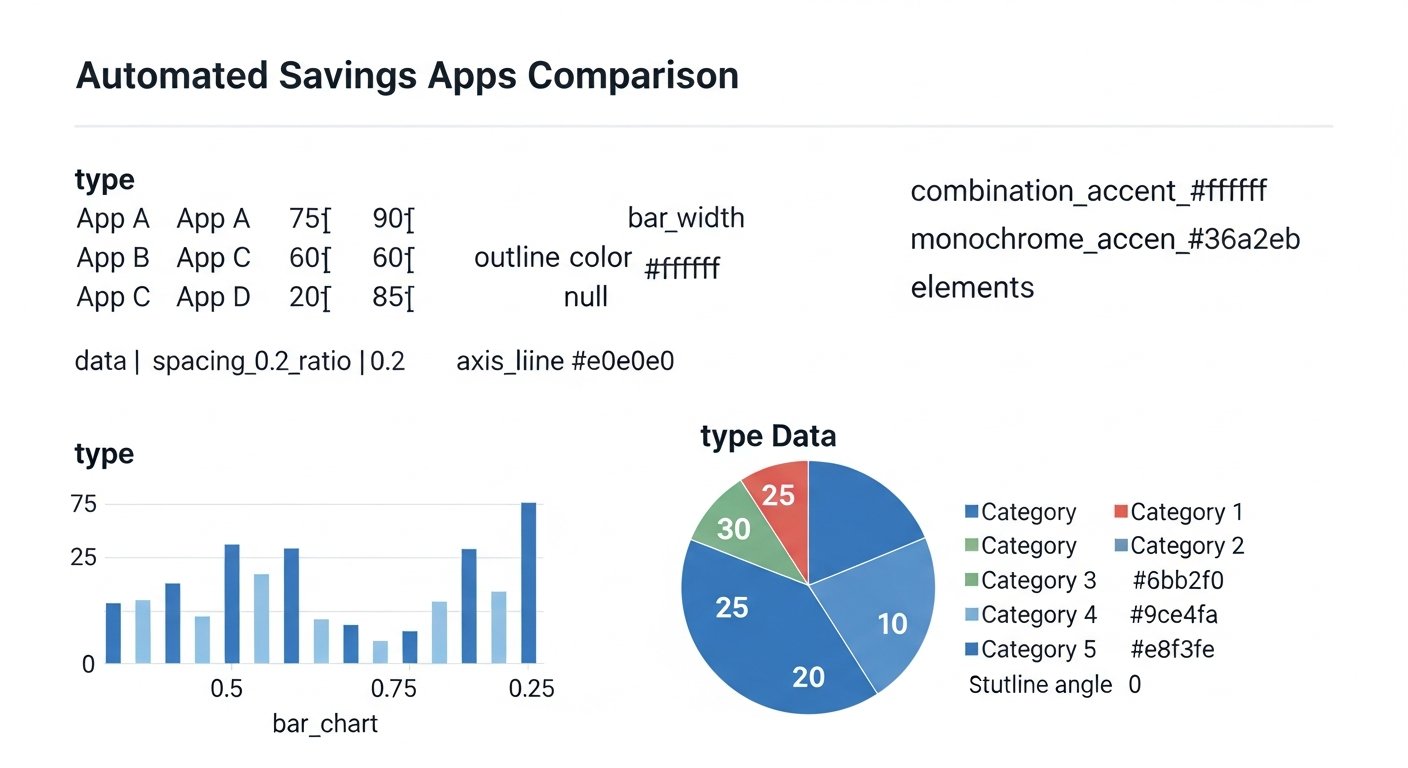
As of 2026, the market for automated savings apps is robust, with several platforms distinguishing themselves through their features, fee structures, and user experience. Here’s a look at some of the leading contenders, alongside a comparative table to aid your decision-making.
Acorns
Acorns is a pioneer in the micro-investing space, famous for its “Round-Ups” feature. It links to your cards and invests the spare change from purchases into diversified portfolios of ETFs, chosen based on your risk tolerance. Acorns also offers recurring investments, a checking account with a debit card, and even a retirement account (Acorns Later) and kids’ investment accounts (Acorns Early). It’s an excellent choice for those new to investing who want to start small and benefit from compounding returns.
Digit (by Oportun)
Digit is renowned for its intelligent, algorithmic saving. After analyzing your spending and income, Digit identifies small, “safe-to-save” amounts and automatically transfers them to your FDIC-insured Digit savings account. It prioritizes preventing overdrafts while consistently building your savings. Digit offers specific savings goals and can even pay down credit card debt or save for retirement. While it charges a monthly fee, many users find the hands-off approach and consistent saving worth the cost.
Qapital
Qapital stands out with its highly customizable rule-based saving. Beyond basic round-ups and recurring transfers, users can create unique “Rules” to trigger savings. For example, “save $5 every time I hit my fitness goal,” “save $1 every time I spend money at my favorite coffee shop,” or “save X amount if I stay within budget on a specific category.” It’s incredibly engaging and allows for personalized automation tailored to your lifestyle and motivations. Qapital also offers investment options and budgeting tools.
Chime (Banking App with Savings Features)
While primarily a mobile banking platform, Chime includes powerful automated savings features that integrate seamlessly with its checking account. Its “Save When I Spend” feature rounds up purchases to the nearest dollar and transfers the difference to your savings account. Additionally, “Save When I Get Paid” allows you to automatically save a percentage of your direct deposits. Chime aims to provide a full-service banking experience with a strong focus on helping users save and avoid fees.
Ally Bank (Online Bank with Smart Savings)
Ally Bank is a popular online-only bank known for its competitive interest rates on savings accounts. It also offers excellent automated savings tools through its “Buckets” and “Boosters” features. Buckets allow you to allocate your savings into different categories (e.g., “Emergency Fund,” “Vacation”) without opening multiple accounts. Boosters include “Surprise Savings” (analyzes your checking for extra cash to transfer) and “Round Ups” (links to your Ally checking account). It’s ideal for those seeking high-yield savings with integrated automation.
Stash
Stash combines automated saving with guided investing. It allows users to set up recurring investments and offers a “Stock-Back® Card” that provides fractional shares of stock from purchases made. Stash focuses on helping users build diversified portfolios based on their interests and values, with educational content to guide beginners. It’s a comprehensive platform for those who want to save, invest, and learn about the market simultaneously.
Here’s a comparative table summarizing key aspects of these top automated savings apps:
| App Name | Primary Function | Key Automation Features | Typical Fees (as of 2026) | Ideal User Profile | FDIC/SIPC Insured? |
|---|---|---|---|---|---|
| Acorns | Micro-Investing | Round-Ups, Recurring Transfers, Found Money (cash back) | $3-$9/month (Lite, Personal, Family tiers) | Beginners to investing, those who want to invest spare change. | Yes (SIPC for investments, FDIC for checking) |
| Digit (by Oportun) | Intelligent Automated Saving | Algorithmic “Safe-to-Save” transfers, Goal-based saving, Pay down debt | $9.99/month | Struggles with manual saving, irregular income, wants hands-off automation. | Yes (FDIC for savings) |
| Qapital | Rule-Based & Goal-Based Saving | Custom Rules (e.g., IFTTT), Round-Ups, Payday Divvy, Micro-Investing | $3-$12/month (Basic, Premier, Complete tiers) | Highly motivated by rules/gamification, clear financial goals, wants flexibility. | Yes (FDIC for savings, SIPC for investments) |
| Chime | Mobile Banking & Savings | Round-Ups (“Save When I Spend”), Percentage-based (“Save When I Get Paid”) | No monthly fees (for banking & basic savings) | Wants an integrated mobile banking experience with automatic saving. | Yes (FDIC for banking & savings) |
| Ally Bank | High-Yield Online Banking | Savings Buckets, Surprise Savings, Round-Ups (with Ally checking) | No monthly maintenance fees | Seeks competitive interest rates, prefers online banking, multiple savings goals. | Yes (FDIC for savings) |
| Stash | Guided Investing & Banking | Recurring Investments, Round-Ups (via Stock-Back Card), Budgeting | $3-$9/month (Growth, Plus tiers) | New investors, wants to learn about investing, values ethical/thematic investing. | Yes (SIPC for investments, FDIC for banking) |
Note: Fees and features are subject to change by the providers. Always verify the latest terms directly with the app before signing up.
Seamless Integration: Getting Started with Automated Savings Apps
Embarking on your automated savings journey is typically straightforward. The user-friendly design of most apps ensures a smooth setup process, allowing you to start saving almost immediately. Here’s a step-by-step guide to integrate an automated savings app into your financial life:
Step 1: Research and Choose the Right App
Before downloading, revisit the “Key Features to Look For” section and the “Comparative Analysis” above. Consider your financial goals: Are you primarily looking to build an emergency fund, start micro-investing, or save for specific large purchases? Do you prefer round-ups, smart-saves, or rule-based automation? Evaluate the fee structures and ensure the app’s security measures meet your standards. Reading recent user reviews can also provide valuable insights.
Step 2: Download the App and Create an Account
Once you’ve selected an app, download it from your device’s app store (Apple App Store or Google Play Store). The account creation process typically involves providing basic personal information, such as your name, email address, phone number, and creating a secure password. You’ll likely need to verify your email or phone number as part of the initial setup.
Step 3: Link Your Bank Accounts (Securely)
This is a crucial step. The app will prompt you to securely link your primary checking account. This is usually done through a third-party service provider (like Plaid) that acts as an intermediary, connecting to your bank using encrypted credentials. You’ll typically be redirected to your bank’s login portal, where you’ll enter your online banking username and password. The app will gain read-only access to your transaction data, enabling it to execute its automation functions. Most apps also allow you to link credit cards or other savings accounts for comprehensive financial tracking or round-up functionalities.
Step 4: Configure Your Savings Preferences and Goals
After linking your accounts, you’ll customize the app’s settings:
- Choose Automation Rules: Activate features like round-ups, set up recurring transfers, or enable smart-save algorithms.
- Set Financial Goals: If the app supports it, create specific savings goals (e.g., “Emergency Fund: $5,000,” “Vacation: $2,000”) and set target dates. This often helps the app optimize its transfers.
- Investment Settings (if applicable): If you’ve chosen a micro-investing app, you’ll answer questions about your risk tolerance to help the app recommend a suitable portfolio (e.g., conservative, moderate, aggressive).
- Fund Your Account: Some apps might require an initial deposit to activate features, though many start saving immediately with round-ups or small transfers.
Step 5: Monitor and Adjust
Once set up, the app begins working in the background. While the goal is “set-it-and-forget-it,” it’s wise to periodically monitor your savings progress within the app. Check your linked accounts to ensure transfers are happening as expected and that your savings are growing. You can also adjust your settings—increase transfer amounts, modify goals, or change investment strategies—as your financial situation or goals evolve. The beauty of these apps is their flexibility to adapt to your changing needs.
Step 6: Integrate with Broader Financial Planning
For optimal results, don’t view your automated savings app in isolation. Integrate it into your broader financial plan. Use its progress to inform your budget, allocate funds to other investments, or adjust your debt repayment strategies. An automated savings app is a powerful component of a comprehensive financial ecosystem. Discover how to build a robust personal finance ecosystem for holistic wealth management.
Beyond the Basics: Maximizing Your Savings with Advanced Automation Strategies
While the fundamental “set-it-and-forget-it” approach of automated savings apps is highly effective, there are advanced strategies and nuanced ways to leverage these tools for even greater financial impact. Moving beyond basic round-ups can significantly accelerate your wealth-building journey.
1. Layering Automation Methods
Don’t limit yourself to just one type of automation. Many apps allow for multiple savings triggers simultaneously. For example, you could combine:
- Round-Ups: For everyday, imperceptible savings.
- Fixed Recurring Transfers: A consistent amount from each paycheck (e.g., 10% or a set dollar amount) for guaranteed growth.
- Smart-Saves: To capture additional surplus funds identified by the app’s algorithm when your balance is healthy.
- Rule-Based Triggers: For fun, motivational boosts, like saving when you exercise or hit a productivity goal.
By layering these methods, you create multiple streams of automated savings, increasing your overall savings rate without feeling a significant pinch in your day-to-day spending.
2. Hyper-Targeting Multiple Savings Goals
Utilize the goal-setting features to their fullest. Instead of just one general savings goal, break down your financial aspirations into distinct, smaller, and more manageable targets. For example:
- Short-Term: Vacation, new gadget, car maintenance.
- Medium-Term: Down payment, emergency fund top-up, specific investment.
- Long-Term: Retirement contributions, child’s education.
Many apps allow you to allocate specific percentages or amounts of your automated savings to different goals. This targeted approach provides clear motivation, makes large goals feel less daunting, and keeps your funds organized for their intended purpose.
3. “Pay Yourself First” on Autopilot
The timeless advice of “paying yourself first” is perfectly suited for automation. Configure your app to transfer a fixed percentage or amount of your income to savings or investments immediately after your paycheck hits your account. This ensures that saving is prioritized before any other expenses, preventing lifestyle creep and guaranteeing a consistent contribution to your financial future. Consider increasing this percentage gradually over time as your income grows or expenses decrease.
4. Optimizing for Interest and Investment Returns
If your app offers high-yield savings accounts or micro-investing options, ensure you’re leveraging them effectively. Don’t let your automated savings sit in a low-interest checking account. Direct them towards:
- High-Yield Savings Accounts (HYSA): For emergency funds and short-term goals, choose apps or linked bank accounts that offer competitive annual percentage yields (APYs).
- Micro-Investing Portfolios: For longer-term goals, ensure your automated savings are flowing into diversified investment portfolios. Regularly review your risk tolerance and portfolio allocation to ensure it remains aligned with your objectives and market conditions.
Even small amounts invested consistently can benefit significantly from compounding over years or decades.
5. Integrating with Budgeting Tools for Intelligent Adjustments
For truly advanced users, integrate your automated savings app’s data with a comprehensive budgeting tool. This allows you to see the impact of your automated savings on your overall budget. Many budgeting apps can identify “surplus” cash at the end of a pay cycle. You can then manually or semi-automatically direct this surplus into your automated savings app, essentially creating an additional layer of smart saving on top of your existing rules.
6. Set “Bonus” Savings Rules
Look for opportunities to save from unexpected windfalls. For instance, if you receive a tax refund, a work bonus, or a gift, consider setting a rule to automatically save a portion of it. Some apps can detect large deposits and prompt you to save a portion. This ensures that extra cash contributes to your long-term goals rather than being absorbed by discretionary spending.
7. Regular Review and Adjustment
While automation is about being hands-off, “set-it-and-forget-it” doesn’t mean “set-it-and-never-look-at-it-again.” Periodically (e.g., quarterly or semi-annually), review your automated savings strategy. Your income, expenses, and goals will likely change over time. Adjust your automation rules, increase contribution amounts, reallocate funds between goals, or modify your investment strategy to ensure your apps are always working optimally for your current financial situation. This proactive approach ensures your automated savings apps remain powerful engines for your financial growth.
Addressing Concerns: Potential Drawbacks and Important Considerations
While automated savings apps offer undeniable advantages, it’s crucial to approach them with a balanced perspective. Like any financial tool, they come with potential drawbacks and considerations that users should be aware of to ensure a positive and secure experience.
1. Monthly Fees Can Dilute Small Savings
Many popular automated savings apps charge a monthly subscription fee, typically ranging from $3 to $12. While these fees might seem small individually, they can significantly eat into your savings, especially if you’re only saving very small amounts (e.g., primarily through round-ups). For someone saving just $10 a month through round-ups, a $3 monthly fee represents a 30% reduction in their net savings. It’s essential to calculate whether the value provided by the app (convenience, investment opportunities, educational resources) outweighs the cost based on your actual saving habits. For larger savings amounts, the fee becomes less impactful percentage-wise.
2. Overdraft Risk (Less Common, But Possible)
While most smart-saving apps (like Digit) are designed with sophisticated algorithms to prevent overdrafts by only transferring “safe-to-save” amounts, the risk is never entirely zero. If your linked checking account suddenly faces an unexpected large expense or a series of debits you weren’t tracking, and an automated transfer goes through, it could potentially lead to an overdraft. Users of apps with fixed recurring transfers are at a higher risk if they don’t monitor their balance. Always keep a buffer in your checking account and monitor your app’s activity, especially when first starting. Some apps offer overdraft protection or will refund fees if their transfer causes an overdraft.
3. Security and Privacy Concerns
Linking your bank accounts to a third-party app naturally raises security and privacy questions. While reputable apps use bank-level encryption (e.g., 256-bit AES) and comply with stringent data security standards, no system is entirely impervious to cyber threats. The read-only access generally mitigates the risk of unauthorized transactions, but users must trust the app provider with their financial data. Always ensure the app explicitly states its security protocols, data handling policies, and whether it’s FDIC/SIPC insured. Be wary of apps without clear security disclosures.
4. Limited Investment Options (for some apps)
While micro-investing apps are excellent entry points into the market, their investment options are often simplified. Portfolios are typically limited to a selection of low-cost ETFs, chosen based on a general risk profile. This might not be suitable for experienced investors seeking to build highly customized portfolios, invest in individual stocks, or access a broader range of asset classes. These apps are designed for simplicity and accessibility, not comprehensive wealth management.
5. Potential for Over-Automation or “Set-it-and-Forget-it” Neglect
The very strength of automation—the “set-it-and-forget-it” aspect—can also be a weakness if taken to an extreme. Users might become too disengaged from their finances, failing to review their savings progress, adjust goals, or respond to changes in their financial situation. Neglecting to review periodically could mean missing opportunities to optimize savings, increasing contributions when affordable, or reallocating funds when goals change. Automation should complement active financial management, not replace it entirely.
6. Slower Withdrawal Times
Funds transferred to automated savings apps, especially those held in separate partner bank accounts or investment portfolios, may not be immediately accessible. Withdrawals typically take 1-3 business days to transfer back to your linked checking account. While this slight delay can be a psychological benefit (making it harder to impulsively spend), it’s a critical consideration for emergency funds or funds you might need quickly. Always understand the withdrawal policies and timelines before relying on these apps for immediate liquidity.
7. Not a Substitute for a Comprehensive Financial Plan
Automated savings apps are powerful tools, but they are components of a financial strategy, not a complete plan. They may not address complex financial needs like debt consolidation, retirement planning for high-net-worth individuals, estate planning, or tax
Unlock Your Financial Potential: A Comprehensive Guide to Automated Savings Apps
Affiliate disclosure: This article may contain affiliate links. Recommendations are independent and editorially driven.
In the rapidly evolving landscape of personal finance, one innovation stands out for its profound impact on individuals’ ability to build wealth without constant vigilance: automated savings apps. These sophisticated fintech tools have transformed the daunting task of saving money into an intuitive, often subconscious, process. By leveraging cutting-edge technology, automated savings apps empower users to reach their financial goals faster, whether it’s building an emergency fund, saving for a down payment, or investing for retirement.
For many, the biggest hurdle to saving is consistency. Life’s demands, unexpected expenses, and the sheer effort of manually transferring funds can derail even the best intentions. Automated savings apps provide a powerful antidote to this challenge, integrating seamlessly into your daily financial life to put your savings on autopilot. They operate on various principles, from rounding up spare change to setting up recurring transfers based on your spending habits, all designed to make saving less of a chore and more of a natural part of your financial routine.
This comprehensive guide delves deep into the world of automated savings apps. We’ll explore how they work, the diverse benefits they offer, the different types available, and crucial features to consider when choosing the right app for your financial journey. Whether you’re a seasoned investor looking for an edge or someone just starting to take control of their finances, understanding and utilizing automated savings apps can be a game-changer. By the end of this article, you’ll be equipped with the knowledge to select and implement an automated savings strategy that aligns perfectly with your financial aspirations for 2026 and beyond.
Understanding Automated Savings Apps: A Modern Approach to Financial Growth
At their core, automated savings apps are digital tools designed to simplify and streamline the process of saving money. They remove the manual effort and decision-making often associated with setting aside funds, effectively “automating” the habit of saving. This automation is a significant psychological advantage, as it sidesteps the procrastination and willpower fatigue that can plague traditional saving methods. Instead of consciously deciding to save a certain amount each month, these apps do the heavy lifting for you, often in ways that are barely noticeable until your savings account begins to swell.
The rise of automated savings apps is a direct response to the increasing complexity of personal finance and the desire for more convenient, accessible financial management tools. Built on the foundations of modern fintech, these apps leverage APIs (Application Programming Interfaces) to securely connect with your existing bank accounts, credit cards, and investment platforms. This connectivity allows them to analyze your income, spending patterns, and financial goals, then execute smart savings strategies tailored to your individual situation.
The Paradigm Shift in Personal Finance
Traditionally, saving money required discipline, manual transfers, and a clear budget. While these methods remain valid, automated savings apps introduce a new paradigm: effortless, “set-it-and-forget-it” saving. This shift is particularly beneficial for individuals who struggle with budgeting, have irregular incomes, or simply prefer a hands-off approach to growing their nest egg. By making saving an intrinsic part of your financial workflow rather than an external task, these apps foster a sustainable habit that compounds over time.
Beyond Basic Banking: Specialized Savings Solutions
While many traditional banks offer basic automated transfers, dedicated automated savings apps go a step further. They often incorporate advanced algorithms, behavioral economics principles, and gamification to encourage better financial habits. Features like “round-ups” (saving spare change from transactions), “smart-saves” (analyzing spending to find optimal saving opportunities), and goal-based tracking make the saving experience more engaging and effective than ever before. These apps are not just about moving money; they’re about optimizing your money management for long-term success.
[INLINE IMAGE 1: place after second H2 | alt=”automated savings apps concept illustration”]
The Mechanics Behind the Magic: How Automated Savings Apps Work
The effectiveness of automated savings apps lies in their sophisticated operational mechanisms. While they appear simple to the end-user, a complex interplay of technology, algorithms, and financial principles powers their functionality. Understanding these mechanics can help you appreciate their value and choose the app that best suits your needs.
Secure Account Linking and Data Analysis
The foundational step for nearly all automated savings apps is securely linking to your primary checking account and other financial accounts (e.g., credit cards, other savings accounts). This is typically done through secure, encrypted connections, often utilizing third-party aggregators that comply with stringent security protocols, similar to those used by online banking platforms. Once linked, the app gains read-only access to your transaction data. It then analyzes your income, spending habits, recurring bills, and account balances to identify opportunities to save without disrupting your essential finances. This analysis is crucial for “smart-save” features that adapt to your financial fluctuations.
Diverse Automation Triggers and Algorithms
Automated savings apps employ a variety of triggers to initiate transfers. These can be categorized into several common mechanisms:
- Round-Ups: This popular feature rounds up your purchases to the nearest dollar (or a custom increment). For example, if you spend $3.75 on coffee, the app rounds it to $4.00 and transfers $0.25 to your savings. These small, frequent transfers accumulate quickly and are often barely noticeable.
- Recurring Transfers: You can set up fixed amounts to be transferred on a regular schedule (daily, weekly, bi-weekly, or monthly). This is similar to a traditional automatic transfer but often comes with more flexibility and integration with other features within the app.
- Smart-Saves/Algorithmic Transfers: These are the most intelligent mechanisms. Apps use algorithms to analyze your spending patterns, upcoming bills, and income. They identify “safe-to-save” amounts, transferring money when your account balance is high or when expenses are low, and avoiding transfers when funds are tight. This dynamic approach minimizes the risk of overdrafts while maximizing savings potential.
- Payday Savings: Some apps allow you to automatically save a percentage or fixed amount of your paycheck as soon as it hits your account, ensuring you prioritize saving before spending.
- Goal-Based Saving: Users can set specific financial goals (e.g., “new car,” “down payment,” “vacation fund”) with target amounts and deadlines. The app then calculates and suggests how much to save regularly to reach that goal, adjusting as you contribute.
- Rule-Based Saving: More advanced apps allow you to create custom rules. For instance, “save $5 every time I go to the gym” (linked via location services) or “save $10 if I hit my step count target.” This gamifies saving and links it to personal habits.
Holding Accounts and Investment Options
Once money is automatically transferred, it typically goes into a separate holding account. This account might be an FDIC-insured savings account held by a partner bank, or in the case of micro-investing apps, it might be invested into a diversified portfolio of ETFs (Exchange Traded Funds). The specific destination and how your money is managed are crucial considerations, as they impact returns, accessibility, and risk. Many apps offer options to direct savings towards different goals or even to begin micro-investing with those small, incremental transfers, helping your money grow even faster through compounding returns. Understanding the basics of compound interest can highlight just how powerful these small, consistent savings can be over time.
Transforming Your Finances: The Myriad Benefits of Automated Saving
Automated savings apps aren’t just a convenient gimmick; they represent a fundamental shift in how individuals can interact with and manage their money. The benefits extend far beyond simply accumulating cash, impacting financial behavior, stress levels, and long-term wealth building.
Effortless and Consistent Saving
The primary and most celebrated benefit is the removal of friction from the saving process. By automating transfers, these apps ensure that you are consistently saving without having to think about it. This consistency is key to building substantial wealth over time, as even small, regular contributions can grow significantly through the power of compounding. For those who struggle with discipline or motivation, automation becomes their built-in financial coach, diligently setting aside funds without fail.
Overcoming Financial Procrastination and Behavioral Biases
Human psychology often works against good financial habits. We tend to prioritize immediate gratification over long-term goals, and the act of saving can feel like a sacrifice. Automated savings apps cleverly bypass these behavioral biases. By making saving automatic and often imperceptible (especially with round-ups), they turn saving into the default option. This “set-it-and-forget-it” approach eliminates the need for constant willpower and decision-making, allowing users to save effectively without feeling deprived.
Building an Emergency Fund Faster
One of the most critical financial goals is establishing an emergency fund. Automated savings apps are exceptionally well-suited for this purpose. Their consistent, often incremental transfers can rapidly build up a safety net for unexpected expenses, providing peace of mind and preventing debt accumulation during financial emergencies. Many users report accumulating several months’ worth of living expenses much faster than they would have with traditional saving methods, precisely because of the apps’ persistent saving mechanisms.
Achieving Specific Financial Goals
Whether you’re saving for a down payment on a house, a new car, a dream vacation, or your child’s education, automated savings apps can help you get there. Many apps allow you to create multiple savings goals, each with its own target and progress tracker. This visualization of progress is incredibly motivating and helps users stay focused on their objectives. The automation ensures that funds are continually directed towards these goals, turning aspirations into achievable milestones.
Introduction to Micro-Investing and Wealth Building
Beyond traditional savings, many automated apps also offer micro-investing capabilities. This allows users to invest their spare change or small, recurring contributions into diversified portfolios, typically consisting of low-cost Exchange Traded Funds (ETFs). For many, this is their first foray into investing, making the stock market accessible without requiring large lump sums or complex financial knowledge. This early exposure to investing, coupled with automation, can significantly accelerate long-term wealth creation, demonstrating that even small amounts can grow substantially when invested wisely and consistently. Learn more about the power of micro-investing to see how tiny contributions can lead to significant returns.
Reduced Financial Stress and Improved Financial Health
Knowing that you are consistently saving and making progress towards your financial goals can dramatically reduce financial stress. Automated savings apps foster a sense of control and stability, improving overall financial health. By building reserves and investing for the future, individuals can feel more secure and less vulnerable to financial shocks, leading to greater peace of mind and a stronger foundation for their financial future.
Navigating the Landscape: Different Types of Automated Savings Apps
The ecosystem of automated savings apps is diverse, with various platforms offering distinct approaches to help you save. Understanding these categories is essential for choosing an app that aligns with your financial habits and goals.
1. Round-Up Savings Apps
Mechanism: These apps connect to your primary checking account and monitor your debit card transactions. For every purchase, they round up the amount to the nearest dollar (or sometimes a custom increment) and transfer the difference from your checking account to a designated savings or investment account within the app.
Ideal For: Individuals who make frequent small purchases and want to save without noticing it. It’s an excellent entry point for new savers.
Examples: Acorns (primarily micro-investing), Chime (banking app with a savings feature).
2. Smart-Saving and Algorithmic Apps
Mechanism: These are more sophisticated. They analyze your income, spending patterns, and upcoming bills to identify “safe-to-save” amounts. Using proprietary algorithms, they determine when and how much to transfer to your savings without putting your linked checking account at risk of overdraft. Transfers might occur several times a week, varying in amount based on your financial activity.
Ideal For: Those with irregular incomes, people who struggle with budgeting, or anyone who wants a truly hands-off, intelligent savings approach.
Examples: Digit, Qapital.
3. Goal-Based Savings Apps
Mechanism: While many apps incorporate goal setting, some specifically emphasize it. Users set specific financial goals (e.g., “vacation fund,” “down payment”), specify a target amount and a deadline. The app then calculates the required recurring contributions and helps automate transfers to meet those goals. They often allow for multiple goals simultaneously.
Ideal For: Individuals with clear financial objectives who need structured guidance and motivation to reach them.
Examples: Qapital, YNAB (You Need A Budget – more comprehensive budgeting, but with strong goal-setting features).
4. Micro-Investing Apps
Mechanism: These apps take your small, automated savings (often round-ups or small recurring transfers) and invest them into diversified portfolios, typically comprising Exchange Traded Funds (ETFs). They make investing accessible and understandable for beginners, often allowing users to choose risk levels.
Ideal For: Beginners to investing, those who want their savings to grow beyond traditional interest rates, and individuals who want to start investing with small amounts.
Examples: Acorns, Stash (also offers fractional shares), Fidelity Go (more robo-advisor but accessible for micro-investing).
5. Budgeting Apps with Savings Automation
Mechanism: These apps are primarily designed for comprehensive budgeting, expense tracking, and financial planning. However, many have integrated features that allow for automated savings transfers based on budget categories, surplus funds, or specific rules set by the user. They offer a holistic view of your finances.
Ideal For: Users who want a complete financial picture, rigorous budgeting capabilities, and integrated savings automation within one platform.
Examples: YNAB, Personal Capital (now Empower Personal Wealth).
6. Bank-Integrated Savings Features
Mechanism: Many challenger banks and even some traditional banks have begun incorporating automated savings features directly into their mobile banking apps. These can include round-ups, automatic percentage-based savings from paychecks, or simple recurring transfers to a separate savings account.
Ideal For: Individuals who prefer to keep their banking and saving within a single ecosystem and already have an account with a participating institution.
Examples: Chime, Ally Bank, Capital One 360.
[INLINE IMAGE 2: place after fourth H2 | alt=”automated savings apps comparison illustration”]
Choosing Your Financial Co-Pilot: Key Features to Look for in Savings Apps
With a plethora of automated savings apps available, selecting the right one can feel overwhelming. Focusing on key features that align with your financial goals, habits, and comfort level is crucial. Here’s what to consider when making your choice:
1. Security and FDIC Insurance
Why it matters: Your money’s safety is paramount. Ensure the app uses bank-level encryption for data protection and that any funds held in savings accounts are FDIC-insured through a partner bank. This protects your cash up to $250,000 in the unlikely event the partner bank fails. For investment accounts, look for SIPC (Securities Investor Protection Corporation) insurance.
What to look for: Clear statements on their website about security measures, encryption protocols (e.g., 256-bit AES), and FDIC/SIPC insurance details.
2. Fee Structure and Transparency
Why it matters: While many apps offer basic features for free, some charge monthly subscription fees, transaction fees, or management fees (especially for investment components). These fees can eat into your savings, so understanding them upfront is vital.
What to look for: A clear, easy-to-understand fee schedule. Compare free tiers vs. premium features. For investment apps, pay attention to advisory fees, expense ratios of ETFs, and trading commissions.
3. Automation Mechanisms Offered
Why it matters: Different apps excel at different automation styles. Do you prefer round-ups, smart-saves, recurring transfers, or a combination? Choose an app whose core automation method matches how you want to save.
What to look for: List of specific automation rules (e.g., “round-ups,” “safe-to-save algorithm,” “payday save,” “custom rules”). Some apps offer more flexibility than others.
4. Savings Goals and Tracking
Why it matters: Setting clear goals makes saving more tangible and motivating. An app that allows you to create multiple goals and visually track your progress can be highly effective.
What to look for: Features for creating and managing multiple savings goals, visual progress bars, and estimated completion dates.
5. Investment Options (if applicable)
Why it matters: If you want your money to grow beyond what a traditional savings account offers, consider apps with micro-investing features. Evaluate the types of investments offered (ETFs, fractional shares), portfolio diversification, and risk assessment tools.
What to look for: Information on portfolio construction, available asset classes, rebalancing features, and whether they offer tax-advantaged accounts (e.g., Roth IRA). Explore different investment vehicles to understand your options.
6. Ease of Use and User Interface (UI)
Why it matters: An intuitive and user-friendly interface makes the app a pleasure to use, encouraging consistent engagement. A clunky app might lead to abandonment.
What to look for: Clean design, easy navigation, clear instructions, and a straightforward setup process. Read user reviews regarding usability.
7. Withdrawal Accessibility and Speed
Why it matters: While the goal is to save, you’ll eventually need access to your money. Understand how long it takes to withdraw funds back to your linked bank account.
What to look for: Clearly stated withdrawal policies, estimated transfer times (e.g., 1-3 business days), and any limits or fees associated with withdrawals.
8. Customer Support
Why it matters: If you encounter issues or have questions, responsive and helpful customer support is invaluable.
What to look for: Multiple contact channels (phone, email, chat), available hours, and positive reviews regarding support quality.
9. Integration with Other Financial Tools
Why it matters: For a holistic view of your finances, an app that integrates with other budgeting tools, banking platforms, or financial aggregators can be beneficial.
What to look for: Mentions of API integrations, compatibility with popular budgeting software, or partnerships with banks.
10. Educational Resources
Why it matters: Especially for beginners, apps that offer financial literacy content, tips, or insights can enhance your overall financial knowledge.
What to look for: Blogs, articles, in-app tips, or webinars that help you understand personal finance concepts better.
Top Automated Savings Apps of 2026: A Comparative Analysis
As of 2026, the market for automated savings apps is robust, with several platforms distinguishing themselves through their features, fee structures, and user experience. Here’s a look at some of the leading contenders, alongside a comparative table to aid your decision-making.
Acorns
Acorns is a pioneer in the micro-investing space, famous for its “Round-Ups” feature. It links to your cards and invests the spare change from purchases into diversified portfolios of ETFs, chosen based on your risk tolerance. Acorns also offers recurring investments, a checking account with a debit card, and even a retirement account (Acorns Later) and kids’ investment accounts (Acorns Early). It’s an excellent choice for those new to investing who want to start small and benefit from compounding returns.
Digit (by Oportun)
Digit is renowned for its intelligent, algorithmic saving. After analyzing your spending and income, Digit identifies small, “safe-to-save” amounts and automatically transfers them to your FDIC-insured Digit savings account. It prioritizes preventing overdrafts while consistently building your savings. Digit offers specific savings goals and can even pay down credit card debt or save for retirement. While it charges a monthly fee, many users find the hands-off approach and consistent saving worth the cost.
Qapital
Qapital stands out with its highly customizable rule-based saving. Beyond basic round-ups and recurring transfers, users can create unique “Rules” to trigger savings. For example, “save $5 every time I hit my fitness goal,” “save $1 every time I spend money at my favorite coffee shop,” or “save X amount if I stay within budget on a specific category.” It’s incredibly engaging and allows for personalized automation tailored to your lifestyle and motivations. Qapital also offers investment options and budgeting tools.
Chime (Banking App with Savings Features)
While primarily a mobile banking platform, Chime includes powerful automated savings features that integrate seamlessly with its checking account. Its “Save When I Spend” feature rounds up purchases to the nearest dollar and transfers the difference to your savings account. Additionally, “Save When I Get Paid” allows you to automatically save a percentage of your direct deposits. Chime aims to provide a full-service banking experience with a strong focus on helping users save and avoid fees.
Ally Bank (Online Bank with Smart Savings)
Ally Bank is a popular online-only bank known for its competitive interest rates on savings accounts. It also offers excellent automated savings tools through its “Buckets” and “Boosters” features. Buckets allow you to allocate your savings into different categories (e.g., “Emergency Fund,” “Vacation”) without opening multiple accounts. Boosters include “Surprise Savings” (analyzes your checking for extra cash to transfer) and “Round Ups” (links to your Ally checking account). It’s ideal for those seeking high-yield savings with integrated automation.
Stash
Stash combines automated saving with guided investing. It allows users to set up recurring investments and offers a “Stock-Back® Card” that provides fractional shares of stock from purchases made. Stash focuses on helping users build diversified portfolios based on their interests and values, with educational content to guide beginners. It’s a comprehensive platform for those who want to save, invest, and learn about the market simultaneously.
Here’s a comparative table summarizing key aspects of these top automated savings apps:
| App Name | Primary Function | Key Automation Features | Typical Fees (as of 2026) | Ideal User Profile | FDIC/SIPC Insured? |
|---|---|---|---|---|---|
| Acorns | Micro-Investing | Round-Ups, Recurring Transfers, Found Money (cash back) | $3-$9/month (Lite, Personal, Family tiers) | Beginners to investing, those who want to invest spare change. | Yes (SIPC for investments, FDIC for checking) |
| Digit (by Oportun) | Intelligent Automated Saving | Algorithmic “Safe-to-Save” transfers, Goal-based saving, Pay down debt | $9.99/month | Struggles with manual saving, irregular income, wants hands-off automation. | Yes (FDIC for savings) |
| Qapital | Rule-Based & Goal-Based Saving | Custom Rules (e.g., IFTTT), Round-Ups, Payday Divvy, Micro-Investing | $3-$12/month (Basic, Premier, Complete tiers) | Highly motivated by rules/gamification, clear financial goals, wants flexibility. | Yes (FDIC for savings, SIPC for investments) |
| Chime | Mobile Banking & Savings | Round-Ups (“Save When I Spend”), Percentage-based (“Save When I Get Paid”) | No monthly fees (for banking & basic savings) | Wants an integrated mobile banking experience with automatic saving. | Yes (FDIC for banking & savings) |
| Ally Bank | High-Yield Online Banking | Savings Buckets, Surprise Savings, Round-Ups (with Ally checking) | No monthly maintenance fees | Seeks competitive interest rates, prefers online banking, multiple savings goals. | Yes (FDIC for savings) |
| Stash | Guided Investing & Banking | Recurring Investments, Round-Ups (via Stock-Back Card), Budgeting | $3-$9/month (Growth, Plus tiers) | New investors, wants to learn about investing, values ethical/thematic investing. | Yes (SIPC for investments, FDIC for banking) |
Note: Fees and features are subject to change by the providers. Always verify the latest terms directly with the app before signing up.
Seamless Integration: Getting Started with Automated Savings Apps
Embarking on your automated savings journey is typically straightforward. The user-friendly design of most apps ensures a smooth setup process, allowing you to start saving almost immediately. Here’s a step-by-step guide to integrate an automated savings app into your financial life:
Step 1: Research and Choose the Right App
Before downloading, revisit the “Key Features to Look For” section and the “Comparative Analysis” above. Consider your financial goals: Are you primarily looking to build an emergency fund, start micro-investing, or save for specific large purchases? Do you prefer round-ups, smart-saves, or rule-based automation? Evaluate the fee structures and ensure the app’s security measures meet your standards. Reading recent user reviews can also provide valuable insights.
Step 2: Download the App and Create an Account
Once you’ve selected an app, download it from your device’s app store (Apple App Store or Google Play Store). The account creation process typically involves providing basic personal information, such as your name, email address, phone number, and creating a secure password. You’ll likely need to verify your email or phone number as part of the initial setup.
Step 3: Link Your Bank Accounts (Securely)
This is a crucial step. The app will prompt you to securely link your primary checking account. This is usually done through a third-party service provider (like Plaid) that acts as an intermediary, connecting to your bank using encrypted credentials. You’ll typically be redirected to your bank’s login portal, where you’ll enter your online banking username and password. The app will gain read-only access to your transaction data, enabling it to execute its automation functions. Most apps also allow you to link credit cards or other savings accounts for comprehensive financial tracking or round-up functionalities.
Step 4: Configure Your Savings Preferences and Goals
After linking your accounts, you’ll customize the app’s settings:
- Choose Automation Rules: Activate features like round-ups, set up recurring transfers, or enable smart-save algorithms.
- Set Financial Goals: If the app supports it, create specific savings goals (e.g., “Emergency Fund: $5,000,” “Vacation: $2,000”) and set target dates. This often helps the app optimize its transfers.
- Investment Settings (if applicable): If you’ve chosen a micro-investing app, you’ll answer questions about your risk tolerance to help the app recommend a suitable portfolio (e.g., conservative, moderate, aggressive).
- Fund Your Account: Some apps might require an initial deposit to activate features, though many start saving immediately with round-ups or small transfers.
Step 5: Monitor and Adjust
Once set up, the app begins working in the background. While the goal is “set-it-and-forget-it,” it’s wise to periodically monitor your savings progress within the app. Check your linked accounts to ensure transfers are happening as expected and that your savings are growing. You can also adjust your settings—increase transfer amounts, modify goals, or change investment strategies—as your financial situation or goals evolve. The beauty of these apps is their flexibility to adapt to your changing needs.
Step 6: Integrate with Broader Financial Planning
For optimal results, don’t view your automated savings app in isolation. Integrate it into your broader financial plan. Use its progress to inform your budget, allocate funds to other investments, or adjust your debt repayment strategies. An automated savings app is a powerful component of a comprehensive financial ecosystem. Discover how to build a robust personal finance ecosystem for holistic wealth management.
Beyond the Basics: Maximizing Your Savings with Advanced Automation Strategies
While the fundamental “set-it-and-forget-it” approach of automated savings apps is highly effective, there are advanced strategies and nuanced ways to leverage these tools for even greater financial impact. Moving beyond basic round-ups can significantly accelerate your wealth-building journey.
1. Layering Automation Methods
Don’t limit yourself to just one type of automation. Many apps allow for multiple savings triggers simultaneously. For example, you could combine:
- Round-Ups: For everyday, imperceptible savings.
- Fixed Recurring Transfers: A consistent amount from each paycheck (e.g., 10% or a set dollar amount) for guaranteed growth.
- Smart-Saves: To capture additional surplus funds identified by the app’s algorithm when your balance is healthy.
- Rule-Based Triggers: For fun, motivational boosts, like saving when you exercise or hit a productivity goal.
By layering these methods, you create multiple streams of automated savings, increasing your overall savings rate without feeling a significant pinch in your day-to-day spending.
2. Hyper-Targeting Multiple Savings Goals
Utilize the goal-setting features to their fullest. Instead of just one general savings goal, break down your financial aspirations into distinct, smaller, and more manageable targets. For example:
- Short-Term: Vacation, new gadget, car maintenance.
- Medium-Term: Down payment, emergency fund top-up, specific investment.
- Long-Term: Retirement contributions, child’s education.
Many apps allow you to allocate specific percentages or amounts of your automated savings to different goals. This targeted approach provides clear motivation, makes large goals feel less daunting, and keeps your funds organized for their intended purpose.
3. “Pay Yourself First” on Autopilot
The timeless advice of “paying yourself first” is perfectly suited for automation. Configure your app to transfer a fixed percentage or amount of your income to savings or investments immediately after your paycheck hits your account. This ensures that saving is prioritized before any other expenses, preventing lifestyle creep and guaranteeing a consistent contribution to your financial future. Consider increasing this percentage gradually over time as your income grows or expenses decrease.
4. Optimizing for Interest and Investment Returns
If your app offers high-yield savings accounts or micro-investing options, ensure you’re leveraging them effectively. Don’t let your automated savings sit in a low-interest checking account. Direct them towards:
- High-Yield Savings Accounts (HYSA): For emergency funds and short-term goals, choose apps or linked bank accounts that offer competitive annual percentage yields (APYs).
- Micro-Investing Portfolios: For longer-term goals, ensure your automated savings are flowing into diversified investment portfolios. Regularly review your risk tolerance and portfolio allocation to ensure it remains aligned with your objectives and market conditions.
Even small amounts invested consistently can benefit significantly from compounding over years or decades.
5. Integrating with Budgeting Tools for Intelligent Adjustments
For truly advanced users, integrate your automated savings app’s data with a comprehensive budgeting tool. This allows you to see the impact of your automated savings on your overall budget. Many budgeting apps can identify “surplus” cash at the end of a pay cycle. You can then manually or semi-automatically direct this surplus into your automated savings app, essentially creating an additional layer of smart saving on top of your existing rules.
6. Set “Bonus” Savings Rules
Look for opportunities to save from unexpected windfalls. For instance, if you receive a tax refund, a work bonus, or a gift, consider setting a rule to automatically save a portion of it. Some apps can detect large deposits and prompt you to save a portion. This ensures that extra cash contributes to your long-term goals rather than being absorbed by discretionary spending.
7. Regular Review and Adjustment
While automation is about being hands-off, “set-it-and-forget-it” doesn’t mean “set-it-and-never-look-at-it-again.” Periodically (e.g., quarterly or semi-annually), review your automated savings strategy. Your income, expenses, and goals will likely change over time. Adjust your automation rules, increase contribution amounts, reallocate funds between goals, or modify your investment strategy to ensure your apps are always working optimally for your current financial situation. This proactive approach ensures your automated savings apps remain powerful engines for your financial growth.
Addressing Concerns: Potential Drawbacks and Important Considerations
While automated savings apps offer undeniable advantages, it’s crucial to approach them with a balanced perspective. Like any financial tool, they come with potential drawbacks and considerations that users should be aware of to ensure a positive and secure experience.
1. Monthly Fees Can Dilute Small Savings
Many popular automated savings apps charge a monthly subscription fee, typically ranging from $3 to $12. While these fees might seem small individually, they can significantly eat into your savings, especially if you’re only saving very small amounts (e.g., primarily through round-ups). For someone saving just $10 a month through round-ups, a $3 monthly fee represents a 30% reduction in their net savings. It’s essential to calculate whether the value provided by the app (convenience, investment opportunities, educational resources) outweighs the cost based on your actual saving habits. For larger savings amounts, the fee becomes less impactful percentage-wise.
2. Overdraft Risk (Less Common, But Possible)
While most smart-saving apps (like Digit) are designed with sophisticated algorithms to prevent overdrafts by only transferring “safe-to-save” amounts, the risk is never entirely zero. If your linked checking account suddenly faces an unexpected large expense or a series of debits you weren’t tracking, and an automated transfer goes through, it could potentially lead to an overdraft. Users of apps with fixed recurring transfers are at a higher risk if they don’t monitor their balance. Always keep a buffer in your checking account and monitor your app’s activity, especially when first starting. Some apps offer overdraft protection or will refund fees if their transfer causes an overdraft.
3. Security and Privacy Concerns
Linking your bank accounts to a third-party app naturally raises security and privacy questions. While reputable apps use bank-level encryption (e.g., 256-bit AES) and comply with stringent data security standards, no system is entirely impervious to cyber threats. The read-only access generally mitigates the risk of unauthorized transactions, but users must trust the app provider with their financial data. Always ensure the app explicitly states its security protocols, data handling policies, and whether it’s FDIC/SIPC insured. Be wary of apps without clear security disclosures.
4. Limited Investment Options (for some apps)
While micro-investing apps are excellent entry points into the market, their investment options are often simplified. Portfolios are typically limited to a selection of low-cost ETFs, chosen based on a general risk profile. This might not be suitable for experienced investors seeking to build highly customized portfolios, invest in individual stocks, or access a broader range of asset classes. These apps are designed for simplicity and accessibility, not comprehensive wealth management.
5. Potential for Over-Automation or “Set-it-and-Forget-it” Neglect
The very strength of automation—the “set-it-and-forget-it” aspect—can also be a weakness if taken to an extreme. Users might become too disengaged from their finances, failing to review their savings progress, adjust goals, or respond to changes in their financial situation. Neglecting to review periodically could mean missing opportunities to optimize savings, increasing contributions when affordable, or reallocating funds when goals change. Automation should complement active financial management, not replace it entirely.
6. Slower Withdrawal Times
Funds transferred to automated savings apps, especially those held in separate partner bank accounts or investment portfolios, may not be immediately accessible. Withdrawals typically take 1-3 business days to transfer back to your linked checking account. While this slight delay can be a psychological benefit (making it harder to impulsively spend), it’s a critical consideration for emergency funds or funds you might need quickly. Always understand the withdrawal policies and timelines before relying on these apps for immediate liquidity.
7. Not a Substitute for a Comprehensive Financial Plan
Automated savings apps are powerful tools, but they are components of a financial strategy, not a complete plan. They may not address complex financial needs like debt consolidation, retirement planning for high-net-worth individuals, estate planning, or tax