


Free Budgeting Apps (2026) — Your Ultimate Guide to the Best Free Budget Planners
Affiliate disclosure: This article may contain affiliate links. Recommendations are independent and editorially driven.
Free budgeting apps can revolutionize how you manage your money, transforming financial chaos into clarity. In 2026, a plethora of powerful, user-friendly, and completely free budgeting apps are available, empowering individuals to track spending, set financial goals, and cultivate healthier money habits without costing a dime. Whether you’re a student trying to stretch every dollar, a family aiming to save for a down payment, or an investor keen on optimizing cash flow, the right free budgeting app can be an indispensable tool in your personal finance arsenal.
Navigating the vast landscape of financial technology can be daunting, but choosing the best free budgeting app doesn’t have to be. This comprehensive guide will delve into the top contenders, compare their features, discuss their pros and cons, and provide actionable insights to help you select the ideal free personal finance app for your unique circumstances. We’ll explore how these apps utilize cutting-edge technology to simplify complex financial tasks, from automatic transaction categorization to insightful spending reports and proactive bill reminders. By the end of this article, you’ll be equipped with all the knowledge needed to harness the power of free budgeting tools and embark on a path toward greater financial well-being.
Understanding your financial landscape is the first step towards building wealth and achieving monetary freedom. With the rising cost of living and the increasing complexity of personal finances, having a reliable system to monitor your income and expenses is more critical than ever. Thankfully, innovation in fintech has made sophisticated financial management accessible to everyone, irrespective of their budget. Let’s dive into the world of free budgeting apps and discover how they can empower you to take control of your financial future in 2026.
Best Free Budgeting Apps in 2026 — An Overview
The market for free budgeting apps is vibrant, with several platforms offering robust features designed to cater to various financial needs. While “free” often implies limitations, many of these applications provide substantial value, enabling users to manage their daily finances effectively without any subscription fees. Our selection focuses on apps that offer genuinely useful free tiers, not just trial periods, making them sustainable tools for long-term financial management. Each app brings a unique set of strengths, appealing to different types of users based on their primary financial goals, whether it’s tracking every penny, monitoring investments, or simply getting a clearer picture of overall cash flow.
When evaluating the best free budgeting apps, we consider factors such as ease of use, breadth of features, security measures, integration capabilities with financial institutions, and the quality of their reporting tools. The goal is to identify solutions that are not only free but also effective, reliable, and capable of fostering better financial habits. Below, we present an overview of some of the leading options available today, highlighting what makes each of them stand out in a crowded market.
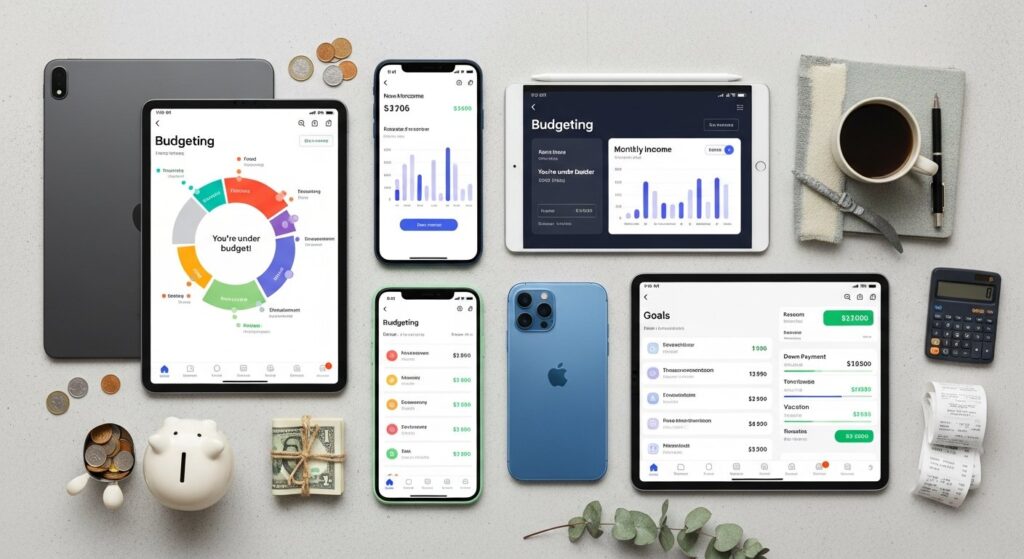
[INLINE IMAGE 1: place after second H2 | alt=”free budgeting apps concept illustration”]
Mint (by Intuit) — The Veteran All-in-One Free Budget Planner
Mint has long been a household name in the realm of free budgeting and personal finance. Acquired by Intuit (the makers of TurboTax and QuickBooks), Mint offers a comprehensive suite of tools that allow users to connect all their financial accounts—bank accounts, credit cards, investments, and loans—in one centralized dashboard. Its core strength lies in its ability to automatically categorize transactions, creating a detailed breakdown of your spending habits.
- Key Features:
- Automatic transaction categorization and tracking.
- Customizable budgets with alerts for overspending.
- Bill tracking and reminders to avoid late fees.
- Credit score monitoring (free).
- Net worth tracking across all linked accounts.
- Investment tracking for a holistic financial view.
- Pros:
- Extremely comprehensive for a free app.
- User-friendly interface and mobile app.
- Strong integration with thousands of financial institutions.
- Helpful insights and advice based on spending patterns.
- Cons:
- Can sometimes have sync issues with certain banks.
- Contains ads (which is how it remains free).
- Limited advanced budgeting features compared to paid alternatives.
- Ideal User: Individuals seeking an all-encompassing, no-cost solution for tracking spending, budgeting, and gaining a general overview of their financial health across multiple accounts.
Empower Personal Dashboard (formerly Personal Capital) — Best for Investment-Focused Budgeting
While often recognized for its robust investment management services, Empower Personal Dashboard offers an incredibly powerful free tool that stands out among free budgeting apps, especially for those with investments. It provides a sophisticated platform for tracking net worth, analyzing investment portfolios, and gaining deeper insights into retirement planning, all without any subscription fees for its dashboard features.
- Key Features:
- Comprehensive net worth tracking.
- Investment portfolio analysis tools (fee analyzer, allocation checker).
- Retirement planner and financial goal tracking.
- Cash flow tracking and basic budgeting functionality.
- Connects to bank accounts, credit cards, and investment accounts.
- Pros:
- Unparalleled free investment tracking and analysis.
- Beautiful, intuitive dashboard for a holistic financial view.
- Excellent for understanding asset allocation and hidden fees.
- Strong security measures.
- Cons:
- Budgeting features are less granular than dedicated budgeting apps.
- Primary focus is on investments, so daily spending tracking might feel secondary.
- Financial advisors may reach out about paid services (though not mandatory).
- Ideal User: Investors and high-net-worth individuals who need a powerful, free tool to track their investments, analyze their portfolio, and monitor overall net worth, with basic budgeting capabilities.
Rocket Money (formerly Truebill) — The Subscription Slayer Among Free Budgeting Apps
Rocket Money has gained significant popularity for its aggressive approach to subscription management and bill negotiation, making it a unique contender in the free budgeting apps space. While it offers premium paid features, its free version is incredibly useful for automatically identifying recurring subscriptions, tracking spending, and gaining insights into your overall financial picture.
- Key Features:
- Subscription cancellation service (free for self-cancellation, paid for Rocket Money to do it).
- Bill negotiation for lower rates (success-based fee for paid tiers, but identification is free).
- Spending tracking and categorization.
- Net worth tracking (limited in free version).
- Custom budgeting categories and spending limits.
- Alerts for large transactions and upcoming bills.
- Pros:
- Exceptional at identifying and managing subscriptions.
- Can genuinely save users money through its core features.
- Clean and modern interface.
- Provides a good overview of spending.
- Cons:
- Many powerful features are locked behind a premium subscription.
- Budgeting tools are not as in-depth as some other dedicated apps in the free tier.
- Limited customer support for free users.
- Ideal User: Anyone struggling with subscription bloat, looking to save money on recurring bills, and needing a solid foundation for spending tracking.
Credit Karma — Beyond Credit Scores, a Free Financial Hub
Credit Karma is widely known for providing free credit scores and reports, but it has expanded significantly to offer a broader range of personal finance tools, including features that facilitate budgeting and money management. While not a dedicated budgeting app in the traditional sense, its integration of financial data and advice can be incredibly valuable.
- Key Features:
- Free credit scores (VantageScore 3.0 from TransUnion and Equifax).
- Credit report monitoring and alerts.
- Access to financial insights based on your credit profile.
- Tools to discover and apply for credit cards, loans, and other financial products.
- Identity monitoring.
- Spend tracking: Connect accounts to see transactions and get spending insights.
- Net worth snapshot.
- Pros:
- Excellent for credit monitoring and understanding your credit health.
- Provides personalized recommendations for financial products.
- Integrated approach to credit and spending gives a unique perspective.
- Completely free, supported by financial product recommendations.
- Cons:
- Budgeting features are less robust and granular compared to dedicated budgeting apps.
- Focus is primarily on credit and debt management, less on proactive savings goals.
- Frequent prompts for financial product applications can be distracting.
- Ideal User: Individuals primarily focused on improving their credit health and managing debt, who also want a basic, free way to track their spending and get a financial overview.
Simplifi by Quicken (Free Trial, then Paid) — A Powerful Contender with a Strong Trial
While Simplifi by Quicken is ultimately a subscription service, its free trial is often robust enough for users to get a comprehensive feel for its capabilities, and it’s frequently mentioned when discussing top free budgeting app contenders because of its quality. For those willing to explore a trial before committing, Simplifi offers a streamlined, modern approach to financial management.
- Key Features (during trial):
- Real-time spending tracking and categorization.
- Customizable budgets with “Watchlist” feature.
- Subscription tracking and alerts.
- Net worth tracking.
- Financial goal setting (e.g., saving for a down payment, debt payoff).
- Income and expense reports.
- No ads or upselling during the trial.
- Pros:
- Excellent user interface and user experience.
- Powerful budgeting tools, including flexible spending plans.
- Strong security and reliability from Quicken.
- Real-time financial insights.
- Cons:
- Not truly a “free budgeting app” beyond the trial period.
- Requires a subscription to continue using after the trial.
- Ideal User: Users who want a premium budgeting experience and are willing to try before they potentially buy, or those who need a short-term, powerful budgeting solution without immediate cost.
Other Notable Free Budgeting Tools and Apps
Beyond the core apps, several other platforms offer free functionalities that can assist with budgeting, even if they aren’t standalone, full-featured free budgeting apps:
- Bank-Provided Budgeting Tools: Many major banks and credit unions now offer their own integrated budgeting and spending tracking tools within their online banking portals and mobile apps. These are often basic but can be very convenient as they’re directly tied to your primary accounts.
- Spreadsheets (Google Sheets, Excel): For those who prefer a manual, highly customizable approach, spreadsheets remain a powerful free tool. Many free budget planner templates are available online, offering unparalleled flexibility, though they require manual data entry or significant setup for automation.
- YNAB (You Need A Budget) Trial: Like Simplifi, YNAB is a paid app but offers a generous free trial (often 34 days). It follows a specific “zero-based budgeting” philosophy that can be highly effective. If you want to try a different budgeting methodology, its trial is worth exploring.
The key to choosing among these best free budgeting apps is to align their features with your personal financial goals and preferred money management style.
How to Choose the Right Free Budgeting Apps for Your Needs
With so many free budgeting apps available, selecting the perfect one can feel overwhelming. The “best” app isn’t universal; it’s the one that aligns most closely with your specific financial habits, goals, and technical preferences. To make an informed decision, consider the following critical factors. By carefully evaluating these points, you can narrow down your options and find a free personal finance app that truly empowers your financial journey.
Understand Your Budgeting Style and Goals
Before diving into features, take a moment to reflect on your current financial situation and what you hope to achieve with a budgeting app.
- Are you a meticulous tracker or do you prefer a high-level overview? Some apps excel at detailed categorization and deep dives into spending, while others provide a broader picture of your financial health.
- What are your primary financial goals? Are you looking to save for a specific purchase, pay off debt, build an emergency fund, or optimize investments? Different free budgeting apps prioritize different aspects.
- How tech-savvy are you? Some interfaces are simpler, while others offer more complex customization options that might appeal to advanced users.
- Do you budget alone or with a partner/family? Consider if the app supports shared access or is designed for individual use.
Security and Privacy — A Top Priority for Free Personal Finance Apps
When you link your financial accounts to any app, security should be your paramount concern. Free budgeting apps handle sensitive data, so ensure they employ robust security protocols.
- Encryption: Look for apps that use bank-level encryption (e.g., 256-bit AES) for data in transit and at rest.
- Read-Only Access: Most reputable free budgeting apps use read-only connections to your bank accounts, meaning they can see your transactions but cannot move or access your funds. This is a critical security feature.
- Two-Factor Authentication (2FA): Ensure the app offers 2FA for an added layer of security against unauthorized access.
- Privacy Policy: Read the app’s privacy policy to understand how your data is collected, used, and shared. Free services often monetize through aggregated, anonymized data or by recommending financial products. Understand these trade-offs.
- Reputation: Choose apps from established companies with a strong track record in financial technology.
It’s always recommended to use strong, unique passwords for these apps and enable any available security features.
Features Offered by Free Budgeting Apps
While free versions have limitations, many still pack a punch. Prioritize features that are most important to your budgeting needs.
- Transaction Tracking and Categorization: Can the app automatically pull transactions and categorize them accurately? Does it allow for easy manual editing and custom categories?
- Budget Creation: How easy is it to set up budgets for different spending categories? Does it offer flexible budgeting methods (e.g., envelope system, 50/30/20 rule)?
- Goal Setting: Can you set and track progress toward specific financial goals like saving for a vacation or paying off a credit card?
- Bill Management: Does it provide reminders for upcoming bills and help you avoid late fees?
- Net Worth Tracking: If you have multiple accounts (savings, investments, loans), can the app provide a consolidated view of your net worth?
- Reporting and Insights: Are there clear graphs and reports that help you visualize your spending patterns and identify areas for improvement?
- Investment Tracking: If you have investments, how well does the app integrate and track your portfolio? (Empower Personal Dashboard excels here).
- Subscription Management: Does it identify recurring subscriptions and help you cancel unwanted ones? (Rocket Money is strong here).
Ease of Use and User Interface
An app can have all the features in the world, but if it’s not intuitive or pleasant to use, you won’t stick with it. The user experience is crucial for long-term adoption.
- Intuitive Navigation: Is it easy to find what you’re looking for? Are the menus clear and logical?
- Clean Design: A cluttered interface can be overwhelming. Look for clean, modern designs that present information clearly.
- Mobile App Experience: Most free budgeting apps are used on smartphones. Test the mobile app’s responsiveness and functionality.
- Learning Curve: How much time will it take to set up and learn the app? Some are more plug-and-play, while others require more initial configuration.
Integration with Financial Institutions
Seamless connectivity with your banks, credit cards, and investment accounts is vital for automatic tracking. Most free budgeting apps use third-party aggregators (like Plaid or Yodlee) to connect securely.
- Broad Coverage: Does the app support all your primary financial institutions? Check for compatibility with smaller banks or specific investment platforms.
- Reliability of Sync: How frequently and reliably does the app sync your transactions? Occasional sync issues are common, but persistent problems can be frustrating.
Customer Support and Community
Even with a free app, good support can be invaluable, especially during setup or if you encounter issues.
- Support Channels: Does the app offer email support, an online knowledge base, or community forums?
- Response Time: While free users might not get priority support, some level of responsiveness is important.
- User Reviews: Check app store reviews and independent financial forums for user experiences regarding support and overall satisfaction.
By weighing these considerations, you can confidently select a free budgeting app that not only meets your immediate needs but also helps you build a solid foundation for your financial future.
Learn more about effective budgeting strategies to get the most out of your chosen app.
Free Budgeting Apps Comparison: Features, Pros, and Cons
To further assist in your decision-making process, we’ve compiled a detailed comparison of the leading free budgeting apps. This table highlights their core functionalities, helping you quickly identify which app best aligns with your financial priorities. Remember that while “free” is a great starting point, understanding the nuances of each app’s offering is key to long-term success.
[INLINE IMAGE 2: place after fourth H2 | alt=”free budgeting apps comparison illustration”]
| App Name | Primary Focus (Free Tier) | Key Free Features | Pros (Free Tier) | Cons (Free Tier) | Ideal User |
|---|---|---|---|---|---|
| Mint | All-in-one budgeting & financial overview | Auto transaction categorization, customizable budgets, bill reminders, credit score, net worth tracking. | Very comprehensive, strong integrations, user-friendly. | Ads, occasional sync issues. | Beginners, those needing a holistic view of finances. |
| Empower Personal Dashboard | Investment tracking & net worth analysis | Investment portfolio analysis, net worth tracking, retirement planner, basic cash flow. | Unmatched free investment tools, elegant interface. | Basic budgeting, potential advisor outreach. | Investors, those focused on wealth building. |
| Rocket Money | Subscription & bill management | Subscription identification, spending tracking, bill reminders, basic budget. | Excellent for cutting recurring costs, clean design. | Many premium features are paid, less detailed budgeting. | Anyone with many subscriptions, looking to save on bills. |
| Credit Karma | Credit health & debt management | Free credit scores/reports, credit monitoring, identity monitoring, basic spend insights. | Great for credit repair/monitoring, personalized offers. | Limited budgeting depth, focus on financial product promotion. | Those focused on credit improvement and debt. |
| Simplifi by Quicken (Trial) | Modern, robust budgeting (trial period) | Real-time spending, customizable budgets, goal setting, net worth (during trial). | Premium experience, powerful features, no ads (during trial). | Not truly free beyond the trial period. | Users seeking a high-quality trial before committing to paid. |
This table serves as a quick reference, but we encourage you to try out a few free budgeting apps that pique your interest. The best way to know if an app is right for you is to experience it firsthand.
Beyond the Apps: Understanding the Benefits of Budgeting
While free budgeting apps provide the tools, the true power lies in the practice of budgeting itself. Budgeting is more than just tracking expenses; it’s a strategic financial plan that offers profound benefits, leading to greater financial stability and freedom. Engaging with a free budget planner can fundamentally change your relationship with money, fostering discipline and clarity that extend far beyond simple transaction logging.
Achieve Financial Goals Faster
One of the most compelling benefits of budgeting is its direct impact on goal attainment. Whether you’re saving for a down payment on a house, planning a dream vacation, paying off student loans, or building a robust emergency fund, a budget provides a roadmap. By clearly allocating funds, free budgeting apps help you see exactly how much you can contribute to each goal, making abstract targets concrete and achievable.
- Debt Reduction: Identify surplus funds to aggressively tackle high-interest debt, saving you thousands in interest over time.
- Savings Growth: Consciously earmarking money for savings ensures consistency, transforming sporadic saving into a powerful wealth-building habit.
- Major Purchases: Budgeting allows you to save systematically for large expenses without incurring debt, providing peace of mind.
Reduce Financial Stress and Anxiety
Money is a leading cause of stress for many individuals and families. Budgeting alleviates this anxiety by bringing predictability and control to your finances. When you know where your money is going and have a plan for it, the fear of unexpected expenses or running out of funds diminishes significantly. Free budgeting apps, through their automated tracking and alerts, act as a financial guardian, keeping you informed and prepared.
- Clarity: A clear picture of your income and expenses removes uncertainty.
- Control: You make conscious decisions about your money, rather than wondering where it went.
- Preparedness: Building an emergency fund through budgeting ensures you’re ready for life’s curveballs.
Identify Wasteful Spending and Improve Habits
Many people are unaware of how much they spend on non-essentials. Free budgeting apps meticulously categorize your expenditures, revealing spending patterns that might surprise you. This insight is invaluable for identifying areas where you can cut back without sacrificing your quality of life. It helps distinguish between needs and wants, promoting more mindful consumption.
- Spot Leakage: Discover forgotten subscriptions, excessive dining out, or impulse purchases that drain your bank account.
- Conscious Spending: Shift from reactive spending to proactive financial decisions.
- Sustainable Habits: Over time, identifying and correcting wasteful habits leads to a more sustainable and healthy financial lifestyle.
Increase Financial Literacy and Confidence
Actively managing your money through budgeting inherently increases your financial literacy. You learn about cash flow, asset allocation, debt-to-income ratios, and the power of compound interest. This knowledge, coupled with the positive outcomes of effective budgeting, builds confidence in your ability to handle your finances, empowering you to make smarter long-term decisions.
- Educated Decisions: You’re better equipped to evaluate financial products, investments, and major life purchases.
- Empowerment: Taking control of your money fosters a sense of empowerment and self-reliance.
- Future Planning: Increased confidence allows for more effective long-term financial planning, from retirement to estate planning.
In essence, free budgeting apps are not just tools; they are catalysts for financial transformation. They democratize access to sophisticated financial management, enabling anyone to embark on a journey towards a more secure and prosperous future. The discipline and insights gained from consistent budgeting lay the groundwork for building lasting wealth and achieving your most ambitious financial aspirations.
Setting Up Your Budget with a Free Budget Planner: A Step-by-Step Guide
Once you’ve chosen the best free budgeting app for your needs, the next crucial step is to set up your budget effectively. A well-constructed budget is the backbone of financial success, offering clarity and control over your money. While each free budget planner might have a slightly different interface, the underlying principles for setting up an effective budget remain consistent. Follow these steps to maximize the potential of your chosen free budgeting app.
Step 1: Connect Your Financial Accounts
The first and most critical step for most modern free budgeting apps is to securely link your financial accounts. This includes:
- Checking Accounts: Where your income is deposited and most daily transactions occur.
- Savings Accounts: Accounts dedicated to your financial goals.
- Credit Cards: To track spending and manage debt.
- Investment Accounts: If the app supports it, for a holistic view of your net worth (e.g., Empower Personal Dashboard).
- Loans: Mortgages, student loans, car loans, etc., for tracking debt obligations.
This process typically involves providing your online banking credentials through a secure, encrypted connection (often powered by services like Plaid). Most apps use read-only access, ensuring your funds remain secure.
Step 2: Define Your Income Sources
Clearly identify all sources of income you receive regularly. This might include:
- Salaries or wages
- Freelance or gig economy earnings
- Rental income
- Investment dividends
- Benefits or government assistance
Input your net income (after taxes and deductions) into your free budgeting app. Accuracy here is paramount, as this forms the basis of your budget.
Step 3: Track and Categorize Your Expenses
This is where free budgeting apps truly shine. They automate much of the hard work by importing transactions and attempting to categorize them. Your role is to review and refine:
- Review Automatic Categories: Check if the app correctly categorized your spending. For example, a grocery store transaction might be labeled “Shopping” but should be “Groceries.”
- Create Custom Categories: If the default categories aren’t granular enough, create your own. For instance, instead of just “Entertainment,” you might have “Streaming Subscriptions,” “Dining Out,” and “Concerts.”
- Identify Fixed vs. Variable Expenses:
- Fixed Expenses: Bills that are typically the same amount each month (e.g., rent/mortgage, loan payments, insurance premiums).
- Variable Expenses: Costs that fluctuate (e.g., groceries, utilities, entertainment, gas).
- Record Cash Transactions: If you use cash, some apps allow manual input. This is vital for a complete picture.
Step 4: Set Realistic Budget Limits for Each Category
Based on your income and historical spending data (which your free budgeting app will provide), set monthly spending limits for each variable expense category. For fixed expenses, simply input the actual amount.
- Start Conservatively: It’s better to overestimate expenses initially and adjust down than to underestimate and overspend.
- Allocate to Financial Goals: Don’t forget to budget for your savings and debt repayment goals. Treat these as non-negotiable “expenses.”
- Use Budgeting Rules: Consider frameworks like the 50/30/20 rule (50% needs, 30% wants, 20% savings/debt) as a starting point, adapting it to your situation.
Step 5: Monitor, Adjust, and Review Regularly
Budgeting is not a one-time setup; it’s an ongoing process. Your financial life is dynamic, and your budget should be too.
- Daily/Weekly Checks: Log in regularly to see how you’re tracking against your budget. Most free budgeting apps provide visual dashboards that make this easy.
- Monthly Review: At the end of each month, review your overall performance. Where did you excel? Where did you overspend? What unexpected expenses arose?
- Make Adjustments: Based on your review, adjust your budget for the next month. Perhaps you need to increase your grocery budget, or you discovered you can cut back on streaming services. Life changes, and so should your budget.
By diligently following these steps, you’ll transform your chosen free budget planner from a simple tool into a powerful ally for achieving your financial aspirations. Consistency is key, so make budgeting a regular part of your financial routine.
Explore tips for maximizing your personal finance technology to streamline this process further.
Maximizing the Value of Free Budgeting Apps: Tips and Tricks

Having access to the best free budgeting apps is just the first step; truly harnessing their power requires a proactive and strategic approach. These financial tools are designed to simplify money management, but their effectiveness largely depends on how consistently and intelligently you use them. Here are some advanced tips and tricks to help you maximize the value you get from your chosen free personal finance app.
1. Automate Everything Possible
Modern free budgeting apps excel at automation. Leverage this to your full advantage to save time and reduce manual effort.
- Link All Accounts: Ensure all your bank accounts, credit cards, investment portfolios, and loans are connected. This provides a single, comprehensive view of your finances.
- Set Up Auto-Categorization Rules: While apps like Mint are good at auto-categorizing, you can often create custom rules. For example, all transactions from “Starbucks” always go into “Coffee & Dining Out.” This improves accuracy over time.
- Enable Bill Reminders: Use the app’s bill tracking feature to get timely alerts for upcoming due dates, preventing late fees and impacting your credit score.
2. Customize Your Categories for Meaningful Insights
Generic categories might not always reflect your unique spending habits or priorities. Take the time to customize them.
- Be Specific: Instead of a broad “Shopping” category, create “Clothes,” “Electronics,” “Home Goods.” This gives you a clearer picture of where your money is truly going.
- Align with Goals: If you’re saving for a specific goal (e.g., “Paris Trip Fund”), create a distinct category for it to track contributions easily.
- Consolidate When Needed: If you have too many micro-categories that aren’t yielding useful insights, consolidate them for simplicity. The goal is clarity, not complexity.
3. Regularly Review and Adjust Your Budget
Your budget isn’t static; it’s a living document that needs regular attention. Life happens, and your financial plan should adapt.
- Monthly Check-ins: Dedicate 15-30 minutes each month to review your spending against your budget. Identify categories where you overspent or underspent.
- Quarterly Adjustments: Every three months, take a broader look. Have your income or major expenses changed? Are your financial goals still the same? Adjust your budget accordingly.
- Anticipate Irregular Expenses: Factor in annual expenses (e.g., car insurance, holiday gifts, vacation savings) by setting aside a small amount each month, preventing budget blowouts.
4. Leverage Reporting and Analytics Features
Most free budgeting apps offer powerful reporting tools that can turn raw data into actionable insights. Don’t just look at the numbers; understand what they mean.
- Spending Trends: Identify trends over time. Are your utility bills increasing? Is your dining-out spending creeping up?
- Net Worth Tracking: If available (like in Empower Personal Dashboard), regularly check your net worth. Seeing it grow can be a powerful motivator.
- Key Features:
- Automatic transaction categorization and tracking.
- Customizable budgets with alerts for overspending.
- Bill tracking and reminders to avoid late fees.
- Credit score monitoring (free).
- Net worth tracking across all linked accounts.
- Investment tracking for a holistic financial view.
- Pros:
- Extremely comprehensive for a free app.
- User-friendly interface and mobile app.
- Strong integration with thousands of financial institutions.
- Helpful insights and advice based on spending patterns.
- Cons:
- Can sometimes have sync issues with certain banks.
- Contains ads (which is how it remains free).
- Limited advanced budgeting features compared to paid alternatives.
- Ideal User: Individuals seeking an all-encompassing, no-cost solution for tracking spending, budgeting, and gaining a general overview of their financial health across multiple accounts.
- Key Features:
- Comprehensive net worth tracking.
- Investment portfolio analysis tools (fee analyzer, allocation checker).
- Retirement planner and financial goal tracking.
- Cash flow tracking and basic budgeting functionality.
- Connects to bank accounts, credit cards, and investment accounts.
- Pros:
- Unparalleled free investment tracking and analysis.
- Beautiful, intuitive dashboard for a holistic financial view.
- Excellent for understanding asset allocation and hidden fees.
- Strong security measures.
- Cons:
- Budgeting features are less granular than dedicated budgeting apps.
- Primary focus is on investments, so daily spending tracking might feel secondary.
- Financial advisors may reach out about paid services (though not mandatory).
- Ideal User: Investors and high-net-worth individuals who need a powerful, free tool to track their investments, analyze their portfolio, and monitor overall net worth, with basic budgeting capabilities.
- Key Features:
- Subscription cancellation service (free for self-cancellation, paid for Rocket Money to do it).
- Bill negotiation for lower rates (success-based fee for paid tiers, but identification is free).
- Spending tracking and categorization.
- Net worth tracking (limited in free version).
- Custom budgeting categories and spending limits.
- Alerts for large transactions and upcoming bills.
- Pros:
- Exceptional at identifying and managing subscriptions.
- Can genuinely save users money through its core features.
- Clean and modern interface.
- Provides a good overview of spending.
- Cons:
- Many powerful features are locked behind a premium subscription.
- Budgeting tools are not as in-depth as some other dedicated apps in the free tier.
- Limited customer support for free users.
- Ideal User: Anyone struggling with subscription bloat, looking to save money on recurring bills, and needing a solid foundation for spending tracking.
- Key Features:
- Free credit scores (VantageScore 3.0 from TransUnion and Equifax).
- Credit report monitoring and alerts.
- Access to financial insights based on your credit profile.
- Tools to discover and apply for credit cards, loans, and other financial products.
- Identity monitoring.
- Spend tracking: Connect accounts to see transactions and get spending insights.
- Net worth snapshot.
- Pros:
- Excellent for credit monitoring and understanding your credit health.
- Provides personalized recommendations for financial products.
- Integrated approach to credit and spending gives a unique perspective.
- Completely free, supported by financial product recommendations.
- Cons:
- Budgeting features are less robust and granular compared to dedicated budgeting apps.
- Focus is primarily on credit and debt management, less on proactive savings goals.
- Frequent prompts for financial product applications can be distracting.
- Ideal User: Individuals primarily focused on improving their credit health and managing debt, who also want a basic, free way to track their spending and get a financial overview.
- Key Features (during trial):
- Real-time spending tracking and categorization.
- Customizable budgets with “Watchlist” feature.
- Subscription tracking and alerts.
- Net worth tracking.
- Financial goal setting (e.g., saving for a down payment, debt payoff).
- Income and expense reports.
- No ads or upselling during the trial.
- Pros:
- Excellent user interface and user experience.
- Powerful budgeting tools, including flexible spending plans.
- Strong security and reliability from Quicken.
- Real-time financial insights.
- Cons:
- Not truly a “free budgeting app” beyond the trial period.
- Requires a subscription to continue using after the trial.
- Ideal User: Users who want a premium budgeting experience and are willing to try before they potentially buy, or those who need a short-term, powerful budgeting solution without immediate cost.
- Bank-Provided Budgeting Tools: Many major banks and credit unions now offer their own integrated budgeting and spending tracking tools within their online banking portals and mobile apps. These are often basic but can be very convenient as they’re directly tied to your primary accounts.
- Spreadsheets (Google Sheets, Excel): For those who prefer a manual, highly customizable approach, spreadsheets remain a powerful free tool. Many free budget planner templates are available online, offering unparalleled flexibility, though they require manual data entry or significant setup for automation.
- YNAB (You Need A Budget) Trial: Like Simplifi, YNAB is a paid app but offers a generous free trial (often 34 days). It follows a specific “zero-based budgeting” philosophy that can be highly effective. If you want to try a different budgeting methodology, its trial is worth exploring.
- Are you a meticulous tracker or do you prefer a high-level overview? Some apps excel at detailed categorization and deep dives into spending, while others provide a broader picture of your financial health.
- What are your primary financial goals? Are you looking to save for a specific purchase, pay off debt, build an emergency fund, or optimize investments? Different free budgeting apps prioritize different aspects.
- How tech-savvy are you? Some interfaces are simpler, while others offer more complex customization options that might appeal to advanced users.
- Do you budget alone or with a partner/family? Consider if the app supports shared access or is designed for individual use.
- Encryption: Look for apps that use bank-level encryption (e.g., 256-bit AES) for data in transit and at rest.
- Read-Only Access: Most reputable free budgeting apps use read-only connections to your bank accounts, meaning they can see your transactions but cannot move or access your funds. This is a critical security feature.
- Two-Factor Authentication (2FA): Ensure the app offers 2FA for an added layer of security against unauthorized access.
- Privacy Policy: Read the app’s privacy policy to understand how your data is collected, used, and shared. Free services often monetize through aggregated, anonymized data or by recommending financial products. Understand these trade-offs.
- Reputation: Choose apps from established companies with a strong track record in financial technology.
- Transaction Tracking and Categorization: Can the app automatically pull transactions and categorize them accurately? Does it allow for easy manual editing and custom categories?
- Budget Creation: How easy is it to set up budgets for different spending categories? Does it offer flexible budgeting methods (e.g., envelope system, 50/30/20 rule)?
- Goal Setting: Can you set and track progress toward specific financial goals like saving for a vacation or paying off a credit card?
- Bill Management: Does it provide reminders for upcoming bills and help you avoid late fees?
- Net Worth Tracking: If you have multiple accounts (savings, investments, loans), can the app provide a consolidated view of your net worth?
- Reporting and Insights: Are there clear graphs and reports that help you visualize your spending patterns and identify areas for improvement?
- Investment Tracking: If you have investments, how well does the app integrate and track your portfolio? (Empower Personal Dashboard excels here).
- Subscription Management: Does it identify recurring subscriptions and help you cancel unwanted ones? (Rocket Money is strong here).
- Intuitive Navigation: Is it easy to find what you’re looking for? Are the menus clear and logical?
- Clean Design: A cluttered interface can be overwhelming. Look for clean, modern designs that present information clearly.
- Mobile App Experience: Most free budgeting apps are used on smartphones. Test the mobile app’s responsiveness and functionality.
- Learning Curve: How much time will it take to set up and learn the app? Some are more plug-and-play, while others require more initial configuration.
- Broad Coverage: Does the app support all your primary financial institutions? Check for compatibility with smaller banks or specific investment platforms.
- Reliability of Sync: How frequently and reliably does the app sync your transactions? Occasional sync issues are common, but persistent problems can be frustrating.
- Support Channels: Does the app offer email support, an online knowledge base, or community forums?
- Response Time: While free users might not get priority support, some level of responsiveness is important.
- User Reviews: Check app store reviews and independent financial forums for user experiences regarding support and overall satisfaction.
- Debt Reduction: Identify surplus funds to aggressively tackle high-interest debt, saving you thousands in interest over time.
- Savings Growth: Consciously earmarking money for savings ensures consistency, transforming sporadic saving into a powerful wealth-building habit.
- Major Purchases: Budgeting allows you to save systematically for large expenses without incurring debt, providing peace of mind.
- Clarity: A clear picture of your income and expenses removes uncertainty.
- Control: You make conscious decisions about your money, rather than wondering where it went.
- Preparedness: Building an emergency fund through budgeting ensures you’re ready for life’s curveballs.
- Spot Leakage: Discover forgotten subscriptions, excessive dining out, or impulse purchases that drain your bank account.
- Conscious Spending: Shift from reactive spending to proactive financial decisions.
- Sustainable Habits: Over time, identifying and correcting wasteful habits leads to a more sustainable and healthy financial lifestyle.
- Educated Decisions: You’re better equipped to evaluate financial products, investments, and major life purchases.
- Empowerment: Taking control of your money fosters a sense of empowerment and self-reliance.
- Future Planning: Increased confidence allows for more effective long-term financial planning, from retirement to estate planning.
- Checking Accounts: Where your income is deposited and most daily transactions occur.
- Savings Accounts: Accounts dedicated to your financial goals.
- Credit Cards: To track spending and manage debt.
- Investment Accounts: If the app supports it, for a holistic view of your net worth (e.g., Empower Personal Dashboard).
- Loans: Mortgages, student loans, car loans, etc., for tracking debt obligations.
- Salaries or wages
- Freelance or gig economy earnings
- Rental income
- Investment dividends
- Benefits or government assistance
- Review Automatic Categories: Check if the app correctly categorized your spending. For example, a grocery store transaction might be labeled “Shopping” but should be “Groceries.”
- Create Custom Categories: If the default categories aren’t granular enough, create your own. For instance, instead of just “Entertainment,” you might have “Streaming Subscriptions,” “Dining Out,” and “Concerts.”
- Identify Fixed vs. Variable Expenses:
- Fixed Expenses: Bills that are typically the same amount each month (e.g., rent/mortgage, loan payments, insurance premiums).
- Variable Expenses: Costs that fluctuate (e.g., groceries, utilities, entertainment, gas).
- Record Cash Transactions: If you use cash, some apps allow manual input. This is vital for a complete picture.
- Start Conservatively: It’s better to overestimate expenses initially and adjust down than to underestimate and overspend.
- Allocate to Financial Goals: Don’t forget to budget for your savings and debt repayment goals. Treat these as non-negotiable “expenses.”
- Use Budgeting Rules: Consider frameworks like the 50/30/20 rule (50% needs, 30% wants, 20% savings/debt) as a starting point, adapting it to your situation.
- Daily/Weekly Checks: Log in regularly to see how you’re tracking against your budget. Most free budgeting apps provide visual dashboards that make this easy.
- Monthly Review: At the end of each month, review your overall performance. Where did you excel? Where did you overspend? What unexpected expenses arose?
- Make Adjustments: Based on your review, adjust your budget for the next month. Perhaps you need to increase your grocery budget, or you discovered you can cut back on streaming services. Life changes, and so should your budget.
- Link All Accounts: Ensure all your bank accounts, credit cards, investment portfolios, and loans are connected. This provides a single, comprehensive view of your finances.
- Set Up Auto-Categorization Rules: While apps like Mint are good at auto-categorizing, you can often create custom rules. For example, all transactions from “Starbucks” always go into “Coffee & Dining Out.” This improves accuracy over time.
- Enable Bill Reminders: Use the app’s bill tracking feature to get timely alerts for upcoming due dates, preventing late fees and impacting your credit score.
- Be Specific: Instead of a broad “Shopping” category, create “Clothes,” “Electronics,” “Home Goods.” This gives you a clearer picture of where your money is truly going.
- Align with Goals: If you’re saving for a specific goal (e.g., “Paris Trip Fund”), create a distinct category for it to track contributions easily.
- Consolidate When Needed: If you have too many micro-categories that aren’t yielding useful insights, consolidate them for simplicity. The goal is clarity, not complexity.
- Monthly Check-ins: Dedicate 15-30 minutes each month to review your spending against your budget. Identify categories where you overspent or underspent.
- Quarterly Adjustments: Every three months, take a broader look. Have your income or major expenses changed? Are your financial goals still the same? Adjust your budget accordingly.
- Anticipate Irregular Expenses: Factor in annual expenses (e.g., car insurance, holiday gifts, vacation savings) by setting aside a small amount each month, preventing budget blowouts.
- Spending Trends: Identify trends over time. Are your utility bills increasing? Is your dining-out spending creeping up?
- Net Worth Tracking: If available (like in Empower Personal Dashboard), regularly check your net worth. Seeing it grow can be a powerful motivator.
Free Budgeting Apps (2026) — Your Ultimate Guide to the Best Free Budget Planners
Affiliate disclosure: This article may contain affiliate links. Recommendations are independent and editorially driven.
Free budgeting apps can revolutionize how you manage your money, transforming financial chaos into clarity. In 2026, a plethora of powerful, user-friendly, and completely free budgeting apps are available, empowering individuals to track spending, set financial goals, and cultivate healthier money habits without costing a dime. Whether you’re a student trying to stretch every dollar, a family aiming to save for a down payment, or an investor keen on optimizing cash flow, the right free budgeting app can be an indispensable tool in your personal finance arsenal.
Navigating the vast landscape of financial technology can be daunting, but choosing the best free budgeting app doesn’t have to be. This comprehensive guide will delve into the top contenders, compare their features, discuss their pros and cons, and provide actionable insights to help you select the ideal free personal finance app for your unique circumstances. We’ll explore how these apps utilize cutting-edge technology to simplify complex financial tasks, from automatic transaction categorization to insightful spending reports and proactive bill reminders. By the end of this article, you’ll be equipped with all the knowledge needed to harness the power of free budgeting tools and embark on a path toward greater financial well-being.
Understanding your financial landscape is the first step towards building wealth and achieving monetary freedom. With the rising cost of living and the increasing complexity of personal finances, having a reliable system to monitor your income and expenses is more critical than ever. Thankfully, innovation in fintech has made sophisticated financial management accessible to everyone, irrespective of their budget. Let’s dive into the world of free budgeting apps and discover how they can empower you to take control of your financial future in 2026.
Best Free Budgeting Apps in 2026 — An Overview
The market for free budgeting apps is vibrant, with several platforms offering robust features designed to cater to various financial needs. While “free” often implies limitations, many of these applications provide substantial value, enabling users to manage their daily finances effectively without any subscription fees. Our selection focuses on apps that offer genuinely useful free tiers, not just trial periods, making them sustainable tools for long-term financial management. Each app brings a unique set of strengths, appealing to different types of users based on their primary financial goals, whether it’s tracking every penny, monitoring investments, or simply getting a clearer picture of overall cash flow.
When evaluating the best free budgeting apps, we consider factors such as ease of use, breadth of features, security measures, integration capabilities with financial institutions, and the quality of their reporting tools. The goal is to identify solutions that are not only free but also effective, reliable, and capable of fostering better financial habits. Below, we present an overview of some of the leading options available today, highlighting what makes each of them stand out in a crowded market.
[INLINE IMAGE 1: place after second H2 | alt=”free budgeting apps concept illustration”]
Mint (by Intuit) — The Veteran All-in-One Free Budget Planner
Mint has long been a household name in the realm of free budgeting and personal finance. Acquired by Intuit (the makers of TurboTax and QuickBooks), Mint offers a comprehensive suite of tools that allow users to connect all their financial accounts—bank accounts, credit cards, investments, and loans—in one centralized dashboard. Its core strength lies in its ability to automatically categorize transactions, creating a detailed breakdown of your spending habits.
Empower Personal Dashboard (formerly Personal Capital) — Best for Investment-Focused Budgeting
While often recognized for its robust investment management services, Empower Personal Dashboard offers an incredibly powerful free tool that stands out among free budgeting apps, especially for those with investments. It provides a sophisticated platform for tracking net worth, analyzing investment portfolios, and gaining deeper insights into retirement planning, all without any subscription fees for its dashboard features.
Rocket Money (formerly Truebill) — The Subscription Slayer Among Free Budgeting Apps
Rocket Money has gained significant popularity for its aggressive approach to subscription management and bill negotiation, making it a unique contender in the free budgeting apps space. While it offers premium paid features, its free version is incredibly useful for automatically identifying recurring subscriptions, tracking spending, and gaining insights into your overall financial picture.
Credit Karma — Beyond Credit Scores, a Free Financial Hub
Credit Karma is widely known for providing free credit scores and reports, but it has expanded significantly to offer a broader range of personal finance tools, including features that facilitate budgeting and money management. While not a dedicated budgeting app in the traditional sense, its integration of financial data and advice can be incredibly valuable.
Simplifi by Quicken (Free Trial, then Paid) — A Powerful Contender with a Strong Trial
While Simplifi by Quicken is ultimately a subscription service, its free trial is often robust enough for users to get a comprehensive feel for its capabilities, and it’s frequently mentioned when discussing top free budgeting app contenders because of its quality. For those willing to explore a trial before committing, Simplifi offers a streamlined, modern approach to financial management.
Other Notable Free Budgeting Tools and Apps
Beyond the core apps, several other platforms offer free functionalities that can assist with budgeting, even if they aren’t standalone, full-featured free budgeting apps:
The key to choosing among these best free budgeting apps is to align their features with your personal financial goals and preferred money management style.
How to Choose the Right Free Budgeting Apps for Your Needs
With so many free budgeting apps available, selecting the perfect one can feel overwhelming. The “best” app isn’t universal; it’s the one that aligns most closely with your specific financial habits, goals, and technical preferences. To make an informed decision, consider the following critical factors. By carefully evaluating these points, you can narrow down your options and find a free personal finance app that truly empowers your financial journey.
Understand Your Budgeting Style and Goals
Before diving into features, take a moment to reflect on your current financial situation and what you hope to achieve with a budgeting app.
Security and Privacy — A Top Priority for Free Personal Finance Apps
When you link your financial accounts to any app, security should be your paramount concern. Free budgeting apps handle sensitive data, so ensure they employ robust security protocols.
It’s always recommended to use strong, unique passwords for these apps and enable any available security features.
Features Offered by Free Budgeting Apps
While free versions have limitations, many still pack a punch. Prioritize features that are most important to your budgeting needs.
Ease of Use and User Interface
An app can have all the features in the world, but if it’s not intuitive or pleasant to use, you won’t stick with it. The user experience is crucial for long-term adoption.
Integration with Financial Institutions
Seamless connectivity with your banks, credit cards, and investment accounts is vital for automatic tracking. Most free budgeting apps use third-party aggregators (like Plaid or Yodlee) to connect securely.
Customer Support and Community
Even with a free app, good support can be invaluable, especially during setup or if you encounter issues.
By weighing these considerations, you can confidently select a free budgeting app that not only meets your immediate needs but also helps you build a solid foundation for your financial future.
Learn more about effective budgeting strategies to get the most out of your chosen app.
Free Budgeting Apps Comparison: Features, Pros, and Cons
To further assist in your decision-making process, we’ve compiled a detailed comparison of the leading free budgeting apps. This table highlights their core functionalities, helping you quickly identify which app best aligns with your financial priorities. Remember that while “free” is a great starting point, understanding the nuances of each app’s offering is key to long-term success.
[INLINE IMAGE 2: place after fourth H2 | alt=”free budgeting apps comparison illustration”]
| App Name | Primary Focus (Free Tier) | Key Free Features | Pros (Free Tier) | Cons (Free Tier) | Ideal User |
|---|---|---|---|---|---|
| Mint | All-in-one budgeting & financial overview | Auto transaction categorization, customizable budgets, bill reminders, credit score, net worth tracking. | Very comprehensive, strong integrations, user-friendly. | Ads, occasional sync issues. | Beginners, those needing a holistic view of finances. |
| Empower Personal Dashboard | Investment tracking & net worth analysis | Investment portfolio analysis, net worth tracking, retirement planner, basic cash flow. | Unmatched free investment tools, elegant interface. | Basic budgeting, potential advisor outreach. | Investors, those focused on wealth building. |
| Rocket Money | Subscription & bill management | Subscription identification, spending tracking, bill reminders, basic budget. | Excellent for cutting recurring costs, clean design. | Many premium features are paid, less detailed budgeting. | Anyone with many subscriptions, looking to save on bills. |
| Credit Karma | Credit health & debt management | Free credit scores/reports, credit monitoring, identity monitoring, basic spend insights. | Great for credit repair/monitoring, personalized offers. | Limited budgeting depth, focus on financial product promotion. | Those focused on credit improvement and debt. |
| Simplifi by Quicken (Trial) | Modern, robust budgeting (trial period) | Real-time spending, customizable budgets, goal setting, net worth (during trial). | Premium experience, powerful features, no ads (during trial). | Not truly free beyond the trial period. | Users seeking a high-quality trial before committing to paid. |
This table serves as a quick reference, but we encourage you to try out a few free budgeting apps that pique your interest. The best way to know if an app is right for you is to experience it firsthand.
Beyond the Apps: Understanding the Benefits of Budgeting
While free budgeting apps provide the tools, the true power lies in the practice of budgeting itself. Budgeting is more than just tracking expenses; it’s a strategic financial plan that offers profound benefits, leading to greater financial stability and freedom. Engaging with a free budget planner can fundamentally change your relationship with money, fostering discipline and clarity that extend far beyond simple transaction logging.
Achieve Financial Goals Faster
One of the most compelling benefits of budgeting is its direct impact on goal attainment. Whether you’re saving for a down payment on a house, planning a dream vacation, paying off student loans, or building a robust emergency fund, a budget provides a roadmap. By clearly allocating funds, free budgeting apps help you see exactly how much you can contribute to each goal, making abstract targets concrete and achievable.
Reduce Financial Stress and Anxiety
Money is a leading cause of stress for many individuals and families. Budgeting alleviates this anxiety by bringing predictability and control to your finances. When you know where your money is going and have a plan for it, the fear of unexpected expenses or running out of funds diminishes significantly. Free budgeting apps, through their automated tracking and alerts, act as a financial guardian, keeping you informed and prepared.
Identify Wasteful Spending and Improve Habits
Many people are unaware of how much they spend on non-essentials. Free budgeting apps meticulously categorize your expenditures, revealing spending patterns that might surprise you. This insight is invaluable for identifying areas where you can cut back without sacrificing your quality of life. It helps distinguish between needs and wants, promoting more mindful consumption.
Increase Financial Literacy and Confidence
Actively managing your money through budgeting inherently increases your financial literacy. You learn about cash flow, asset allocation, debt-to-income ratios, and the power of compound interest. This knowledge, coupled with the positive outcomes of effective budgeting, builds confidence in your ability to handle your finances, empowering you to make smarter long-term decisions.
In essence, free budgeting apps are not just tools; they are catalysts for financial transformation. They democratize access to sophisticated financial management, enabling anyone to embark on a journey towards a more secure and prosperous future. The discipline and insights gained from consistent budgeting lay the groundwork for building lasting wealth and achieving your most ambitious financial aspirations.
Setting Up Your Budget with a Free Budget Planner: A Step-by-Step Guide
Once you’ve chosen the best free budgeting app for your needs, the next crucial step is to set up your budget effectively. A well-constructed budget is the backbone of financial success, offering clarity and control over your money. While each free budget planner might have a slightly different interface, the underlying principles for setting up an effective budget remain consistent. Follow these steps to maximize the potential of your chosen free budgeting app.
Step 1: Connect Your Financial Accounts
The first and most critical step for most modern free budgeting apps is to securely link your financial accounts. This includes:
This process typically involves providing your online banking credentials through a secure, encrypted connection (often powered by services like Plaid). Most apps use read-only access, ensuring your funds remain secure.
Step 2: Define Your Income Sources
Clearly identify all sources of income you receive regularly. This might include:
Input your net income (after taxes and deductions) into your free budgeting app. Accuracy here is paramount, as this forms the basis of your budget.
Step 3: Track and Categorize Your Expenses
This is where free budgeting apps truly shine. They automate much of the hard work by importing transactions and attempting to categorize them. Your role is to review and refine:
Step 4: Set Realistic Budget Limits for Each Category
Based on your income and historical spending data (which your free budgeting app will provide), set monthly spending limits for each variable expense category. For fixed expenses, simply input the actual amount.
Step 5: Monitor, Adjust, and Review Regularly
Budgeting is not a one-time setup; it’s an ongoing process. Your financial life is dynamic, and your budget should be too.
By diligently following these steps, you’ll transform your chosen free budget planner from a simple tool into a powerful ally for achieving your financial aspirations. Consistency is key, so make budgeting a regular part of your financial routine.
Explore tips for maximizing your personal finance technology to streamline this process further.
Maximizing the Value of Free Budgeting Apps: Tips and Tricks
Having access to the best free budgeting apps is just the first step; truly harnessing their power requires a proactive and strategic approach. These financial tools are designed to simplify money management, but their effectiveness largely depends on how consistently and intelligently you use them. Here are some advanced tips and tricks to help you maximize the value you get from your chosen free personal finance app.
1. Automate Everything Possible
Modern free budgeting apps excel at automation. Leverage this to your full advantage to save time and reduce manual effort.
2. Customize Your Categories for Meaningful Insights
Generic categories might not always reflect your unique spending habits or priorities. Take the time to customize them.
3. Regularly Review and Adjust Your Budget
Your budget isn’t static; it’s a living document that needs regular attention. Life happens, and your financial plan should adapt.
4. Leverage Reporting and Analytics Features
Most free budgeting apps offer powerful reporting tools that can turn raw data into actionable insights. Don’t just look at the numbers; understand what they mean.