



How to Choose a Budgeting App in 2026: The Ultimate Guide to Financial Control
Affiliate disclosure: This article may contain affiliate links. Recommendations are independent and editorially driven.
In an increasingly digital world, managing your money has never been easier, yet simultaneously, the choices can be overwhelming. If you’re wondering how to choose a budgeting app that genuinely transforms your financial habits, you’ve landed in the right place. A well-chosen budgeting app isn’t just a tool; it’s a financial partner that can help you track spending, save for ambitious goals, pay down debt, and ultimately achieve financial freedom. As we navigate 2026, the fintech landscape offers an array of sophisticated options, each promising a path to fiscal clarity.
The journey to selecting the perfect budgeting app begins with a clear understanding of your personal financial situation, your goals, and your preferred approach to money management. This comprehensive guide will walk you through every critical consideration, from essential features and robust security protocols to user experience and pricing models. We’ll delve into the nuances that differentiate top contenders, provide a comparative look at leading apps in 2026, and offer tailored advice for various financial needs, ensuring you have all the information necessary to make an informed decision. By the end of this article, you’ll know exactly how to choose a budgeting app that aligns perfectly with your financial aspirations and empowers you to take full control of your money.
Understanding Your Financial Needs and Goals: The First Step to Choosing a Budgeting App
Before you even begin to compare features or pricing, the most crucial step in learning how to choose a budgeting app is to understand what you need it for. Your financial life is unique, and a budgeting app should serve your specific objectives. Without this foundational understanding, even the most feature-rich app can feel like a mismatch. Take a moment to reflect on your current financial situation and articulate your primary goals for the next year and beyond.
Identifying Your Primary Financial Objectives
Are you trying to get out of debt? Save for a down payment? Track investments? Or simply gain a clearer picture of where your money goes each month? Different apps excel in different areas. Pinpointing your main drivers will narrow down your options significantly.
- Debt Management: If credit card debt, student loans, or other obligations are weighing you down, you’ll need an app with powerful debt tracking and payoff tools. Look for features like debt snowball/avalanche calculators, interest rate monitoring, and payment reminders. These apps often emphasize visualizing your debt reduction progress, which can be highly motivating.
- Savings Goals: Whether it’s a new car, a vacation, an emergency fund, or retirement, clear savings goals require an app that allows you to set targets, track progress, and perhaps even automate transfers. Features like dedicated savings buckets, progress bars, and forecasting tools are invaluable here.
- Investment Tracking: For those with a growing investment portfolio, an app that integrates with brokerage accounts and provides a holistic view of your net worth, including assets, is essential. Look for apps that offer performance tracking, asset allocation insights, and even basic portfolio analysis.
- Daily Spending and Cash Flow Management: Many people just want to stop living paycheck-to-paycheck or understand their spending habits better. Apps focusing on detailed transaction categorization, real-time spending alerts, and intuitive dashboards are key for this goal. They help you identify spending leaks and adhere to daily or weekly budgets.
- Financial Planning and Wealth Building: For a more holistic approach, some apps offer features that extend beyond basic budgeting, delving into long-term financial planning, retirement projections, and even personalized financial advice. These are often more robust platforms designed for advanced users or those looking for an all-in-one financial dashboard.
Assessing Your Current Financial Habits
Your existing habits also play a significant role. Are you diligent about tracking every penny, or do you prefer a more hands-off approach? Do you check your finances daily, weekly, or monthly?
- Hands-On vs. Hands-Off: Some apps require meticulous manual entry and categorization (e.g., You Need A Budget – YNAB), which is excellent for those who want deep engagement. Others offer extensive automation, automatically categorizing transactions and providing insights with minimal user input (e.g., Simplifi by Quicken, Rocket Money). Knowing your preference will dictate how much effort you’re willing to put into the app daily.
- Detail-Oriented vs. Big Picture: Do you need to know exactly how much you spent on coffee last month, or are you more concerned with overall category totals? Apps vary in their granularity.
- Single User vs. Joint Accounts: If you manage finances with a partner, family member, or even a small business, you’ll need an app that supports shared access, collaborative budgeting, and separate tracking for different users or entities. This is a critical feature for couples or small teams seeking to pool resources and track joint expenses.
By thoroughly evaluating your needs and habits, you create a personalized checklist. This will serve as your guiding star when exploring the myriad of options available in 2026 and help you confidently answer the question of how to choose a budgeting app that truly works for you.
Identifying Your Budgeting Style: Matching App Philosophy to Personal Preference

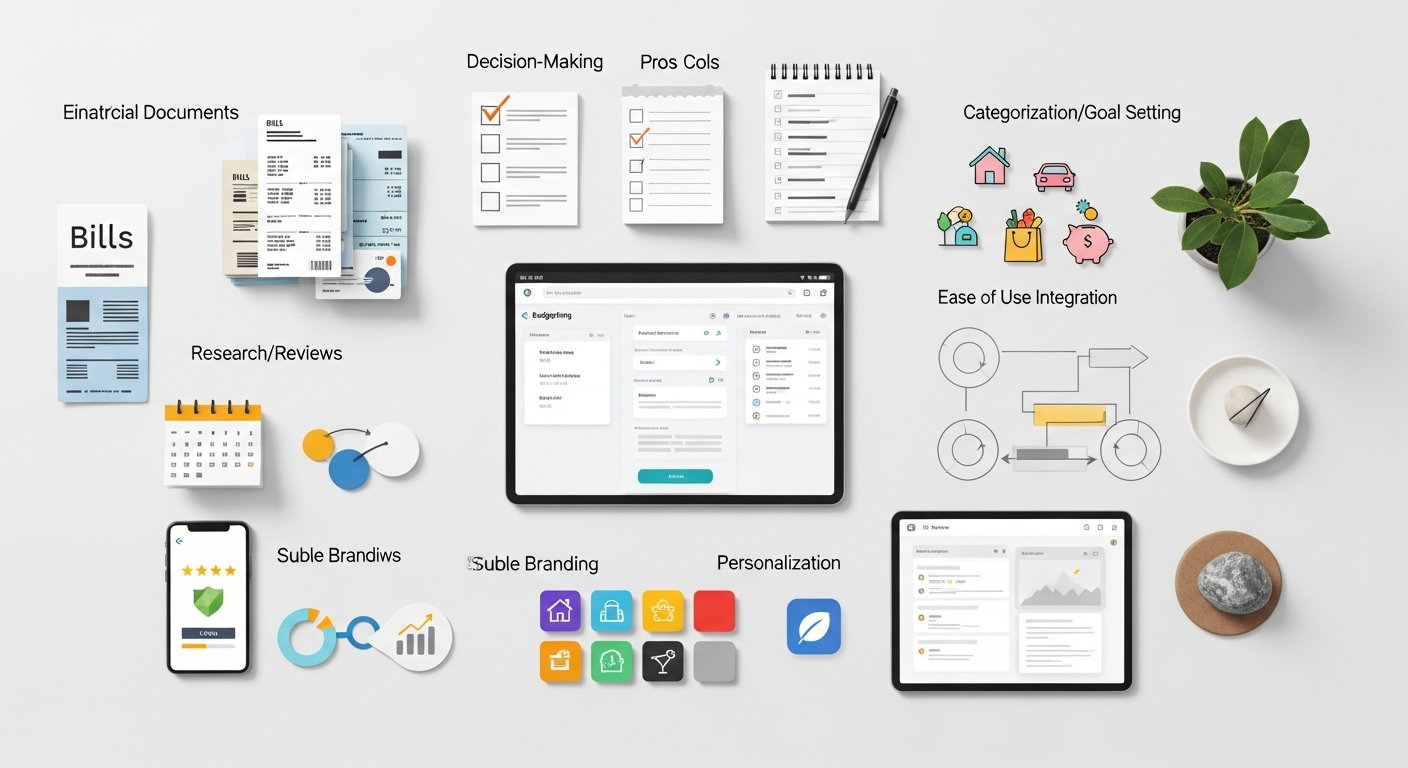
Just as there are different financial goals, there are diverse budgeting methodologies. The effectiveness of a budgeting app often hinges on how well its underlying philosophy aligns with your preferred budgeting style. Understanding these styles is an essential step when you’re considering how to choose a budgeting app that you’ll actually stick with.
Popular Budgeting Methodologies and App Compatibility
Different apps are built around specific budgeting philosophies. Recognizing which method resonates with you will help you select an app that feels intuitive rather than restrictive.
- Zero-Based Budgeting: This method involves assigning every dollar of your income a “job” – whether it’s for expenses, savings, or debt repayment – until your income minus your expenses equals zero. It requires active participation and foresight.
- Ideal Apps: You Need A Budget (YNAB) is the quintessential zero-based budgeting app. It’s designed specifically around this principle, forcing you to allocate funds and live within your means.
- Best For: Individuals or couples who want maximum control over their money, those actively paying off debt, or anyone who has struggled with overspending and needs a disciplined approach.
- Envelope System (Digital Version): Traditionally using physical cash envelopes for different spending categories, this method allocates a fixed amount to various categories each month. Once the money in an “envelope” is gone, you stop spending in that category until the next budgeting cycle.
- Ideal Apps: Many modern apps offer digital “envelopes” or “buckets” that mimic this system, allowing you to visually see how much money is left in each category. Apps with strong categorization and fund allocation features, like Monarch Money or Goodbudget, support this well.
- Best For: People who find visual cues helpful, those who struggle with sticking to category limits, and anyone seeking a simple, tangible way to manage discretionary spending.
- 50/30/20 Rule: A simple guideline that allocates 50% of your after-tax income to Needs, 30% to Wants, and 20% to Savings & Debt Repayment. It’s less granular than zero-based budgeting but provides a clear framework.
- Ideal Apps: Apps that offer high-level categorization and easy reporting can help you track adherence to this rule. Simplifi by Quicken or Empower (formerly Personal Capital) can be adapted for this, though no app is exclusively built around this rule.
- Best For: Beginners, individuals who prefer a simpler, less restrictive budgeting framework, and those who want a general guideline rather than strict rules.
- Paycheck-to-Paycheck Budgeting (Forecasting): This style focuses on ensuring you have enough money to cover expenses between paychecks and often involves forecasting future income and outgo.
- Ideal Apps: Apps with strong cash flow forecasting features, bill tracking, and upcoming expense alerts are beneficial. Many general budgeting apps with robust dashboards, like Mint or Rocket Money, can help visualize your financial runway.
- Best For: Those living paycheck-to-paycheck and needing to optimize cash flow, or anyone who wants to ensure they never miss a bill payment.
- Reverse Budgeting: Instead of tracking every expense, this method focuses on automating savings and debt payments first, then allowing you to spend the rest freely.
- Ideal Apps: Apps that excel at automated transfers, goal tracking, and providing a quick overview of available funds after obligations are met. Many banking apps offer automated savings features that complement this style.
- Best For: Individuals who find detailed tracking tedious, those with stable incomes, and anyone prioritizing automated wealth building over granular expense management.
[INLINE IMAGE 1: place after second H2 | alt=”how to choose budgeting app concept illustration”]
The Importance of a Match
The right fit between your budgeting style and the app’s philosophy is paramount for long-term success. An app that forces you into a style you dislike will quickly be abandoned. Conversely, one that complements your natural approach will feel intuitive and empowering, making the act of budgeting a positive habit rather than a chore.
Consider trying out apps that offer free trials or basic free versions to experiment with different approaches before committing. This hands-on experience can be invaluable in determining how to choose a budgeting app that truly aligns with your financial personality and helps you maintain consistency in your money management efforts. Remember, the best budgeting app is the one you actually use.
Essential Features to Look for When Choosing a Budgeting App
Once you’ve identified your financial needs and preferred budgeting style, the next critical step in learning how to choose a budgeting app is evaluating its features. Not all apps are created equal, and a robust set of functionalities can make all the difference in achieving your financial objectives. Here are the key features to prioritize:
Automatic Transaction Syncing and Categorization
This is arguably the most fundamental feature for any modern budgeting app. The ability to automatically link to your bank accounts, credit cards, investment accounts, and loans eliminates the tedious manual entry of transactions.
- Real-time Syncing: Ensures your financial data is always up-to-date, providing an accurate picture of your spending and balances.
- Smart Categorization: The app should be able to intelligently categorize transactions (e.g., “coffee shop” to “dining out”). Look for apps that allow you to customize categories, split transactions, and create rules for automatic categorization, learning from your habits over time. This saves immense time and improves accuracy.
- Aggregators: Reputable apps use established data aggregators like Plaid, MX, or Finicity to securely connect to your financial institutions. Ensure the app clearly states which aggregator it uses and its security protocols.
Customization and Flexibility
Your financial life isn’t static, and your budgeting app shouldn’t be either. The best apps offer a high degree of customization.
- Custom Categories and Tags: Go beyond default categories to create ones that truly reflect your spending habits and priorities. Tags can add an extra layer of organization.
- Multiple Budgets: The ability to create different budgets (e.g., monthly, by event, or for specific projects) or adjust budget periods (weekly, bi-weekly) offers greater control.
- Budget Rollovers: Some apps allow unspent money in a category to roll over to the next month, which is excellent for variable expenses or saving for larger purchases.
Learn more about customizing your budget for maximum impact.
Goal Setting and Tracking
Budgeting is often about reaching specific financial milestones. An effective app should support these aspirations.
- Savings Goals: Set targets for an emergency fund, down payment, vacation, or retirement. The app should track your progress and show you how close you are to reaching your goals.
- Debt Payoff Tools: For those tackling debt, features like debt snowball/avalanche calculators, interest projections, and personalized payoff plans are invaluable.
- Visual Progress: Dashboards with clear visualizations, progress bars, and charts can be highly motivating.
Reporting and Analytics
Beyond tracking, a good app helps you understand your financial patterns and make informed decisions.
- Spending Reports: Detailed reports on where your money goes, broken down by category, merchant, or time period.
- Net Worth Tracking: A holistic view of your assets (cash, investments) minus your liabilities (debts) over time.
- Cash Flow Analysis: Insights into your income vs. expenses, helping you identify trends and potential areas for improvement.
- Forecasting: Some apps offer projections of your future balances based on current income and spending patterns.
Bill Management and Reminders
Never miss a payment again with an app that helps you stay on top of your recurring bills.
- Bill Tracking: Automatically identify and track recurring bills, showing due dates and amounts.
- Payment Reminders: Get alerts before bills are due, preventing late fees and protecting your credit score.
- Subscription Management: Some advanced apps can identify and help you cancel unwanted subscriptions, saving you money.
Collaboration Features (For Couples/Families)
If you manage money with a partner, family, or housemates, collaborative features are non-negotiable.
- Shared Access: Allow multiple users to log in, view, and manage the same budget.
- Separate Tracking: Differentiate between individual and joint expenses within a shared budget.
- Permissions: Granular control over what each user can see or modify.
Investment Tracking Integration
For those looking to manage more than just spending, integration with investment platforms is key.
- Brokerage Account Syncing: Connect with platforms like Fidelity, Schwab, Vanguard, etc.
- Portfolio Overview: See your entire investment portfolio, including stocks, ETFs, mutual funds, and crypto, in one place.
- Performance Monitoring: Track the performance of your investments over time and visualize asset allocation.
Debt Payoff Tools and Planning
While mentioned in goal setting, the sophistication of debt tools varies greatly.
- Customizable Payoff Strategies: Support for snowball, avalanche, or custom debt payment plans.
- Interest Calculation: Estimate interest saved and time to debt freedom based on extra payments.
- Consolidation Insights: Some apps may offer insights into debt consolidation options or present resources.
Explore effective debt payoff strategies in our comprehensive guide.
When you evaluate how to choose a budgeting app, create a personal checklist of these features, prioritizing those most critical to your financial journey. A feature-rich app that aligns with your specific needs will not only simplify your finances but also empower you to make smarter decisions and reach your goals faster.
Security and Privacy: Your Non-Negotiables When Choosing a Budgeting App
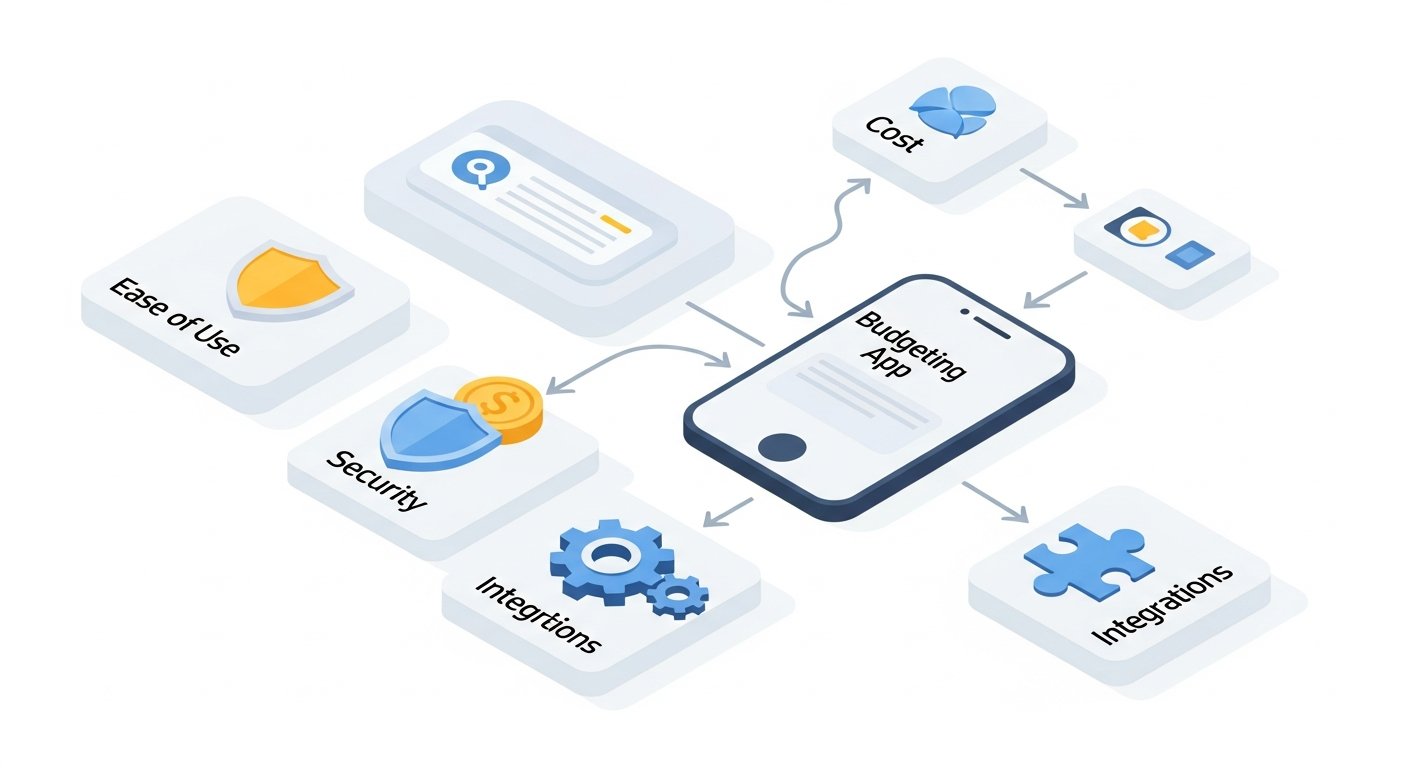
In the digital age, entrusting your sensitive financial data to an app requires absolute confidence in its security and privacy protocols. This aspect should be paramount when considering how to choose a budgeting app. A breach of your financial information can lead to devastating consequences, from identity theft to unauthorized transactions. Therefore, a deep dive into an app’s security measures is not just recommended, it’s mandatory.
Understanding Data Encryption Standards
Encryption is the first line of defense against unauthorized access to your data. Ensure the app uses industry-standard encryption protocols.
- Bank-Level Encryption (AES-256): Look for apps that explicitly state they use 256-bit AES encryption, which is the same standard used by leading banks and financial institutions. This advanced encryption safeguards your data both in transit (when it’s moving between your device and their servers) and at rest (when it’s stored on their servers).
- TLS/SSL: Secure Socket Layer (SSL) or Transport Layer Security (TLS) encryption should be used to protect data transmissions, ensuring that any information exchanged between your device and the app’s servers is secure and private.
Secure Data Aggregation Methods
Budgeting apps connect to your financial institutions through data aggregators. It’s crucial that these aggregators are reputable and secure.
- Established Aggregators: The most common and trusted aggregators are Plaid, MX, and Finicity. These companies specialize in secure bank connectivity, using advanced protocols to access your data without storing your bank login credentials directly on the app’s servers. Instead, they use tokens or encrypted keys.
- Read the Fine Print: Understand how the app connects to your bank. Most apps don’t directly store your banking credentials. Instead, they use secure, token-based connections via these third-party aggregators. This means that even if the budgeting app’s servers were compromised, your bank login details would remain secure with your bank.
Multi-Factor Authentication (MFA)
MFA adds an essential layer of security beyond just a password.
- Two-Factor Authentication (2FA): This is a must-have. It typically involves verifying your identity using a second method, such as a code sent to your phone, a fingerprint scan, facial recognition, or an authenticator app, in addition to your password.
- Biometric Login: Support for fingerprint or facial recognition login (Face ID, Touch ID) on mobile devices offers both convenience and enhanced security.
Privacy Policies and Data Usage
Beyond security, understand how your data is collected, used, and shared. A transparent privacy policy is a hallmark of a trustworthy app.
- No Selling of Personal Data: A reputable budgeting app should explicitly state that it does not sell your personal financial data to third parties. This is a critical distinction, especially for “free” apps that might monetize data in other ways.
- Anonymized Data for Research/Improvements: It’s common for apps to use anonymized and aggregated data for internal research, product improvement, or market insights. This is generally acceptable as long as your personal identifiable information (PII) is removed.
- Data Retention Policies: Understand how long the app retains your data if you close your account and your options for data deletion.
[INLINE IMAGE 2: place after fourth H2 | alt=”how to choose budgeting app comparison illustration”]
Regulatory Compliance and Certifications
For financial tools, adherence to industry standards and regulations indicates a commitment to security.
- SOC 2 Compliance: Look for apps that are SOC 2 (Service Organization Control 2) compliant. This is an auditing standard that ensures service providers securely manage data to protect the interests of their clients and the privacy of individuals. It’s a strong indicator of a robust security infrastructure.
- GDPR/CCPA Compliance: If the app operates internationally or within specific U.S. states, compliance with data protection regulations like GDPR (General Data Protection Regulation) or CCPA (California Consumer Privacy Act) demonstrates a commitment to user data rights.
- ISO 27001 Certification: This international standard for information security management systems is another excellent indicator of a company’s dedication to protecting sensitive data.
Understand more about financial data security in fintech apps.
Physical Security of Servers
While less visible to the user, the physical security of an app’s data centers is also crucial.
- Cloud Providers: Most apps leverage major cloud providers (AWS, Azure, Google Cloud) that have world-class physical security measures, including biometric access, 24/7 surveillance, and environmental controls.
When you’re trying to figure out how to choose a budgeting app, never compromise on security and privacy. A transparent privacy policy, robust encryption, multi-factor authentication, and adherence to regulatory standards are hallmarks of a trustworthy app. Always read the security section of an app’s website and its privacy policy before committing your financial life to it.
User Experience (UX) and Customer Support: Making Budgeting Enjoyable and Sustainable
The best budgeting app in terms of features and security might still fail you if it’s difficult to use or if you can’t get help when you need it. User experience (UX) and responsive customer support are critical for long-term engagement and success when you are trying to understand how to choose a budgeting app.
Intuitive Interface Design and Ease of Use
A budgeting app should simplify your financial life, not complicate it. Its design should be clean, intuitive, and easy to navigate, regardless of your tech proficiency.
- Clean Dashboard: A well-designed dashboard provides an at-a-glance overview of your financial health. It should clearly display your current balances, spending categories, progress towards goals, and upcoming bills without overwhelming you with data.
- Easy Navigation: You should be able to move seamlessly between different sections—transactions, budgets, reports, goals—without feeling lost. Logical menus and clear labeling are essential.
- Minimal Learning Curve: While some advanced apps might have a steeper learning curve, the basics should be straightforward. The onboarding process should guide you effectively, and the app should feel natural to use after a few sessions.
- Visual Appeal: While subjective, an aesthetically pleasing interface can make budgeting a more enjoyable experience. Clear charts, graphs, and customizable themes can contribute to this.
- Responsiveness and Speed: The app should load quickly, and transactions should sync without significant delays. A sluggish app can quickly become frustrating.
Accessibility Features
Inclusive design ensures that everyone can use the app effectively.
- Screen Reader Compatibility: Important for users with visual impairments.
- High Contrast Modes: Beneficial for users with certain visual conditions or for use in different lighting environments.
- Scalable Fonts and UI Elements: Allows users to adjust text size and button sizes for comfortable viewing.
Multi-Platform Availability and Syncing
Your financial life isn’t confined to a single device. The best apps offer flexibility across platforms.
- iOS and Android Apps: Essential for on-the-go tracking and quick checks.
- Web Version: Crucial for more in-depth analysis, budget adjustments, and report generation, often offering a richer feature set than mobile apps.
- Seamless Syncing: Data should sync instantly and accurately across all devices, ensuring consistency whether you’re logging in from your phone, tablet, or desktop.
Quality and Channels of Customer Support
Even with the most intuitive app, questions or issues can arise. Reliable customer support is vital.
- Multiple Support Channels: Look for apps that offer various ways to get help, such as:
- In-app chat: Often the quickest way to resolve minor issues.
- Email support: For less urgent or more complex queries.
- Phone support: Crucial for time-sensitive or highly personal issues (though less common for some budget apps).
- Knowledge base/FAQ: A comprehensive, searchable resource for self-help.
- Community forums: Peer-to-peer support can be very helpful for specific use cases.
- Response Times and Quality: Check reviews for feedback on how quickly and effectively customer support responds. A prompt, knowledgeable, and friendly support team can significantly enhance your experience.
- Educational Resources: Beyond troubleshooting, some apps offer tutorials, webinars, or blog posts that help you learn how to use the app more effectively and improve your financial literacy. This commitment to user education is a strong positive indicator.
When you’re determining how to choose a budgeting app, remember that consistent usage is key to financial success. An app that is a pleasure to use and provides reliable support when you need it will dramatically increase the likelihood that you’ll stick with your budgeting efforts and achieve your financial goals.
Pricing Models and Value Proposition: What You Pay For and What You Get
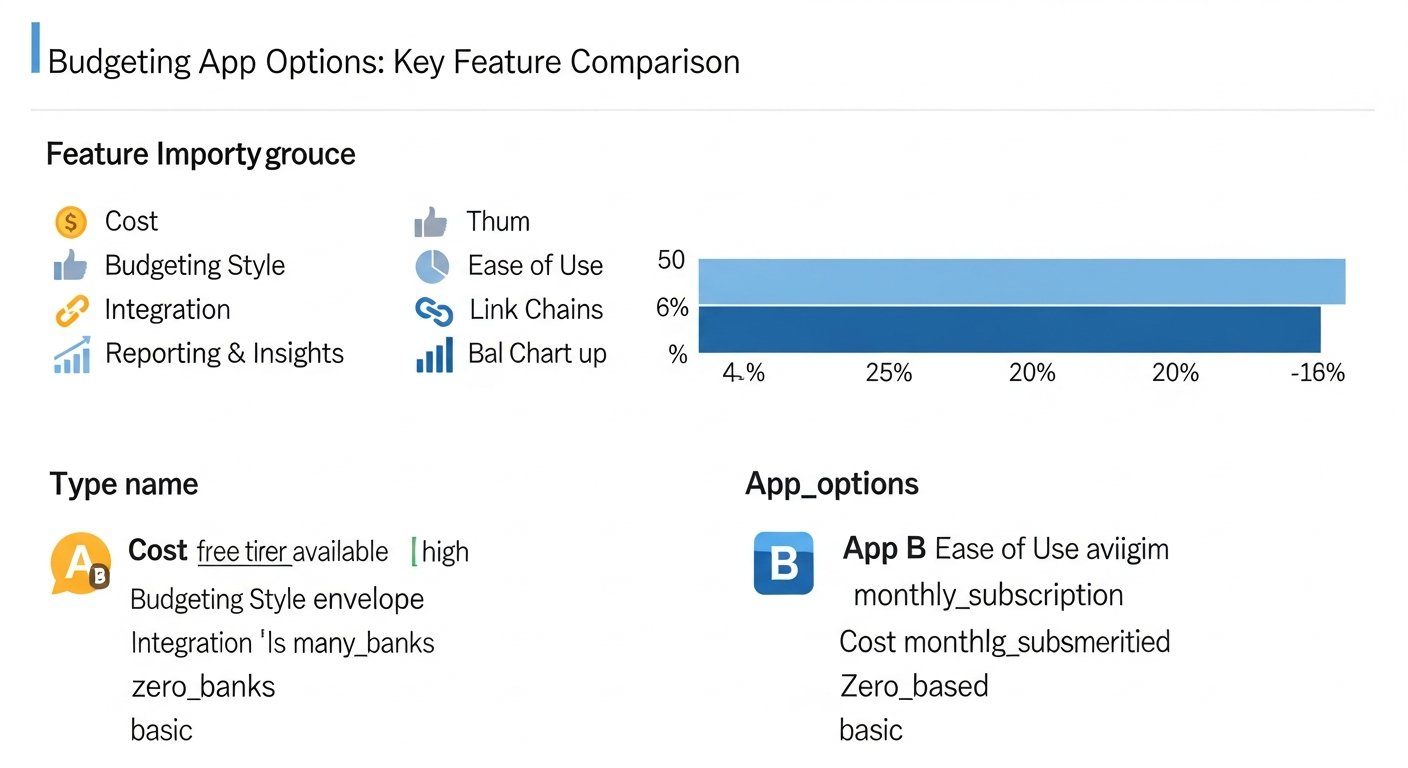
The cost of a budgeting app can range from completely free to a significant annual subscription. Understanding the various pricing models and assessing the value proposition is a crucial element when you’re deciding how to choose a budgeting app. What seems like a bargain might lack essential features, while a premium price tag could offer unparalleled value for your specific needs.
Free vs. Paid Apps: The Fundamental Divide
The market for budgeting apps is broadly split into free and paid offerings. Each comes with its own set of advantages and compromises.
- Free Budgeting Apps:
- Pros: No upfront cost, accessible to everyone, good for basic tracking, often supported by advertising or by leveraging anonymized data for market research.
- Cons: May have limited features (e.g., fewer connected accounts, less robust reporting, no goal tracking), may contain ads, potential concerns about data privacy (how they monetize if not by subscription), less frequent updates, or limited customer support.
- Examples: Some versions of Mint (though often feature-limited now compared to paid alternatives), simplified banking apps.
- Paid Budgeting Apps (Subscription-Based):
- Pros: Typically offer a full suite of features (unlimited accounts, advanced reporting, debt/goal tracking, investment integration), ad-free experience, stronger emphasis on data privacy (as their revenue comes from subscriptions), dedicated customer support, regular updates, and new feature rollouts.
- Cons: Involves a recurring cost (monthly or annually), which needs to fit into your budget.
- Examples: You Need A Budget (YNAB), Monarch Money, Simplifi by Quicken.
Understanding Subscription Tiers and Features
Many paid apps offer different subscription tiers, each unlocking more features or higher limits.
- Basic/Starter Tiers: Often provide core budgeting functionality, but might cap the number of connected accounts, limit custom categories, or restrict access to advanced reports.
- Premium/Pro Tiers: Unlock the full feature set, including investment tracking, advanced forecasting, priority customer support, and potentially premium integrations.
- Family/Joint Plans: Some apps offer specific plans for couples or families that allow multiple users to collaborate on a single budget, often at a slightly higher but still consolidated price.
Trial Periods and Money-Back Guarantees
Before committing to a paid subscription, always look for opportunities to test the app.
- Free Trials: Most reputable paid apps offer a free trial period (e.g., 7, 14, or 30 days) to allow you to explore all features. This is invaluable for assessing if the app aligns with your needs and budgeting style.
- Freemium Models: Some apps offer a perpetually free, limited version (freemium) and then prompt you to upgrade for more features.
- Money-Back Guarantees: A good sign of confidence from the developer is a money-back guarantee, allowing you to get a refund if you’re not satisfied within a certain period after subscribing.
Hidden Costs and Upselling
Be vigilant for any unexpected expenses or aggressive upselling tactics.
- In-App Purchases: Some “free” apps might charge for individual features, removing ads, or increasing limits.
- Premium Services: Watch out for apps that start free but then aggressively push paid premium features or services that aren’t clearly part of the core budgeting experience (e.g., financial advisor consultations, loan offers).
Assessing the Value Proposition
The “best” app isn’t always the cheapest. Consider what you gain versus what you spend.
- Time Savings: Does the app save you hours each month on manual tracking? That time has value.
- Financial Insights: Do its reports and analytics genuinely help you make better financial decisions, identify savings opportunities, or avoid late fees?
- Goal Acceleration: Does it significantly help you accelerate debt payoff or reach savings goals faster? The interest saved or earned could outweigh the subscription cost.
- Peace of Mind: The stress reduction and clarity gained from organized finances can be priceless.
When you’re trying to figure out how to choose a budgeting app, weigh the cost against the features you truly need and the value you expect to receive. A paid app that helps you save hundreds or thousands of dollars (by avoiding interest, finding forgotten subscriptions, or optimizing spending) is a wise investment, while a free app that leaves you frustrated and unorganized might end up costing you more in the long run.
Top Budgeting Apps in 2026: A Comparative Look
With a clearer understanding of your needs, budgeting style, and what to look for in features, security, UX, and pricing, it’s time to examine some of the leading budgeting apps available in 2026. This section will provide an overview of prominent options, highlighting their strengths and ideal users, to further guide you on how to choose a budgeting app that fits your unique financial journey.
Leading Budgeting Apps and Their Key Offerings
- You Need A Budget (YNAB)
- Philosophy: Strict zero-based budgeting. Gives every dollar a job.
- Strengths: Unparalleled for disciplined budgeting and debt payoff, exceptional educational resources, robust community support. Known for changing users’ relationship with money.
- Best For: Individuals or couples committed to proactive, hands-on budgeting; those looking to break the paycheck-to-paycheck cycle or aggressively pay down debt.
- Platforms: Web, iOS, Android.
- Pricing: Premium subscription (monthly/annually). Free 34-day trial.
- Monarch Money
- Philosophy: Modern, goal-oriented financial planning and budgeting.
- Strengths: Sleek, modern interface, excellent for shared finances (couples), robust goal tracking, comprehensive net worth analysis, strong customization. Continual feature updates.
- Best For: Couples or individuals looking for a beautiful, powerful all-in-one financial dashboard; those prioritizing detailed forecasting and goal planning.
- Platforms: Web, iOS, Android.
- Pricing: Premium subscription (monthly/annually). Free 30-day trial.
How to Choose a Budgeting App in 2026: The Ultimate Guide to Financial Control
Affiliate disclosure: This article may contain affiliate links. Recommendations are independent and editorially driven.
In an increasingly digital world, managing your money has never been easier, yet simultaneously, the choices can be overwhelming. If you’re wondering how to choose a budgeting app that genuinely transforms your financial habits, you’ve landed in the right place. A well-chosen budgeting app isn’t just a tool; it’s a financial partner that can help you track spending, save for ambitious goals, pay down debt, and ultimately achieve financial freedom. As we navigate 2026, the fintech landscape offers an array of sophisticated options, each promising a path to fiscal clarity.
The journey to selecting the perfect budgeting app begins with a clear understanding of your personal financial situation, your goals, and your preferred approach to money management. This comprehensive guide will walk you through every critical consideration, from essential features and robust security protocols to user experience and pricing models. We’ll delve into the nuances that differentiate top contenders, provide a comparative look at leading apps in 2026, and offer tailored advice for various financial needs, ensuring you have all the information necessary to make an informed decision. By the end of this article, you’ll know exactly how to choose a budgeting app that aligns perfectly with your financial aspirations and empowers you to take full control of your money.
Understanding Your Financial Needs and Goals: The First Step to Choosing a Budgeting App
Before you even begin to compare features or pricing, the most crucial step in learning how to choose a budgeting app is to understand what you need it for. Your financial life is unique, and a budgeting app should serve your specific objectives. Without this foundational understanding, even the most feature-rich app can feel like a mismatch. Take a moment to reflect on your current financial situation and articulate your primary goals for the next year and beyond.
Identifying Your Primary Financial Objectives
Are you trying to get out of debt? Save for a down payment? Track investments? Or simply gain a clearer picture of where your money goes each month? Different apps excel in different areas. Pinpointing your main drivers will narrow down your options significantly.
- Debt Management: If credit card debt, student loans, or other obligations are weighing you down, you’ll need an app with powerful debt tracking and payoff tools. Look for features like debt snowball/avalanche calculators, interest rate monitoring, and payment reminders. These apps often emphasize visualizing your debt reduction progress, which can be highly motivating.
- Savings Goals: Whether it’s a new car, a vacation, an emergency fund, or retirement, clear savings goals require an app that allows you to set targets, track progress, and perhaps even automate transfers. Features like dedicated savings buckets, progress bars, and forecasting tools are invaluable here.
- Investment Tracking: For those with a growing investment portfolio, an app that integrates with brokerage accounts and provides a holistic view of your net worth, including assets, is essential. Look for apps that offer performance tracking, asset allocation insights, and even basic portfolio analysis.
- Daily Spending and Cash Flow Management: Many people just want to stop living paycheck-to-paycheck or understand their spending habits better. Apps focusing on detailed transaction categorization, real-time spending alerts, and intuitive dashboards are key for this goal. They help you identify spending leaks and adhere to daily or weekly budgets.
- Financial Planning and Wealth Building: For a more holistic approach, some apps offer features that extend beyond basic budgeting, delving into long-term financial planning, retirement projections, and even personalized financial advice. These are often more robust platforms designed for advanced users or those looking for an all-in-one financial dashboard.
Assessing Your Current Financial Habits
Your existing habits also play a significant role. Are you diligent about tracking every penny, or do you prefer a more hands-off approach? Do you check your finances daily, weekly, or monthly?
- Hands-On vs. Hands-Off: Some apps require meticulous manual entry and categorization (e.g., You Need A Budget – YNAB), which is excellent for those who want deep engagement. Others offer extensive automation, automatically categorizing transactions and providing insights with minimal user input (e.g., Simplifi by Quicken, Rocket Money). Knowing your preference will dictate how much effort you’re willing to put into the app daily.
- Detail-Oriented vs. Big Picture: Do you need to know exactly how much you spent on coffee last month, or are you more concerned with overall category totals? Apps vary in their granularity.
- Single User vs. Joint Accounts: If you manage finances with a partner, family member, or even a small business, you’ll need an app that supports shared access, collaborative budgeting, and separate tracking for different users or entities. This is a critical feature for couples or small teams seeking to pool resources and track joint expenses.
By thoroughly evaluating your needs and habits, you create a personalized checklist. This will serve as your guiding star when exploring the myriad of options available in 2026 and help you confidently answer the question of how to choose a budgeting app that truly works for you.
Identifying Your Budgeting Style: Matching App Philosophy to Personal Preference
Just as there are different financial goals, there are diverse budgeting methodologies. The effectiveness of a budgeting app often hinges on how well its underlying philosophy aligns with your preferred budgeting style. Understanding these styles is an essential step when you’re considering how to choose a budgeting app that you’ll actually stick with.
Popular Budgeting Methodologies and App Compatibility
Different apps are built around specific budgeting philosophies. Recognizing which method resonates with you will help you select an app that feels intuitive rather than restrictive.
- Zero-Based Budgeting: This method involves assigning every dollar of your income a “job” – whether it’s for expenses, savings, or debt repayment – until your income minus your expenses equals zero. It requires active participation and foresight.
- Ideal Apps: You Need A Budget (YNAB) is the quintessential zero-based budgeting app. It’s designed specifically around this principle, forcing you to allocate funds and live within your means.
- Best For: Individuals or couples who want maximum control over their money, those actively paying off debt, or anyone who has struggled with overspending and needs a disciplined approach.
- Envelope System (Digital Version): Traditionally using physical cash envelopes for different spending categories, this method allocates a fixed amount to various categories each month. Once the money in an “envelope” is gone, you stop spending in that category until the next budgeting cycle.
- Ideal Apps: Many modern apps offer digital “envelopes” or “buckets” that mimic this system, allowing you to visually see how much money is left in each category. Apps with strong categorization and fund allocation features, like Monarch Money or Goodbudget, support this well.
- Best For: People who find visual cues helpful, those who struggle with sticking to category limits, and anyone seeking a simple, tangible way to manage discretionary spending.
- 50/30/20 Rule: A simple guideline that allocates 50% of your after-tax income to Needs, 30% to Wants, and 20% to Savings & Debt Repayment. It’s less granular than zero-based budgeting but provides a clear framework.
- Ideal Apps: Apps that offer high-level categorization and easy reporting can help you track adherence to this rule. Simplifi by Quicken or Empower (formerly Personal Capital) can be adapted for this, though no app is exclusively built around this rule.
- Best For: Beginners, individuals who prefer a simpler, less restrictive budgeting framework, and those who want a general guideline rather than strict rules.
- Paycheck-to-Paycheck Budgeting (Forecasting): This style focuses on ensuring you have enough money to cover expenses between paychecks and often involves forecasting future income and outgo.
- Ideal Apps: Apps with strong cash flow forecasting features, bill tracking, and upcoming expense alerts are beneficial. Many general budgeting apps with robust dashboards, like Mint or Rocket Money, can help visualize your financial runway.
- Best For: Those living paycheck-to-paycheck and needing to optimize cash flow, or anyone who wants to ensure they never miss a bill payment.
- Reverse Budgeting: Instead of tracking every expense, this method focuses on automating savings and debt payments first, then allowing you to spend the rest freely.
- Ideal Apps: Apps that excel at automated transfers, goal tracking, and providing a quick overview of available funds after obligations are met. Many banking apps offer automated savings features that complement this style.
- Best For: Individuals who find detailed tracking tedious, those with stable incomes, and anyone prioritizing automated wealth building over granular expense management.
[INLINE IMAGE 1: place after second H2 | alt=”how to choose budgeting app concept illustration”]
The Importance of a Match
The right fit between your budgeting style and the app’s philosophy is paramount for long-term success. An app that forces you into a style you dislike will quickly be abandoned. Conversely, one that complements your natural approach will feel intuitive and empowering, making the act of budgeting a positive habit rather than a chore.
Consider trying out apps that offer free trials or basic free versions to experiment with different approaches before committing. This hands-on experience can be invaluable in determining how to choose a budgeting app that truly aligns with your financial personality and helps you maintain consistency in your money management efforts. Remember, the best budgeting app is the one you actually use.
Essential Features to Look for When Choosing a Budgeting App
Once you’ve identified your financial needs and preferred budgeting style, the next critical step in learning how to choose a budgeting app is evaluating its features. Not all apps are created equal, and a robust set of functionalities can make all the difference in achieving your financial objectives. Here are the key features to prioritize:
Automatic Transaction Syncing and Categorization
This is arguably the most fundamental feature for any modern budgeting app. The ability to automatically link to your bank accounts, credit cards, investment accounts, and loans eliminates the tedious manual entry of transactions.
- Real-time Syncing: Ensures your financial data is always up-to-date, providing an accurate picture of your spending and balances.
- Smart Categorization: The app should be able to intelligently categorize transactions (e.g., “coffee shop” to “dining out”). Look for apps that allow you to customize categories, split transactions, and create rules for automatic categorization, learning from your habits over time. This saves immense time and improves accuracy.
- Aggregators: Reputable apps use established data aggregators like Plaid, MX, or Finicity to securely connect to your financial institutions. Ensure the app clearly states which aggregator it uses and its security protocols.
Customization and Flexibility
Your financial life isn’t static, and your budgeting app shouldn’t be either. The best apps offer a high degree of customization.
- Custom Categories and Tags: Go beyond default categories to create ones that truly reflect your spending habits and priorities. Tags can add an extra layer of organization.
- Multiple Budgets: The ability to create different budgets (e.g., monthly, by event, or for specific projects) or adjust budget periods (weekly, bi-weekly) offers greater control.
- Budget Rollovers: Some apps allow unspent money in a category to roll over to the next month, which is excellent for variable expenses or saving for larger purchases.
Learn more about customizing your budget for maximum impact.
Goal Setting and Tracking
Budgeting is often about reaching specific financial milestones. An effective app should support these aspirations.
- Savings Goals: Set targets for an emergency fund, down payment, vacation, or retirement. The app should track your progress and show you how close you are to reaching your goals.
- Debt Payoff Tools: For those tackling debt, features like debt snowball/avalanche calculators, interest projections, and personalized payoff plans are invaluable.
- Visual Progress: Dashboards with clear visualizations, progress bars, and charts can be highly motivating.
Reporting and Analytics
Beyond tracking, a good app helps you understand your financial patterns and make informed decisions.
- Spending Reports: Detailed reports on where your money goes, broken down by category, merchant, or time period.
- Net Worth Tracking: A holistic view of your assets (cash, investments) minus your liabilities (debts) over time.
- Cash Flow Analysis: Insights into your income vs. expenses, helping you identify trends and potential areas for improvement.
- Forecasting: Some apps offer projections of your future balances based on current income and spending patterns.
Bill Management and Reminders
Never miss a payment again with an app that helps you stay on top of your recurring bills.
- Bill Tracking: Automatically identify and track recurring bills, showing due dates and amounts.
- Payment Reminders: Get alerts before bills are due, preventing late fees and protecting your credit score.
- Subscription Management: Some advanced apps can identify and help you cancel unwanted subscriptions, saving you money.
Collaboration Features (For Couples/Families)
If you manage money with a partner, family, or housemates, collaborative features are non-negotiable.
- Shared Access: Allow multiple users to log in, view, and manage the same budget.
- Separate Tracking: Differentiate between individual and joint expenses within a shared budget.
- Permissions: Granular control over what each user can see or modify.
Investment Tracking Integration
For those looking to manage more than just spending, integration with investment platforms is key.
- Brokerage Account Syncing: Connect with platforms like Fidelity, Schwab, Vanguard, etc.
- Portfolio Overview: See your entire investment portfolio, including stocks, ETFs, mutual funds, and crypto, in one place.
- Performance Monitoring: Track the performance of your investments over time and visualize asset allocation.
Debt Payoff Tools and Planning
While mentioned in goal setting, the sophistication of debt tools varies greatly.
- Customizable Payoff Strategies: Support for snowball, avalanche, or custom debt payment plans.
- Interest Calculation: Estimate interest saved and time to debt freedom based on extra payments.
- Consolidation Insights: Some apps may offer insights into debt consolidation options or present resources.
Explore effective debt payoff strategies in our comprehensive guide.
When you evaluate how to choose a budgeting app, create a personal checklist of these features, prioritizing those most critical to your financial journey. A feature-rich app that aligns with your specific needs will not only simplify your finances but also empower you to make smarter decisions and reach your goals faster.
Security and Privacy: Your Non-Negotiables When Choosing a Budgeting App
In the digital age, entrusting your sensitive financial data to an app requires absolute confidence in its security and privacy protocols. This aspect should be paramount when considering how to choose a budgeting app. A breach of your financial information can lead to devastating consequences, from identity theft to unauthorized transactions. Therefore, a deep dive into an app’s security measures is not just recommended, it’s mandatory.
Understanding Data Encryption Standards
Encryption is the first line of defense against unauthorized access to your data. Ensure the app uses industry-standard encryption protocols.
- Bank-Level Encryption (AES-256): Look for apps that explicitly state they use 256-bit AES encryption, which is the same standard used by leading banks and financial institutions. This advanced encryption safeguards your data both in transit (when it’s moving between your device and their servers) and at rest (when it’s stored on their servers).
- TLS/SSL: Secure Socket Layer (SSL) or Transport Layer Security (TLS) encryption should be used to protect data transmissions, ensuring that any information exchanged between your device and the app’s servers is secure and private.
Secure Data Aggregation Methods
Budgeting apps connect to your financial institutions through data aggregators. It’s crucial that these aggregators are reputable and secure.
- Established Aggregators: The most common and trusted aggregators are Plaid, MX, and Finicity. These companies specialize in secure bank connectivity, using advanced protocols to access your data without storing your bank login credentials directly on the app’s servers. Instead, they use tokens or encrypted keys.
- Read the Fine Print: Understand how the app connects to your bank. Most apps don’t directly store your banking credentials. Instead, they use secure, token-based connections via these third-party aggregators. This means that even if the budgeting app’s servers were compromised, your bank login details would remain secure with your bank.
Multi-Factor Authentication (MFA)
MFA adds an essential layer of security beyond just a password.
- Two-Factor Authentication (2FA): This is a must-have. It typically involves verifying your identity using a second method, such as a code sent to your phone, a fingerprint scan, facial recognition, or an authenticator app, in addition to your password.
- Biometric Login: Support for fingerprint or facial recognition login (Face ID, Touch ID) on mobile devices offers both convenience and enhanced security.
Privacy Policies and Data Usage
Beyond security, understand how your data is collected, used, and shared. A transparent privacy policy is a hallmark of a trustworthy app.
- No Selling of Personal Data: A reputable budgeting app should explicitly state that it does not sell your personal financial data to third parties. This is a critical distinction, especially for “free” apps that might monetize data in other ways.
- Anonymized Data for Research/Improvements: It’s common for apps to use anonymized and aggregated data for internal research, product improvement, or market insights. This is generally acceptable as long as your personal identifiable information (PII) is removed.
- Data Retention Policies: Understand how long the app retains your data if you close your account and your options for data deletion.
[INLINE IMAGE 2: place after fourth H2 | alt=”how to choose budgeting app comparison illustration”]
Regulatory Compliance and Certifications
For financial tools, adherence to industry standards and regulations indicates a commitment to security.
- SOC 2 Compliance: Look for apps that are SOC 2 (Service Organization Control 2) compliant. This is an auditing standard that ensures service providers securely manage data to protect the interests of their clients and the privacy of individuals. It’s a strong indicator of a robust security infrastructure.
- GDPR/CCPA Compliance: If the app operates internationally or within specific U.S. states, compliance with data protection regulations like GDPR (General Data Protection Regulation) or CCPA (California Consumer Privacy Act) demonstrates a commitment to user data rights.
- ISO 27001 Certification: This international standard for information security management systems is another excellent indicator of a company’s dedication to protecting sensitive data.
Understand more about financial data security in fintech apps.
Physical Security of Servers
While less visible to the user, the physical security of an app’s data centers is also crucial.
- Cloud Providers: Most apps leverage major cloud providers (AWS, Azure, Google Cloud) that have world-class physical security measures, including biometric access, 24/7 surveillance, and environmental controls.
When you’re trying to figure out how to choose a budgeting app, never compromise on security and privacy. A transparent privacy policy, robust encryption, multi-factor authentication, and adherence to regulatory standards are hallmarks of a trustworthy app. Always read the security section of an app’s website and its privacy policy before committing your financial life to it.
User Experience (UX) and Customer Support: Making Budgeting Enjoyable and Sustainable
The best budgeting app in terms of features and security might still fail you if it’s difficult to use or if you can’t get help when you need it. User experience (UX) and responsive customer support are critical for long-term engagement and success when you are trying to understand how to choose a budgeting app.
Intuitive Interface Design and Ease of Use
A budgeting app should simplify your financial life, not complicate it. Its design should be clean, intuitive, and easy to navigate, regardless of your tech proficiency.
- Clean Dashboard: A well-designed dashboard provides an at-a-glance overview of your financial health. It should clearly display your current balances, spending categories, progress towards goals, and upcoming bills without overwhelming you with data.
- Easy Navigation: You should be able to move seamlessly between different sections—transactions, budgets, reports, goals—without feeling lost. Logical menus and clear labeling are essential.
- Minimal Learning Curve: While some advanced apps might have a steeper learning curve, the basics should be straightforward. The onboarding process should guide you effectively, and the app should feel natural to use after a few sessions.
- Visual Appeal: While subjective, an aesthetically pleasing interface can make budgeting a more enjoyable experience. Clear charts, graphs, and customizable themes can contribute to this.
- Responsiveness and Speed: The app should load quickly, and transactions should sync without significant delays. A sluggish app can quickly become frustrating.
Accessibility Features
Inclusive design ensures that everyone can use the app effectively.
- Screen Reader Compatibility: Important for users with visual impairments.
- High Contrast Modes: Beneficial for users with certain visual conditions or for use in different lighting environments.
- Scalable Fonts and UI Elements: Allows users to adjust text size and button sizes for comfortable viewing.
Multi-Platform Availability and Syncing
Your financial life isn’t confined to a single device. The best apps offer flexibility across platforms.
- iOS and Android Apps: Essential for on-the-go tracking and quick checks.
- Web Version: Crucial for more in-depth analysis, budget adjustments, and report generation, often offering a richer feature set than mobile apps.
- Seamless Syncing: Data should sync instantly and accurately across all devices, ensuring consistency whether you’re logging in from your phone, tablet, or desktop.
Quality and Channels of Customer Support
Even with the most intuitive app, questions or issues can arise. Reliable customer support is vital.
- Multiple Support Channels: Look for apps that offer various ways to get help, such as:
- In-app chat: Often the quickest way to resolve minor issues.
- Email support: For less urgent or more complex queries.
- Phone support: Crucial for time-sensitive or highly personal issues (though less common for some budget apps).
- Knowledge base/FAQ: A comprehensive, searchable resource for self-help.
- Community forums: Peer-to-peer support can be very helpful for specific use cases.
- Response Times and Quality: Check reviews for feedback on how quickly and effectively customer support responds. A prompt, knowledgeable, and friendly support team can significantly enhance your experience.
- Educational Resources: Beyond troubleshooting, some apps offer tutorials, webinars, or blog posts that help you learn how to use the app more effectively and improve your financial literacy. This commitment to user education is a strong positive indicator.
When you’re determining how to choose a budgeting app, remember that consistent usage is key to financial success. An app that is a pleasure to use and provides reliable support when you need it will dramatically increase the likelihood that you’ll stick with your budgeting efforts and achieve your financial goals.
Pricing Models and Value Proposition: What You Pay For and What You Get
The cost of a budgeting app can range from completely free to a significant annual subscription. Understanding the various pricing models and assessing the value proposition is a crucial element when you’re deciding how to choose a budgeting app. What seems like a bargain might lack essential features, while a premium price tag could offer unparalleled value for your specific needs.
Free vs. Paid Apps: The Fundamental Divide
The market for budgeting apps is broadly split into free and paid offerings. Each comes with its own set of advantages and compromises.
- Free Budgeting Apps:
- Pros: No upfront cost, accessible to everyone, good for basic tracking, often supported by advertising or by leveraging anonymized data for market research.
- Cons: May have limited features (e.g., fewer connected accounts, less robust reporting, no goal tracking), may contain ads, potential concerns about data privacy (how they monetize if not by subscription), less frequent updates, or limited customer support.
- Examples: Some versions of Mint (though often feature-limited now compared to paid alternatives), simplified banking apps.
- Paid Budgeting Apps (Subscription-Based):
- Pros: Typically offer a full suite of features (unlimited accounts, advanced reporting, debt/goal tracking, investment integration), ad-free experience, stronger emphasis on data privacy (as their revenue comes from subscriptions), dedicated customer support, regular updates, and new feature rollouts.
- Cons: Involves a recurring cost (monthly or annually), which needs to fit into your budget.
- Examples: You Need A Budget (YNAB), Monarch Money, Simplifi by Quicken.
Understanding Subscription Tiers and Features
Many paid apps offer different subscription tiers, each unlocking more features or higher limits.
- Basic/Starter Tiers: Often provide core budgeting functionality, but might cap the number of connected accounts, limit custom categories, or restrict access to advanced reports.
- Premium/Pro Tiers: Unlock the full feature set, including investment tracking, advanced forecasting, priority customer support, and potentially premium integrations.
- Family/Joint Plans: Some apps offer specific plans for couples or families that allow multiple users to collaborate on a single budget, often at a slightly higher but still consolidated price.
Trial Periods and Money-Back Guarantees
Before committing to a paid subscription, always look for opportunities to test the app.
- Free Trials: Most reputable paid apps offer a free trial period (e.g., 7, 14, or 30 days) to allow you to explore all features. This is invaluable for assessing if the app aligns with your needs and budgeting style.
- Freemium Models: Some apps offer a perpetually free, limited version (freemium) and then prompt you to upgrade for more features.
- Money-Back Guarantees: A good sign of confidence from the developer is a money-back guarantee, allowing you to get a refund if you’re not satisfied within a certain period after subscribing.
Hidden Costs and Upselling
Be vigilant for any unexpected expenses or aggressive upselling tactics.
- In-App Purchases: Some “free” apps might charge for individual features, removing ads, or increasing limits.
- Premium Services: Watch out for apps that start free but then aggressively push paid premium features or services that aren’t clearly part of the core budgeting experience (e.g., financial advisor consultations, loan offers).
Assessing the Value Proposition
The “best” app isn’t always the cheapest. Consider what you gain versus what you spend.
- Time Savings: Does the app save you hours each month on manual tracking? That time has value.
- Financial Insights: Do its reports and analytics genuinely help you make better financial decisions, identify savings opportunities, or avoid late fees?
- Goal Acceleration: Does it significantly help you accelerate debt payoff or reach savings goals faster? The interest saved or earned could outweigh the subscription cost.
- Peace of Mind: The stress reduction and clarity gained from organized finances can be priceless.
When you’re trying to figure out how to choose a budgeting app, weigh the cost against the features you truly need and the value you expect to receive. A paid app that helps you save hundreds or thousands of dollars (by avoiding interest, finding forgotten subscriptions, or optimizing spending) is a wise investment, while a free app that leaves you frustrated and unorganized might end up costing you more in the long run.
Top Budgeting Apps in 2026: A Comparative Look
With a clearer understanding of your needs, budgeting style, and what to look for in features, security, UX, and pricing, it’s time to examine some of the leading budgeting apps available in 2026. This section will provide an overview of prominent options, highlighting their strengths and ideal users, to further guide you on how to choose a budgeting app that fits your unique financial journey.
Leading Budgeting Apps and Their Key Offerings
- You Need A Budget (YNAB)
- Philosophy: Strict zero-based budgeting. Gives every dollar a job.
- Strengths: Unparalleled for disciplined budgeting and debt payoff, exceptional educational resources, robust community support. Known for changing users’ relationship with money.
- Best For: Individuals or couples committed to proactive, hands-on budgeting; those looking to break the paycheck-to-paycheck cycle or aggressively pay down debt.
- Platforms: Web, iOS, Android.
- Pricing: Premium subscription (monthly/annually). Free 34-day trial.
- Monarch Money
- Philosophy: Modern, goal-oriented financial planning and budgeting.
- Strengths: Sleek, modern interface, excellent for shared finances (couples), robust goal tracking, comprehensive net worth analysis, strong customization. Continual feature updates.
- Best For: Couples or individuals looking for a beautiful, powerful all-in-one financial dashboard; those prioritizing detailed forecasting and goal planning.
- Platforms: Web, iOS, Android.
- Pricing: Premium subscription (monthly/annually). Free 30-day trial.