
The Best Budgeting Apps of 2026: Master Your Money with fin3go
Affiliate disclosure: This article may contain affiliate links. Recommendations are independent and editorially driven.
In the rapidly evolving world of personal finance, managing your money has never been more critical – or more accessible. As we navigate 2026, the landscape of financial technology continues to offer innovative solutions designed to empower individuals to achieve their monetary goals. Among these, budgeting apps stand out as indispensable tools, transforming complex financial tracking into an intuitive, often automated, process. For anyone looking to gain genuine control over their spending, boost their savings, pay down debt, or simply understand where their money truly goes, finding the best budgeting apps is the crucial first step.
At fin3go, we understand that effective financial management is the cornerstone of long-term wealth building and peace of mind. Our team of fintech experts has meticulously researched, tested, and analyzed dozens of the leading budgeting applications available today. This comprehensive guide aims to cut through the noise, providing you with an unbiased, in-depth look at the top contenders, their features, benefits, and who they’re best suited for. Whether you’re a budgeting novice seeking simplicity or a seasoned financial pro looking for advanced analytics, there’s an app out there perfectly tailored to your needs.
We’ll delve into the various budgeting philosophies, what essential features define a truly great app, and ultimately, present our top recommendations. By the end of this article, you’ll have all the information you need to confidently choose the budgeting app that will help you master your money in 2026 and beyond.
Why Budgeting Apps Are Essential for Financial Freedom in 2026
The concept of budgeting has been around for centuries, but its modern application, supercharged by technology, offers unprecedented advantages. In an increasingly complex economic environment, simply ‘knowing’ you should save money isn’t enough. You need actionable insights, automated tracking, and a clear roadmap. This is precisely where the best budgeting apps shine, becoming more than just digital ledgers – they are personal financial coaches, accountability partners, and future planners rolled into one.
The Disconnect Between Income and Spending
Many individuals experience a profound disconnect between their perceived financial situation and their actual spending habits. Impulse purchases, subscription creep, and often-overlooked small expenditures can quietly erode savings and derail financial goals. Without a clear overview, it’s easy to fall into the trap of wondering, “Where did all my money go?” Budgeting apps bridge this gap by providing real-time visibility into every dollar earned and spent.
Key Benefits of Using a Budgeting App
- Unparalleled Visibility: Connect all your bank accounts, credit cards, investments, and loans in one secure place. See your entire financial picture at a glance.
- Automated Tracking: Say goodbye to manual spreadsheets. Most apps automatically categorize transactions, saving you countless hours and reducing human error.
- Goal Setting & Progress Monitoring: Whether it’s saving for a down payment, a vacation, or retirement, apps help you set realistic goals and track your progress daily.
- Behavioral Change: The awareness generated by seeing your spending patterns can be a powerful catalyst for changing financial habits, reducing unnecessary expenditures, and making more conscious financial decisions.
- Debt Management: Many apps offer features to help you strategize debt repayment, prioritizing high-interest debts and visualizing your path to becoming debt-free.
- Alerts & Reminders: Get notifications for upcoming bills, unusual spending, or when you’re approaching budget limits, helping you stay on track and avoid overdrafts.
- Simplified Tax Preparation: Categorized spending can significantly streamline tax season, making it easier to identify deductible expenses.
- Enhanced Security: Reputable apps employ bank-grade encryption and security protocols to protect your sensitive financial data.
The Evolution of Financial Technology
The fintech revolution has democratized sophisticated financial tools once only available to institutions or high-net-worth individuals. Budgeting apps are at the forefront of this movement, continuously evolving with features like AI-driven insights, predictive analytics, and seamless integration with other financial services. This means that managing your money isn’t just about tracking; it’s about intelligent forecasting and personalized advice, making 2026 an opportune time to leverage these advancements.
[INLINE IMAGE 1: place after second H2 | alt=”best budgeting apps concept illustration”]
Understanding Your Budgeting Style: Methods and Philosophies
Before diving into specific apps, it’s crucial to understand that budgeting isn’t a one-size-fits-all endeavor. Different methodologies appeal to different personalities and financial situations. The best budgeting apps often support one or more of these philosophies, or at least provide the flexibility to adapt to them. Identifying your preferred style can significantly narrow down your choices and ensure long-term success.
1. The 50/30/20 Rule
This is arguably one of the most popular and straightforward budgeting frameworks, ideal for beginners. It suggests allocating your after-tax income into three main categories:
- 50% for Needs: Essential expenses like housing (rent/mortgage), utilities, groceries, transportation, insurance, and minimum loan payments.
- 30% for Wants: Discretionary spending such as dining out, entertainment, hobbies, shopping, and vacations.
- 20% for Savings & Debt Repayment: This includes contributions to retirement accounts, emergency funds, investment accounts, and extra payments towards debt beyond the minimum.
Many apps allow you to set percentage-based budgets, making it easy to implement this rule and track adherence.
2. Zero-Based Budgeting
Made famous by financial gurus, zero-based budgeting ensures that every dollar of your income is assigned a “job” – whether it’s spending, saving, or debt repayment. The goal is that your income minus your expenses (including savings and debt payments) equals zero at the end of each budgeting period (typically a month). This method demands more attention to detail but offers maximum control.
- Pros: Highly effective for understanding exactly where every dollar goes; promotes intentional spending; helps identify wasteful spending.
- Cons: Requires more active management and commitment; can feel restrictive initially.
Apps like YNAB (You Need A Budget) are built specifically around this philosophy.
3. The Envelope System (Digital Adaptation)
Traditionally, this involved physical envelopes filled with cash for different spending categories. Once an envelope was empty, spending in that category stopped until the next budgeting period. Digital budgeting apps replicate this by creating virtual “envelopes” or categories with allocated funds. As you spend, the app deducts from the relevant digital envelope.
- Pros: Visually intuitive; excellent for managing variable expenses; prevents overspending in specific areas.
- Cons: Requires consistent categorization; less flexible for unexpected large expenses if not properly managed.
4. Pay Yourself First
This philosophy prioritizes saving and investing before any other spending. The idea is to automate transfers to savings and investment accounts immediately after receiving your paycheck. What’s left is then used for needs and wants. This method emphasizes building long-term wealth by making savings a non-negotiable expense.
- Pros: Builds consistent savings and investments; reduces the temptation to spend money before saving; relatively low maintenance once set up.
- Cons: May require discipline to live on the remaining income; less emphasis on detailed spending tracking for other categories.
Many apps facilitate automated transfers and goal-based savings, supporting this approach.
5. Hybrid Approaches
Often, the best approach is a combination tailored to your personal habits. You might use the 50/30/20 rule for broad categories but apply a zero-based approach to a particularly problematic spending area. The flexibility offered by many of the best budgeting apps allows users to mix and match strategies, evolving their budgeting as their financial literacy and goals mature.
Key Features to Look For in a Top Budgeting App
With so many options available, choosing the right app can feel overwhelming. Focusing on core functionalities and how they align with your personal finance goals will simplify the decision. Here’s a breakdown of essential features to prioritize when evaluating the best budgeting apps.
1. Secure Bank Account Synchronization
This is non-negotiable. The ability to securely link your checking, savings, credit cards, loans, and investment accounts is fundamental. Look for apps that use robust encryption (e.g., 256-bit AES) and comply with industry-standard security protocols (like those used by banks). Data aggregation services (e.g., Plaid, Finicity) are common and generally secure.
- What to check: How many institutions can be linked? How often does data refresh? Are there any known connectivity issues with your bank?
2. Automatic Transaction Categorization
The cornerstone of effortless budgeting. The app should automatically import and categorize your transactions, learning from your habits over time. While manual adjustments will always be necessary for nuanced situations, a good app minimizes this effort.
- What to check: Accuracy of auto-categorization; ease of re-categorization; ability to create custom categories; splitting transactions.
3. Customizable Budgeting Categories and Limits
Your budget should reflect your life, not a generic template. The best apps offer extensive customization, allowing you to create, rename, and set limits for categories that make sense to you.
- What to check: Granularity of categories; ability to set different budget periods (weekly, bi-weekly, monthly); rollover options for unused funds.
4. Real-time Spending Tracking and Alerts
Knowledge is power. The app should provide an up-to-the-minute view of your spending against your budget limits. Alerts for overspending, upcoming bills, or large transactions are incredibly valuable for proactive management.
- What to check: Push notifications for budget thresholds; email alerts; detailed transaction history.
5. Goal Setting and Progress Monitoring
Beyond daily spending, apps should support your larger financial aspirations. Whether saving for an emergency fund, a down payment, or a trip, the app should help you define goals, calculate contribution amounts, and visualize your progress.
- What to check: Multiple goal types; visual progress trackers; integration with savings accounts.
6. Reporting and Analytics
Understanding your financial habits requires more than just raw data. Powerful reporting tools that visualize your spending trends, net worth changes, and debt progress through charts and graphs are essential for long-term insights.
- What to check: Customizable reports; export options; historical data analysis; net worth tracking.
7. User Interface and Ease of Use
An app can have all the features in the world, but if it’s clunky or confusing, you won’t use it. Look for an intuitive, clean interface that makes budgeting feel less like a chore and more like an empowering experience.
- What to check: Intuitive navigation; clean design; accessibility features; mobile vs. desktop experience.
8. Security and Privacy
Handling sensitive financial data demands the highest security standards. Ensure the app uses bank-level encryption, multi-factor authentication (MFA), and has a transparent privacy policy that explains how your data is used and protected.
- What to check: Two-factor authentication; data encryption; read-only access to bank accounts (apps can see data but can’t move money); clear privacy policy.
9. Customer Support and Resources
Even the best apps can present occasional challenges. Responsive and knowledgeable customer support, along with comprehensive help documentation, forums, or tutorials, can make a significant difference in your experience.
- What to check: Availability (email, chat, phone); response times; quality of knowledge base.
10. Cost and Value Proposition
Budgeting apps range from free to premium subscriptions. Evaluate the features offered against the price. A paid app might offer advanced functionalities, better support, or an ad-free experience that justifies the cost if it genuinely helps you save more than it costs.
- What to check: Free trial options; subscription models (monthly/annually); what’s included in free vs. paid tiers; ads (if free).
Our Top Picks: In-Depth Reviews of the Best Budgeting Apps
After extensive evaluation, we’ve narrowed down the field to what we believe are the best budgeting apps available in 2026. Each app offers a unique approach and set of features, catering to different financial styles and needs.
[INLINE IMAGE 2: place after fourth H2 | alt=”best budgeting apps comparison illustration”]
1. You Need A Budget (YNAB) – Best for Zero-Based Budgeting Enthusiasts
YNAB isn’t just an app; it’s a budgeting philosophy. Built firmly on the principles of zero-based budgeting, YNAB encourages users to give every dollar a job. This proactive approach helps users gain complete control over their money, plan for future expenses, and break the paycheck-to-paycheck cycle.
Key Features:
- True Zero-Based Budgeting: Explicitly allocates every dollar to a category.
- Goal Setting: Helps users save for specific goals (e.g., emergency fund, down payment).
- “Age Your Money” Feature: Encourages users to spend money that’s at least 30 days old, indicating financial stability.
- Direct Import & Manual Entry: Syncs with bank accounts or allows for meticulous manual tracking.
- Robust Reporting: Detailed insights into spending, net worth, and trends.
- Active Community & Resources: Extensive learning materials, workshops, and a supportive community.
Pros:
- Extremely effective for debt reduction and savings growth when used consistently.
- Forces mindfulness about spending decisions.
- Excellent educational resources and customer support.
- Mobile apps are well-designed and functional.
Cons:
- Steep learning curve initially; requires commitment to the methodology.
- Subscription fee is higher than many competitors.
- May be too rigid for those who prefer a more flexible approach.
Best For:
Individuals committed to a proactive, detailed budgeting approach; those looking to break bad financial habits and get out of debt; serious savers.
2. Simplifi by Quicken – Best for Comprehensive Financial Tracking with Modern UX
Simplifi strikes an excellent balance between powerful financial tracking and a user-friendly interface. It’s designed for those who want a holistic view of their finances without the intensity of a zero-based budget. Simplifi offers robust features for tracking spending, net worth, and setting savings goals.
Key Features:
- Comprehensive Dashboard: All financial accounts in one place (banking, credit, investments, loans).
- Customizable Spending Plans: Set budgets with spending limits for different categories.
- Real-time Cash Flow: Predicts upcoming cash availability based on income and recurring bills.
- Net Worth Tracking: Monitors assets and liabilities over time.
- Goal Planning: Helps create and track savings goals with personalized insights.
- Investment Tracking: Consolidates investment portfolios for a complete financial picture.
Pros:
- Clean, intuitive user interface that’s easy to navigate.
- Strong focus on cash flow and real-time financial health.
- Excellent reporting and insights without being overwhelming.
- Ad-free experience with a clear subscription model.
Cons:
- Subscription required (no free tier).
- May not be as granular for extreme budgeters as YNAB.
- Some users report occasional connectivity issues with specific banks, though this is common across all aggregators.
Best For:
Individuals seeking a modern, user-friendly platform for comprehensive financial tracking, spending insights, and goal setting; those who appreciate an ad-free experience.
3. Monarch Money – Best for Modern Couples & Collaborative Budgeting
Monarch Money is a newer player that has quickly gained traction, especially among younger generations and couples. It offers a premium, ad-free experience with a beautiful interface, powerful customization, and robust collaborative features, positioning itself as a strong alternative to legacy apps.
Key Features:
- Collaborative Budgeting: Shared access for partners to manage finances together.
- Personalized Dashboards: Highly customizable views to prioritize what matters most to you.
- Flexible Budgeting: Supports various methods from simple tracking to more detailed category budgets.
- Goal Setting: Create and track progress for multiple financial goals.
- Net Worth Tracker: Detailed tracking of assets and liabilities, including crypto.
- Roll-over Budgets: Unspent funds can roll over to the next month for flexible saving.
Pros:
- Sleek, modern design and user experience.
- Excellent for joint finances and shared financial goals.
- Strong focus on privacy and security (ad-free, no selling data).
- Highly customizable reporting and insights.
Cons:
- Premium subscription model may be a barrier for some.
- Still building out integrations compared to older, more established players.
Best For:
Couples managing finances together; individuals seeking a modern, ad-free, and highly customizable budgeting experience; those who appreciate a clean interface and strong privacy.
4. Rocket Money (formerly Truebill) – Best for Subscription Management & Bill Negotiation
Rocket Money stands out for its unique focus on identifying and managing subscriptions, negotiating bills, and finding ways to save money beyond just tracking spending. While it offers traditional budgeting features, its AI-powered savings capabilities are a major draw.
Key Features:
- Subscription Cancellation: Automatically identifies and helps cancel unwanted subscriptions.
- Bill Negotiation: Rocket Money’s team can negotiate lower rates on your behalf for bills like internet, cable, and phone.
- Spending Tracking & Categorization: Links accounts and automatically categorizes transactions.
- Net Worth Tracking: Provides an overview of your financial health.
- Smart Savings Accounts: Automatically moves small amounts to savings (optional).
- Credit Score Tracking: Helps monitor your credit health.
Pros:
- Excellent for identifying and eliminating wasteful spending (subscriptions).
- Bill negotiation service can save significant money.
- User-friendly interface.
- Free tier offers basic tracking, with premium features requiring a subscription.
Cons:
- Core budgeting features can be less robust than dedicated budgeting apps.
- Premium features come with a variable subscription fee (choose your price).
- Bill negotiation success is not guaranteed and may involve a percentage of savings.
Best For:
Individuals struggling with subscription overload; those looking to actively reduce recurring bills; anyone who wants an app to proactively find savings opportunities.
5. PocketGuard – Best for “How Much Can I Spend?” Simplicity
PocketGuard focuses on answering one crucial question: “How much money do I have left to spend?” It consolidates your income, bills, and savings goals to give you a clear, real-time “IN MY POCKET” number. This simplicity makes it ideal for those who want a quick glance at their disposable income without deep dives into complex budgeting theories.
Key Features:
- “IN MY POCKET” Algorithm: Automatically calculates safe-to-spend money after bills and savings.
- Subscription Tracking: Identifies recurring bills and subscriptions.
- Goal Setting: Helps track progress towards savings goals.
- Net Worth Tracking: Overview of all linked accounts.
- Debt Payoff Plan: Tools to help reduce debt efficiently.
Pros:
- Extremely simple and intuitive for quick spending guidance.
- Great for visual learners and those who want a basic overview.
- Free tier offers substantial functionality.
Cons:
- Less customizable for detailed budget categories compared to others.
- Reporting and analytical tools are not as in-depth.
- Premium features (PocketGuard Plus) are required for full functionality.
Best For:
Beginners who want a simple, clear understanding of their disposable income; individuals who prefer a “safe to spend” number over strict category budgeting; those seeking a minimalist approach.
Explore the latest trends in fintech innovation shaping the future of money management.
Comparison Table: Best Budgeting Apps of 2026
To help you compare the leading options at a glance, here’s a summary of their key features and target users:
| App Name | Primary Budgeting Method | Key Standout Feature | Pricing Model | Best For |
|---|---|---|---|---|
| You Need A Budget (YNAB) | Zero-Based | Strict “Give Every Dollar a Job” philosophy for maximum control. | Paid subscription | Zero-based budgeters, debt reduction, serious savers. |
| Simplifi by Quicken | Flexible Category Budgeting | Modern UX with comprehensive cash flow and net worth tracking. | Paid subscription | Modern users seeking holistic financial overview, ad-free. |
| Monarch Money | Flexible / Collaborative | Collaborative budgeting for couples, highly customizable, modern design. | Paid subscription | Couples, tech-savvy users, privacy-focused individuals. |
| Rocket Money | Spending Tracking / Savings Automation | Subscription cancellation and bill negotiation services. | Freemium (variable paid tier) | Subscription-heavy users, those looking to cut recurring costs. |
| PocketGuard | “In My Pocket” (Safe-to-Spend) | Simplifies budgeting to a clear “how much can I spend” number. | Freemium | Budgeting beginners, simple overview, visual spenders. |
| Personal Capital (Empower Personal Dashboard) | Investment Tracking / Net Worth | Holistic view of investments, net worth, and retirement planning. | Free (wealth management is paid) | Investors, high-net-worth individuals, retirement planners. |
6. Personal Capital (Now Empower Personal Dashboard) – Best for Investment & Net Worth Tracking
While not a traditional budgeting app in the same vein as YNAB or Simplifi, Personal Capital offers unparalleled tools for tracking your entire financial picture, especially investments and net worth. Its free dashboard provides robust features that complement any budgeting strategy, focusing on long-term wealth building.
Key Features:
- Comprehensive Net Worth Tracker: Connects all accounts (banking, credit, investments, mortgages, crypto) to display your real-time net worth.
- Investment Performance Tracking: Analyzes fees, asset allocation, and performance across all investment accounts.
- Retirement Planner: Powerful tools to forecast retirement readiness and model different scenarios.
- Fee Analyzer: Identifies hidden fees in investment accounts.
- Cash Flow Analysis: Basic income and expense tracking (though not as detailed for budgeting as others).
Pros:
- Best-in-class for investment tracking and portfolio analysis.
- Completely free dashboard (they earn revenue from wealth management services).
- Excellent for high-net-worth individuals and serious investors.
- Provides a holistic, forward-looking view of your financial health.
Cons:
- Budgeting features are basic; not suitable as a primary daily spending tracker.
- Frequent prompts to engage with their paid wealth management advisors.
Best For:
Investors; individuals focused on long-term wealth building, retirement planning, and net worth growth; those who need a comprehensive view of their assets and liabilities.
Choosing the Right Budgeting App for Your Needs
With a deeper understanding of the top apps and budgeting philosophies, it’s time to make an informed decision. The “best” app isn’t universal; it’s the one that best fits your unique financial personality, goals, and lifestyle. Consider these factors:
1. Your Budgeting Personality and Goals
- Are you a beginner looking for simplicity? Apps like PocketGuard or the basic features of Rocket Money might be a good starting point.
- Are you committed to detailed tracking and proactive planning? YNAB is likely your best bet.
- Do you want a balance of automation, detail, and modern design? Simplifi or Monarch Money offer robust, user-friendly experiences.
- Is reducing subscriptions and finding savings a priority? Rocket Money excels here.
- Are you an investor focused on net worth and long-term planning? Personal Capital’s free tools are invaluable.
- Are you managing finances with a partner? Monarch Money offers excellent collaborative features.
2. Your Financial Complexity
How many accounts do you have? Do you have complex investments, multiple loans, or unique income streams? Apps vary in their ability to handle intricate financial pictures.
- Simple finances: Most apps can handle basic checking, savings, and a credit card.
- Complex finances (investments, multiple properties, side hustles): Simplifi, Monarch Money, and Personal Capital offer more robust tracking for diverse assets.
3. Time Commitment and Learning Curve
Some apps require more active engagement and have a steeper learning curve (e.g., YNAB), while others are designed for a quick, glanceable overview (e.g., PocketGuard).
- High commitment, high reward: YNAB.
- Moderate commitment, comprehensive: Simplifi, Monarch Money.
- Low commitment, quick insights: PocketGuard, basic Rocket Money.
4. Cost vs. Value
Decide if a free app (often supported by ads or limited features) or a paid subscription (typically ad-free with full functionality and dedicated support) aligns with your budget and values. Remember, a paid app that helps you save hundreds or thousands of dollars annually is often a worthwhile investment.
- Free tiers: Rocket Money (basic), Personal Capital (dashboard).
- Paid, feature-rich: YNAB, Simplifi, Monarch Money.
5. Security and Privacy Preferences
All recommended apps employ strong security, but some users have specific privacy concerns. Apps that don’t rely on selling data or showing ads (typically the paid ones) might be preferable.
- Strong privacy focus (ad-free): YNAB, Simplifi, Monarch Money.
Consider taking advantage of free trials offered by many paid apps. This allows you to experience the interface and features firsthand before committing to a subscription. Experiment with linking a few accounts and setting up a basic budget to see how it feels.
Understand how to improve your credit score for better financial opportunities.
Maximizing Your Budgeting App: Tips for Success
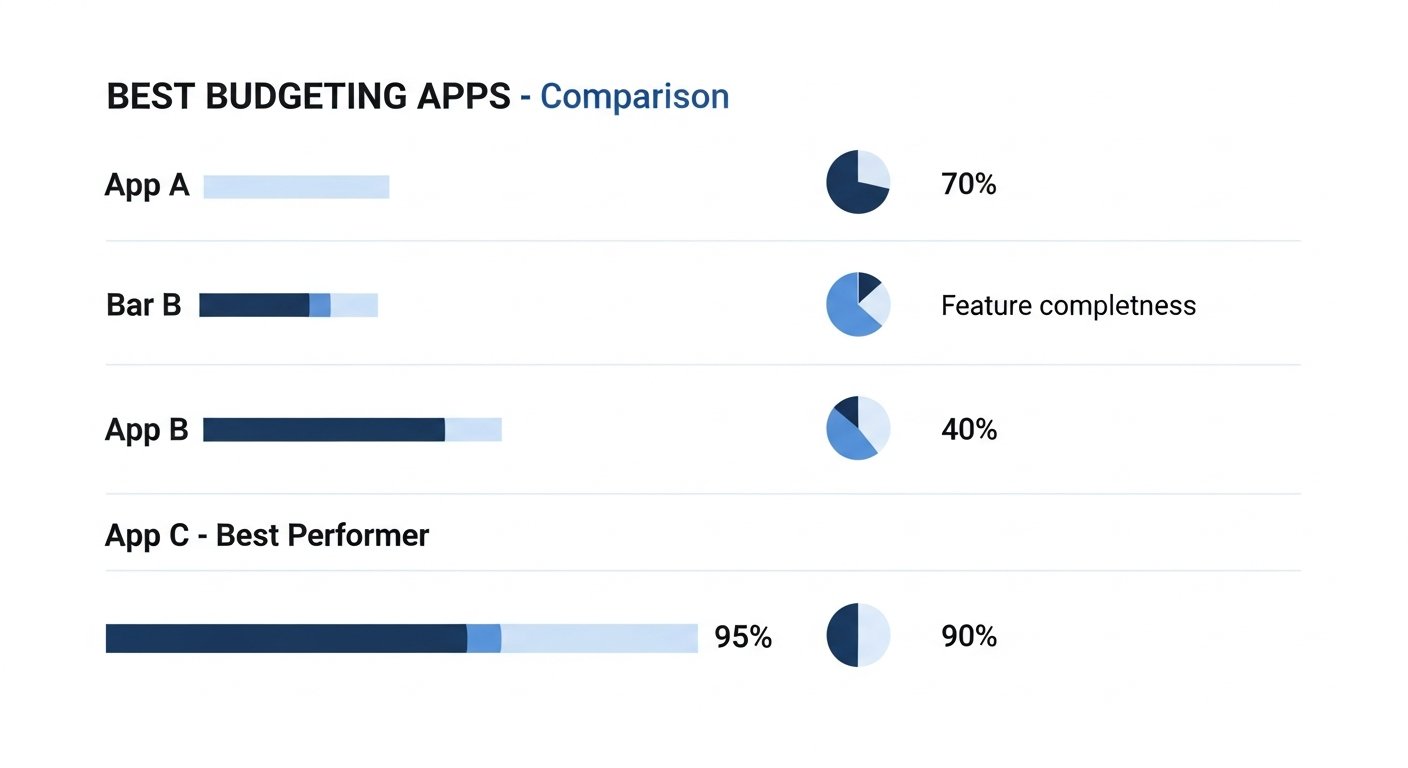
Simply downloading an app isn’t enough; consistent engagement and smart usage are key to unlocking its full potential. Here are fin3go’s expert tips for making the most of your chosen budgeting app:
1. Commit to Regular Check-ins
Budgeting isn’t a one-and-done task. Make it a habit to check your app daily or at least several times a week. Review transactions, categorize any uncategorized items, and see where you stand against your budget. This constant awareness is what drives behavioral change.
2. Be Honest with Your Spending
Don’t try to “game” the system by miscategorizing expenses. Be truthful about where your money is going. The app can only help you if the data you feed it is accurate. If you overspend in a category, acknowledge it and adjust for the next period.
3. Customize Your Categories
While apps offer default categories, tailor them to reflect your actual spending patterns and priorities. If “Dining Out” is too broad, create “Coffee,” “Lunch,” and “Dinner Out” to gain more granular insight. Too many categories can be overwhelming; find a balance that works for you.
4. Set Realistic Goals
Don’t set yourself up for failure with an overly restrictive budget from day one. Start with realistic targets based on your historical spending. As you gain more control and identify areas to cut back, you can gradually tighten your budget.
5. Link All Relevant Accounts
For a true holistic view, link all your financial accounts: checking, savings, credit cards, loans, investments, and even some niche accounts if supported. The more complete your financial picture, the more accurate and insightful the app’s analysis will be.
6. Utilize Alerts and Notifications
Turn on notifications for budget thresholds, upcoming bills, or large transactions. These proactive alerts can prevent overspending, missed payments, and help you catch fraudulent activity quickly.
7. Review Reports and Trends
Periodically dive into the app’s reporting features. Look beyond just the current month. Analyze trends over several months to identify consistent problem areas, celebrate successes, and make informed adjustments to your long-term financial strategy.
8. Plan for Irregular Expenses
Many budgets falter when unexpected expenses arise (e.g., car repairs, holiday gifts, annual insurance premiums). Use your app to create “sinking funds” or dedicated savings goals for these irregular but anticipated costs. Allocate a small amount each month so you’re prepared when they hit.
9. Integrate with Other Financial Tools (If Applicable)
Some apps integrate with investment platforms, tax software, or other fintech tools. Leveraging these integrations can create a more seamless and powerful financial ecosystem.
10. Don’t Be Afraid to Adjust
Life happens, and your financial situation can change. Your budget isn’t set in stone. If a category is consistently over or under budget, re-evaluate its allocation. Be flexible and willing to adjust your plan as your income, expenses, or goals evolve.
The Future of Personal Finance: What’s Next for Budgeting Tools
The innovation in fintech is relentless, and budgeting apps are no exception. Looking towards the horizon, several trends are poised to redefine how we manage our money, making the best budgeting apps even more powerful and personalized in the coming years.
1. Hyper-Personalization with AI and Machine Learning
Expect budgeting apps to become even smarter. AI will move beyond basic categorization to offer highly personalized financial advice, predictive spending insights, and tailored recommendations. Imagine an app that not only tells you where you spend but suggests specific, actionable ways to save based on your unique habits, local prices, and even anticipated life events.
- Predictive Budgeting: AI will analyze past spending and income patterns to forecast future cash flow with greater accuracy, helping users proactively adjust.
- Personalized Nudges: Instead of generic alerts, apps might send context-aware notifications, like “You usually spend X on groceries by this time of the month, consider skipping that impulse purchase.”
- Financial Health Scores: More sophisticated scoring systems that go beyond credit scores, providing a holistic view of your financial well-being and clear steps for improvement.
2. Seamless Integration with Open Banking and APIs
The continued expansion of open banking initiatives will allow for even more fluid and secure data exchange between various financial institutions and fintech apps. This means:
- Unified Financial Hubs: Your budgeting app could become a central dashboard not just for tracking, but for initiating payments, applying for loans, and managing investments directly.
- Cross-Platform Insights: A richer, more complete picture of your financial life by integrating data from a wider array of sources, including lesser-known financial services and even loyalty programs.
3. Gamification and Behavioral Economics
To keep users engaged and motivated, apps will increasingly leverage gamification techniques and insights from behavioral economics.
- Challenges and Rewards: Earning badges for sticking to a budget, competing with friends on savings goals, or unlocking rewards for achieving financial milestones.
- Nudge Theory: Subtle prompts and default settings designed to encourage positive financial behaviors without feeling restrictive.
4. Enhanced Security and Privacy Controls
As financial data becomes more interconnected, the emphasis on robust security and user privacy will only intensify.
- Advanced Biometrics: Wider adoption of face recognition, fingerprint scanning, and other biometric authentication methods.
- Data Control: Users will have more granular control over what data is shared, with whom, and for what purpose, thanks to evolving privacy regulations.
5. Embedded Finance and Lifestyle Integration
Budgeting won’t be confined to a separate app. It will increasingly become embedded into other aspects of our digital lives.
- Shopping Integration: Imagine an app that alerts you to budget overspending at the point of sale or suggests cheaper alternatives.
- Contextual Financial Advice: Receiving financial advice relevant to your current activities – budgeting tips popping up when you’re planning a trip or a new purchase.
The future of budgeting apps promises a financial landscape where managing money is not just easier, but smarter, more integrated, and deeply personalized, empowering individuals to achieve financial freedom like never before. Staying abreast of these developments and choosing apps that are at the forefront of innovation will be key to long-term financial success.
Frequently Asked Questions
Q1: What is the primary difference between a free and a paid budgeting app?
A1: The main differences typically revolve around features, user experience, and how the app generates revenue. Free apps often have limited features, may display ads, or sell aggregated user data, and might not offer the same level of customer support. Paid apps, on the other hand, usually provide a comprehensive suite of tools, are ad-free, prioritize user privacy, offer superior support, and often integrate more advanced functionalities like deeper analytics, investment tracking, and personalized advice. The value of a paid app often lies in its ability to save you more money or provide peace of mind than its subscription cost.
Q2: How secure are budgeting apps with my financial information?
A2: Reputable budgeting apps employ bank-grade security measures, including 256-bit AES encryption, multi-factor authentication (MFA), and read-only access to your accounts. This means they can view your transaction data but cannot initiate transfers or move money. They partner with secure data aggregators (like Plaid or Finicity) that are trusted by thousands of
The Best Budgeting Apps of 2026: Master Your Money with fin3go
Affiliate disclosure: This article may contain affiliate links. Recommendations are independent and editorially driven.
In the rapidly evolving world of personal finance, managing your money has never been more critical – or more accessible. As we navigate 2026, the landscape of financial technology continues to offer innovative solutions designed to empower individuals to achieve their monetary goals. Among these, budgeting apps stand out as indispensable tools, transforming complex financial tracking into an intuitive, often automated, process. For anyone looking to gain genuine control over their spending, boost their savings, pay down debt, or simply understand where their money truly goes, finding the best budgeting apps is the crucial first step.
At fin3go, we understand that effective financial management is the cornerstone of long-term wealth building and peace of mind. Our team of fintech experts has meticulously researched, tested, and analyzed dozens of the leading budgeting applications available today. This comprehensive guide aims to cut through the noise, providing you with an unbiased, in-depth look at the top contenders, their features, benefits, and who they’re best suited for. Whether you’re a budgeting novice seeking simplicity or a seasoned financial pro looking for advanced analytics, there’s an app out there perfectly tailored to your needs.
We’ll delve into the various budgeting philosophies, what essential features define a truly great app, and ultimately, present our top recommendations. By the end of this article, you’ll have all the information you need to confidently choose the budgeting app that will help you master your money in 2026 and beyond.
Why Budgeting Apps Are Essential for Financial Freedom in 2026
The concept of budgeting has been around for centuries, but its modern application, supercharged by technology, offers unprecedented advantages. In an increasingly complex economic environment, simply ‘knowing’ you should save money isn’t enough. You need actionable insights, automated tracking, and a clear roadmap. This is precisely where the best budgeting apps shine, becoming more than just digital ledgers – they are personal financial coaches, accountability partners, and future planners rolled into one.
The Disconnect Between Income and Spending
Many individuals experience a profound disconnect between their perceived financial situation and their actual spending habits. Impulse purchases, subscription creep, and often-overlooked small expenditures can quietly erode savings and derail financial goals. Without a clear overview, it’s easy to fall into the trap of wondering, “Where did all my money go?” Budgeting apps bridge this gap by providing real-time visibility into every dollar earned and spent.
Key Benefits of Using a Budgeting App
- Unparalleled Visibility: Connect all your bank accounts, credit cards, investments, and loans in one secure place. See your entire financial picture at a glance.
- Automated Tracking: Say goodbye to manual spreadsheets. Most apps automatically categorize transactions, saving you countless hours and reducing human error.
- Goal Setting & Progress Monitoring: Whether it’s saving for a down payment, a vacation, or retirement, apps help you set realistic goals and track your progress daily.
- Behavioral Change: The awareness generated by seeing your spending patterns can be a powerful catalyst for changing financial habits, reducing unnecessary expenditures, and making more conscious financial decisions.
- Debt Management: Many apps offer features to help you strategize debt repayment, prioritizing high-interest debts and visualizing your path to becoming debt-free.
- Alerts & Reminders: Get notifications for upcoming bills, unusual spending, or when you’re approaching budget limits, helping you stay on track and avoid overdrafts.
- Simplified Tax Preparation: Categorized spending can significantly streamline tax season, making it easier to identify deductible expenses.
- Enhanced Security: Reputable apps employ bank-grade encryption and security protocols to protect your sensitive financial data.
The Evolution of Financial Technology
The fintech revolution has democratized sophisticated financial tools once only available to institutions or high-net-worth individuals. Budgeting apps are at the forefront of this movement, continuously evolving with features like AI-driven insights, predictive analytics, and seamless integration with other financial services. This means that managing your money isn’t just about tracking; it’s about intelligent forecasting and personalized advice, making 2026 an opportune time to leverage these advancements.
[INLINE IMAGE 1: place after second H2 | alt=”best budgeting apps concept illustration”]
Understanding Your Budgeting Style: Methods and Philosophies
Before diving into specific apps, it’s crucial to understand that budgeting isn’t a one-size-fits-all endeavor. Different methodologies appeal to different personalities and financial situations. The best budgeting apps often support one or more of these philosophies, or at least provide the flexibility to adapt to them. Identifying your preferred style can significantly narrow down your choices and ensure long-term success.
1. The 50/30/20 Rule
This is arguably one of the most popular and straightforward budgeting frameworks, ideal for beginners. It suggests allocating your after-tax income into three main categories:
- 50% for Needs: Essential expenses like housing (rent/mortgage), utilities, groceries, transportation, insurance, and minimum loan payments.
- 30% for Wants: Discretionary spending such as dining out, entertainment, hobbies, shopping, and vacations.
- 20% for Savings & Debt Repayment: This includes contributions to retirement accounts, emergency funds, investment accounts, and extra payments towards debt beyond the minimum.
Many apps allow you to set percentage-based budgets, making it easy to implement this rule and track adherence.
2. Zero-Based Budgeting
Made famous by financial gurus, zero-based budgeting ensures that every dollar of your income is assigned a “job” – whether it’s spending, saving, or debt repayment. The goal is that your income minus your expenses (including savings and debt payments) equals zero at the end of each budgeting period (typically a month). This method demands more attention to detail but offers maximum control.
- Pros: Highly effective for understanding exactly where every dollar goes; promotes intentional spending; helps identify wasteful spending.
- Cons: Requires more active management and commitment; can feel restrictive initially.
Apps like YNAB (You Need A Budget) are built specifically around this philosophy.
3. The Envelope System (Digital Adaptation)
Traditionally, this involved physical envelopes filled with cash for different spending categories. Once an envelope was empty, spending in that category stopped until the next budgeting period. Digital budgeting apps replicate this by creating virtual “envelopes” or categories with allocated funds. As you spend, the app deducts from the relevant digital envelope.
- Pros: Visually intuitive; excellent for managing variable expenses; prevents overspending in specific areas.
- Cons: Requires consistent categorization; less flexible for unexpected large expenses if not properly managed.
4. Pay Yourself First
This philosophy prioritizes saving and investing before any other spending. The idea is to automate transfers to savings and investment accounts immediately after receiving your paycheck. What’s left is then used for needs and wants. This method emphasizes building long-term wealth by making savings a non-negotiable expense.
- Pros: Builds consistent savings and investments; reduces the temptation to spend money before saving; relatively low maintenance once set up.
- Cons: May require discipline to live on the remaining income; less emphasis on detailed spending tracking for other categories.
Many apps facilitate automated transfers and goal-based savings, supporting this approach.
5. Hybrid Approaches
Often, the best approach is a combination tailored to your personal habits. You might use the 50/30/20 rule for broad categories but apply a zero-based approach to a particularly problematic spending area. The flexibility offered by many of the best budgeting apps allows users to mix and match strategies, evolving their budgeting as their financial literacy and goals mature.
Key Features to Look For in a Top Budgeting App
With so many options available, choosing the right app can feel overwhelming. Focusing on core functionalities and how they align with your personal finance goals will simplify the decision. Here’s a breakdown of essential features to prioritize when evaluating the best budgeting apps.
1. Secure Bank Account Synchronization
This is non-negotiable. The ability to securely link your checking, savings, credit cards, loans, and investment accounts is fundamental. Look for apps that use robust encryption (e.g., 256-bit AES) and comply with industry-standard security protocols (like those used by banks). Data aggregation services (e.g., Plaid, Finicity) are common and generally secure.
- What to check: How many institutions can be linked? How often does data refresh? Are there any known connectivity issues with your bank?
2. Automatic Transaction Categorization
The cornerstone of effortless budgeting. The app should automatically import and categorize your transactions, learning from your habits over time. While manual adjustments will always be necessary for nuanced situations, a good app minimizes this effort.
- What to check: Accuracy of auto-categorization; ease of re-categorization; ability to create custom categories; splitting transactions.
3. Customizable Budgeting Categories and Limits
Your budget should reflect your life, not a generic template. The best apps offer extensive customization, allowing you to create, rename, and set limits for categories that make sense to you.
- What to check: Granularity of categories; ability to set different budget periods (weekly, bi-weekly, monthly); rollover options for unused funds.
4. Real-time Spending Tracking and Alerts
Knowledge is power. The app should provide an up-to-the-minute view of your spending against your budget limits. Alerts for overspending, upcoming bills, or large transactions are incredibly valuable for proactive management.
- What to check: Push notifications for budget thresholds; email alerts; detailed transaction history.
5. Goal Setting and Progress Monitoring
Beyond daily spending, apps should support your larger financial aspirations. Whether saving for an emergency fund, a down payment, or a trip, the app should help you define goals, calculate contribution amounts, and visualize your progress.
- What to check: Multiple goal types; visual progress trackers; integration with savings accounts.
6. Reporting and Analytics
Understanding your financial habits requires more than just raw data. Powerful reporting tools that visualize your spending trends, net worth changes, and debt progress through charts and graphs are essential for long-term insights.
- What to check: Customizable reports; export options; historical data analysis; net worth tracking.
7. User Interface and Ease of Use
An app can have all the features in the world, but if it’s clunky or confusing, you won’t use it. Look for an intuitive, clean interface that makes budgeting feel less like a chore and more like an empowering experience.
- What to check: Intuitive navigation; clean design; accessibility features; mobile vs. desktop experience.
8. Security and Privacy
Handling sensitive financial data demands the highest security standards. Ensure the app uses bank-level encryption, multi-factor authentication (MFA), and has a transparent privacy policy that explains how your data is used and protected.
- What to check: Two-factor authentication; data encryption; read-only access to bank accounts (apps can see data but can’t move money); clear privacy policy.
9. Customer Support and Resources
Even the best apps can present occasional challenges. Responsive and knowledgeable customer support, along with comprehensive help documentation, forums, or tutorials, can make a significant difference in your experience.
- What to check: Availability (email, chat, phone); response times; quality of knowledge base.
10. Cost and Value Proposition
Budgeting apps range from free to premium subscriptions. Evaluate the features offered against the price. A paid app might offer advanced functionalities, better support, or an ad-free experience that justifies the cost if it genuinely helps you save more than it costs.
- What to check: Free trial options; subscription models (monthly/annually); what’s included in free vs. paid tiers; ads (if free).
Our Top Picks: In-Depth Reviews of the Best Budgeting Apps
After extensive evaluation, we’ve narrowed down the field to what we believe are the best budgeting apps available in 2026. Each app offers a unique approach and set of features, catering to different financial styles and needs.
[INLINE IMAGE 2: place after fourth H2 | alt=”best budgeting apps comparison illustration”]
1. You Need A Budget (YNAB) – Best for Zero-Based Budgeting Enthusiasts
YNAB isn’t just an app; it’s a budgeting philosophy. Built firmly on the principles of zero-based budgeting, YNAB encourages users to give every dollar a job. This proactive approach helps users gain complete control over their money, plan for future expenses, and break the paycheck-to-paycheck cycle.
Key Features:
- True Zero-Based Budgeting: Explicitly allocates every dollar to a category.
- Goal Setting: Helps users save for specific goals (e.g., emergency fund, down payment).
- “Age Your Money” Feature: Encourages users to spend money that’s at least 30 days old, indicating financial stability.
- Direct Import & Manual Entry: Syncs with bank accounts or allows for meticulous manual tracking.
- Robust Reporting: Detailed insights into spending, net worth, and trends.
- Active Community & Resources: Extensive learning materials, workshops, and a supportive community.
Pros:
- Extremely effective for debt reduction and savings growth when used consistently.
- Forces mindfulness about spending decisions.
- Excellent educational resources and customer support.
- Mobile apps are well-designed and functional.
Cons:
- Steep learning curve initially; requires commitment to the methodology.
- Subscription fee is higher than many competitors.
- May be too rigid for those who prefer a more flexible approach.
Best For:
Individuals committed to a proactive, detailed budgeting approach; those looking to break bad financial habits and get out of debt; serious savers.
2. Simplifi by Quicken – Best for Comprehensive Financial Tracking with Modern UX
Simplifi strikes an excellent balance between powerful financial tracking and a user-friendly interface. It’s designed for those who want a holistic view of their finances without the intensity of a zero-based budget. Simplifi offers robust features for tracking spending, net worth, and setting savings goals.
Key Features:
- Comprehensive Dashboard: All financial accounts in one place (banking, credit, investments, loans).
- Customizable Spending Plans: Set budgets with spending limits for different categories.
- Real-time Cash Flow: Predicts upcoming cash availability based on income and recurring bills.
- Net Worth Tracking: Monitors assets and liabilities over time.
- Goal Planning: Helps create and track savings goals with personalized insights.
- Investment Tracking: Consolidates investment portfolios for a complete financial picture.
Pros:
- Clean, intuitive user interface that’s easy to navigate.
- Strong focus on cash flow and real-time financial health.
- Excellent reporting and insights without being overwhelming.
- Ad-free experience with a clear subscription model.
Cons:
- Subscription required (no free tier).
- May not be as granular for extreme budgeters as YNAB.
- Some users report occasional connectivity issues with specific banks, though this is common across all aggregators.
Best For:
Individuals seeking a modern, user-friendly platform for comprehensive financial tracking, spending insights, and goal setting; those who appreciate an ad-free experience.
3. Monarch Money – Best for Modern Couples & Collaborative Budgeting
Monarch Money is a newer player that has quickly gained traction, especially among younger generations and couples. It offers a premium, ad-free experience with a beautiful interface, powerful customization, and robust collaborative features, positioning itself as a strong alternative to legacy apps.
Key Features:
- Collaborative Budgeting: Shared access for partners to manage finances together.
- Personalized Dashboards: Highly customizable views to prioritize what matters most to you.
- Flexible Budgeting: Supports various methods from simple tracking to more detailed category budgets.
- Goal Setting: Create and track progress for multiple financial goals.
- Net Worth Tracker: Detailed tracking of assets and liabilities, including crypto.
- Roll-over Budgets: Unspent funds can roll over to the next month for flexible saving.
Pros:
- Sleek, modern design and user experience.
- Excellent for joint finances and shared financial goals.
- Strong focus on privacy and security (ad-free, no selling data).
- Highly customizable reporting and insights.
Cons:
- Premium subscription model may be a barrier for some.
- Still building out integrations compared to older, more established players.
Best For:
Couples managing finances together; individuals seeking a modern, ad-free, and highly customizable budgeting experience; those who appreciate a clean interface and strong privacy.
4. Rocket Money (formerly Truebill) – Best for Subscription Management & Bill Negotiation
Rocket Money stands out for its unique focus on identifying and managing subscriptions, negotiating bills, and finding ways to save money beyond just tracking spending. While it offers traditional budgeting features, its AI-powered savings capabilities are a major draw.
Key Features:
- Subscription Cancellation: Automatically identifies and helps cancel unwanted subscriptions.
- Bill Negotiation: Rocket Money’s team can negotiate lower rates on your behalf for bills like internet, cable, and phone.
- Spending Tracking & Categorization: Links accounts and automatically categorizes transactions.
- Net Worth Tracking: Provides an overview of your financial health.
- Smart Savings Accounts: Automatically moves small amounts to savings (optional).
- Credit Score Tracking: Helps monitor your credit health.
Pros:
- Excellent for identifying and eliminating wasteful spending (subscriptions).
- Bill negotiation service can save significant money.
- User-friendly interface.
- Free tier offers basic tracking, with premium features requiring a subscription.
Cons:
- Core budgeting features can be less robust than dedicated budgeting apps.
- Premium features come with a variable subscription fee (choose your price).
- Bill negotiation success is not guaranteed and may involve a percentage of savings.
Best For:
Individuals struggling with subscription overload; those looking to actively reduce recurring bills; anyone who wants an app to proactively find savings opportunities.
5. PocketGuard – Best for “How Much Can I Spend?” Simplicity
PocketGuard focuses on answering one crucial question: “How much money do I have left to spend?” It consolidates your income, bills, and savings goals to give you a clear, real-time “IN MY POCKET” number. This simplicity makes it ideal for those who want a quick glance at their disposable income without deep dives into complex budgeting theories.
Key Features:
- “IN MY POCKET” Algorithm: Automatically calculates safe-to-spend money after bills and savings.
- Subscription Tracking: Identifies recurring bills and subscriptions.
- Goal Setting: Helps track progress towards savings goals.
- Net Worth Tracking: Overview of all linked accounts.
- Debt Payoff Plan: Tools to help reduce debt efficiently.
Pros:
- Extremely simple and intuitive for quick spending guidance.
- Great for visual learners and those who want a basic overview.
- Free tier offers substantial functionality.
Cons:
- Less customizable for detailed budget categories compared to others.
- Reporting and analytical tools are not as in-depth.
- Premium features (PocketGuard Plus) are required for full functionality.
Best For:
Beginners who want a simple, clear understanding of their disposable income; individuals who prefer a “safe to spend” number over strict category budgeting; those seeking a minimalist approach.
Explore the latest trends in fintech innovation shaping the future of money management.
Comparison Table: Best Budgeting Apps of 2026
To help you compare the leading options at a glance, here’s a summary of their key features and target users:
| App Name | Primary Budgeting Method | Key Standout Feature | Pricing Model | Best For |
|---|---|---|---|---|
| You Need A Budget (YNAB) | Zero-Based | Strict “Give Every Dollar a Job” philosophy for maximum control. | Paid subscription | Zero-based budgeters, debt reduction, serious savers. |
| Simplifi by Quicken | Flexible Category Budgeting | Modern UX with comprehensive cash flow and net worth tracking. | Paid subscription | Modern users seeking holistic financial overview, ad-free. |
| Monarch Money | Flexible / Collaborative | Collaborative budgeting for couples, highly customizable, modern design. | Paid subscription | Couples, tech-savvy users, privacy-focused individuals. |
| Rocket Money | Spending Tracking / Savings Automation | Subscription cancellation and bill negotiation services. | Freemium (variable paid tier) | Subscription-heavy users, those looking to cut recurring costs. |
| PocketGuard | “In My Pocket” (Safe-to-Spend) | Simplifies budgeting to a clear “how much can I spend” number. | Freemium | Budgeting beginners, simple overview, visual spenders. |
| Personal Capital (Empower Personal Dashboard) | Investment Tracking / Net Worth | Holistic view of investments, net worth, and retirement planning. | Free (wealth management is paid) | Investors, high-net-worth individuals, retirement planners. |
6. Personal Capital (Now Empower Personal Dashboard) – Best for Investment & Net Worth Tracking
While not a traditional budgeting app in the same vein as YNAB or Simplifi, Personal Capital offers unparalleled tools for tracking your entire financial picture, especially investments and net worth. Its free dashboard provides robust features that complement any budgeting strategy, focusing on long-term wealth building.
Key Features:
- Comprehensive Net Worth Tracker: Connects all accounts (banking, credit, investments, mortgages, crypto) to display your real-time net worth.
- Investment Performance Tracking: Analyzes fees, asset allocation, and performance across all investment accounts.
- Retirement Planner: Powerful tools to forecast retirement readiness and model different scenarios.
- Fee Analyzer: Identifies hidden fees in investment accounts.
- Cash Flow Analysis: Basic income and expense tracking (though not as detailed for budgeting as others).
Pros:
- Best-in-class for investment tracking and portfolio analysis.
- Completely free dashboard (they earn revenue from wealth management services).
- Excellent for high-net-worth individuals and serious investors.
- Provides a holistic, forward-looking view of your financial health.
Cons:
- Budgeting features are basic; not suitable as a primary daily spending tracker.
- Frequent prompts to engage with their paid wealth management advisors.
Best For:
Investors; individuals focused on long-term wealth building, retirement planning, and net worth growth; those who need a comprehensive view of their assets and liabilities.
Choosing the Right Budgeting App for Your Needs
With a deeper understanding of the top apps and budgeting philosophies, it’s time to make an informed decision. The “best” app isn’t universal; it’s the one that best fits your unique financial personality, goals, and lifestyle. Consider these factors:
1. Your Budgeting Personality and Goals
- Are you a beginner looking for simplicity? Apps like PocketGuard or the basic features of Rocket Money might be a good starting point.
- Are you committed to detailed tracking and proactive planning? YNAB is likely your best bet.
- Do you want a balance of automation, detail, and modern design? Simplifi or Monarch Money offer robust, user-friendly experiences.
- Is reducing subscriptions and finding savings a priority? Rocket Money excels here.
- Are you an investor focused on net worth and long-term planning? Personal Capital’s free tools are invaluable.
- Are you managing finances with a partner? Monarch Money offers excellent collaborative features.
2. Your Financial Complexity
How many accounts do you have? Do you have complex investments, multiple loans, or unique income streams? Apps vary in their ability to handle intricate financial pictures.
- Simple finances: Most apps can handle basic checking, savings, and a credit card.
- Complex finances (investments, multiple properties, side hustles): Simplifi, Monarch Money, and Personal Capital offer more robust tracking for diverse assets.
3. Time Commitment and Learning Curve
Some apps require more active engagement and have a steeper learning curve (e.g., YNAB), while others are designed for a quick, glanceable overview (e.g., PocketGuard).
- High commitment, high reward: YNAB.
- Moderate commitment, comprehensive: Simplifi, Monarch Money.
- Low commitment, quick insights: PocketGuard, basic Rocket Money.
4. Cost vs. Value
Decide if a free app (often supported by ads or limited features) or a paid subscription (typically ad-free with full functionality and dedicated support) aligns with your budget and values. Remember, a paid app that helps you save hundreds or thousands of dollars annually is often a worthwhile investment.
- Free tiers: Rocket Money (basic), Personal Capital (dashboard).
- Paid, feature-rich: YNAB, Simplifi, Monarch Money.
5. Security and Privacy Preferences
All recommended apps employ strong security, but some users have specific privacy concerns. Apps that don’t rely on selling data or showing ads (typically the paid ones) might be preferable.
- Strong privacy focus (ad-free): YNAB, Simplifi, Monarch Money.
Consider taking advantage of free trials offered by many paid apps. This allows you to experience the interface and features firsthand before committing to a subscription. Experiment with linking a few accounts and setting up a basic budget to see how it feels.
Understand how to improve your credit score for better financial opportunities.
Maximizing Your Budgeting App: Tips for Success
Simply downloading an app isn’t enough; consistent engagement and smart usage are key to unlocking its full potential. Here are fin3go’s expert tips for making the most of your chosen budgeting app:
1. Commit to Regular Check-ins
Budgeting isn’t a one-and-done task. Make it a habit to check your app daily or at least several times a week. Review transactions, categorize any uncategorized items, and see where you stand against your budget. This constant awareness is what drives behavioral change.
2. Be Honest with Your Spending
Don’t try to “game” the system by miscategorizing expenses. Be truthful about where your money is going. The app can only help you if the data you feed it is accurate. If you overspend in a category, acknowledge it and adjust for the next period.
3. Customize Your Categories
While apps offer default categories, tailor them to reflect your actual spending patterns and priorities. If “Dining Out” is too broad, create “Coffee,” “Lunch,” and “Dinner Out” to gain more granular insight. Too many categories can be overwhelming; find a balance that works for you.
4. Set Realistic Goals
Don’t set yourself up for failure with an overly restrictive budget from day one. Start with realistic targets based on your historical spending. As you gain more control and identify areas to cut back, you can gradually tighten your budget.
5. Link All Relevant Accounts
For a true holistic view, link all your financial accounts: checking, savings, credit cards, loans, investments, and even some niche accounts if supported. The more complete your financial picture, the more accurate and insightful the app’s analysis will be.
6. Utilize Alerts and Notifications
Turn on notifications for budget thresholds, upcoming bills, or large transactions. These proactive alerts can prevent overspending, missed payments, and help you catch fraudulent activity quickly.
7. Review Reports and Trends
Periodically dive into the app’s reporting features. Look beyond just the current month. Analyze trends over several months to identify consistent problem areas, celebrate successes, and make informed adjustments to your long-term financial strategy.
8. Plan for Irregular Expenses
Many budgets falter when unexpected expenses arise (e.g., car repairs, holiday gifts, annual insurance premiums). Use your app to create “sinking funds” or dedicated savings goals for these irregular but anticipated costs. Allocate a small amount each month so you’re prepared when they hit.
9. Integrate with Other Financial Tools (If Applicable)
Some apps integrate with investment platforms, tax software, or other fintech tools. Leveraging these integrations can create a more seamless and powerful financial ecosystem.
10. Don’t Be Afraid to Adjust
Life happens, and your financial situation can change. Your budget isn’t set in stone. If a category is consistently over or under budget, re-evaluate its allocation. Be flexible and willing to adjust your plan as your income, expenses, or goals evolve.
The Future of Personal Finance: What’s Next for Budgeting Tools
The innovation in fintech is relentless, and budgeting apps are no exception. Looking towards the horizon, several trends are poised to redefine how we manage our money, making the best budgeting apps even more powerful and personalized in the coming years.
1. Hyper-Personalization with AI and Machine Learning
Expect budgeting apps to become even smarter. AI will move beyond basic categorization to offer highly personalized financial advice, predictive spending insights, and tailored recommendations. Imagine an app that not only tells you where you spend but suggests specific, actionable ways to save based on your unique habits, local prices, and even anticipated life events.
- Predictive Budgeting: AI will analyze past spending and income patterns to forecast future cash flow with greater accuracy, helping users proactively adjust.
- Personalized Nudges: Instead of generic alerts, apps might send context-aware notifications, like “You usually spend X on groceries by this time of the month, consider skipping that impulse purchase.”
- Financial Health Scores: More sophisticated scoring systems that go beyond credit scores, providing a holistic view of your financial well-being and clear steps for improvement.
2. Seamless Integration with Open Banking and APIs
The continued expansion of open banking initiatives will allow for even more fluid and secure data exchange between various financial institutions and fintech apps. This means:
- Unified Financial Hubs: Your budgeting app could become a central dashboard not just for tracking, but for initiating payments, applying for loans, and managing investments directly.
- Cross-Platform Insights: A richer, more complete picture of your financial life by integrating data from a wider array of sources, including lesser-known financial services and even loyalty programs.
3. Gamification and Behavioral Economics
To keep users engaged and motivated, apps will increasingly leverage gamification techniques and insights from behavioral economics.
- Challenges and Rewards: Earning badges for sticking to a budget, competing with friends on savings goals, or unlocking rewards for achieving financial milestones.
- Nudge Theory: Subtle prompts and default settings designed to encourage positive financial behaviors without feeling restrictive.
4. Enhanced Security and Privacy Controls
As financial data becomes more interconnected, the emphasis on robust security and user privacy will only intensify.
- Advanced Biometrics: Wider adoption of face recognition, fingerprint scanning, and other biometric authentication methods.
- Data Control: Users will have more granular control over what data is shared, with whom, and for what purpose, thanks to evolving privacy regulations.
5. Embedded Finance and Lifestyle Integration
Budgeting won’t be confined to a separate app. It will increasingly become embedded into other aspects of our digital lives.
- Shopping Integration: Imagine an app that alerts you to budget overspending at the point of sale or suggests cheaper alternatives.
- Contextual Financial Advice: Receiving financial advice relevant to your current activities – budgeting tips popping up when you’re planning a trip or a new purchase.
The future of budgeting apps promises a financial landscape where managing money is not just easier, but smarter, more integrated, and deeply personalized, empowering individuals to achieve financial freedom like never before. Staying abreast of these developments and choosing apps that are at the forefront of innovation will be key to long-term financial success.
Frequently Asked Questions
Q1: What is the primary difference between a free and a paid budgeting app?
A1: The main differences typically revolve around features, user experience, and how the app generates revenue. Free apps often have limited features, may display ads, or sell aggregated user data, and might not offer the same level of customer support. Paid apps, on the other hand, usually provide a comprehensive suite of tools, are ad-free, prioritize user privacy, offer superior support, and often integrate more advanced functionalities like deeper analytics, investment tracking, and personalized advice. The value of a paid app often lies in its ability to save you more money or provide peace of mind than its subscription cost.
Q2: How secure are budgeting apps with my financial information?
A2: Reputable budgeting apps employ bank-grade security measures, including 256-bit AES encryption, multi-factor authentication (MFA), and read-only access to your accounts. This means they can view your transaction data but cannot initiate transfers or move money. They partner with secure data aggregators (like Plaid or Finicity) that are trusted by thousands of